
Put one observer at the far end and one in the meeting room. Record who hears the repeated voice and when. Then mute both microphone and speakers on a second laptop or phone joining from that room. If the echo stops, keep one effective room audio path. If it remains, trace the conferencing endpoint, digital signal processor (DSP), loudspeakers and microphones. Replacing the whole system or disabling echo cancellation before locating the loop can hide the cause.
Is the remote participant hearing an echo, or is the room producing feedback?
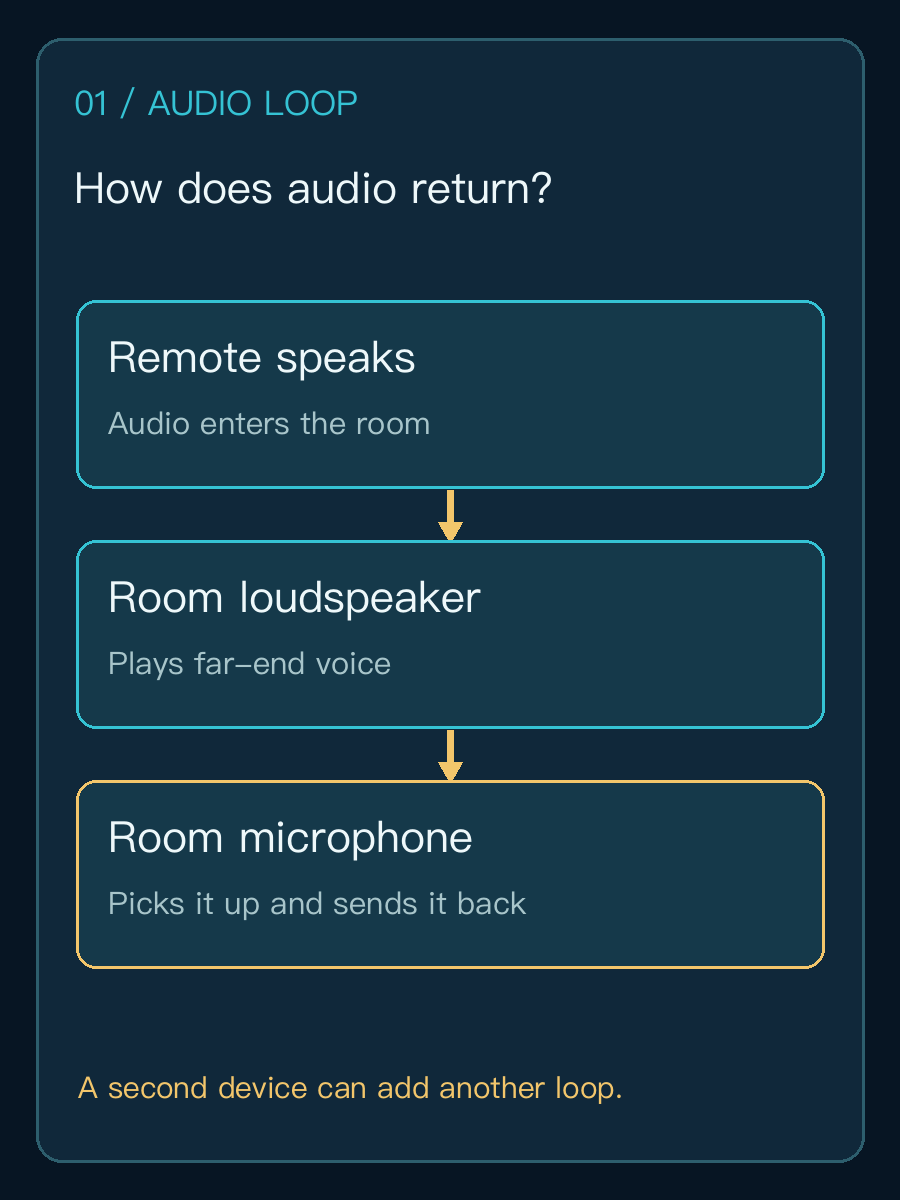
These observations require different first moves. If remote participants hear their own voices delayed, check whether the room speaker output is being captured and sent back. If the room produces a sustained squeal, lower output volume or mute the affected input immediately, then identify the acoustic loop. Tencent Meeting Rooms echo and feedback guidance tells operators to switch off microphones and speakers on nearby devices when multiple devices join from one room.
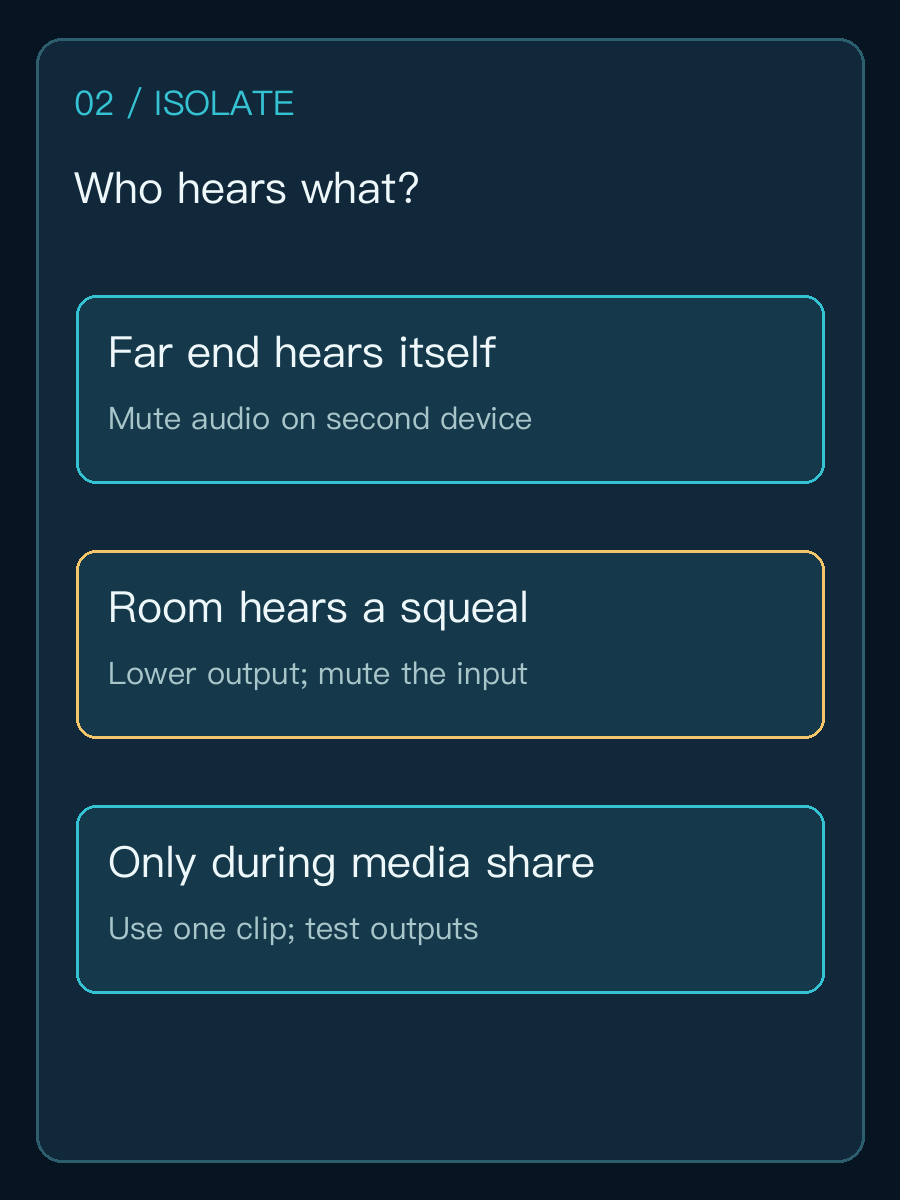
| Observation | First isolation step | What the result establishes |
|---|---|---|
| Remote person hears their own voice | Mute mic and speakers on a second in-room device | Whether that device adds another audio path |
| People in the room hear a sharp squeal | Lower output and mute the affected input | Temporarily breaks the loop, not a root-cause fix |
| Echo appears only during media sharing | Replay the same clip while changing one output at a time | Whether shared content or a display adds duplicate playback |
Why can echo remain with only one visible speakerphone?
Audio can still be routed twice: display speakers and room loudspeakers play simultaneously, one microphone enters both a USB and analog input, or the room DSP and conferencing software are not configured according to their assigned roles. Microsoft's Teams Rooms operations guidance says that Teams Rooms on Windows relies on a connected certified DSP for acoustic echo cancellation. In Teams Rooms on Android, audio processing depends on the device maker and firmware. Check the actual room design rather than treating a generic software switch as a universal fix.
Consider a hypothetical eight-person room with a conferencing endpoint, a tabletop conference telephone and ceiling loudspeakers. Someone joins the same call from a laptop with audio enabled. Keep the laptop available for camera or screen sharing, but mute its microphone and speakers. If the far-end echo disappears, document that second-device audio setting in the room operating card. If it persists, inspect the selected playback device, display audio, DSP input/output mapping and microphone pickup zone. This is an illustrative diagnostic sequence, not a tested Yuqi customer installation.
The conference telephone photograph.jpg) shows a physical room audio endpoint, not the fault described here. Photo by Tony Webster, CC BY 2.0; the displayed copy has only been resized and is not from a Yuqi customer site.
When should a Teams Rooms on Windows operator check audio enhancements?
After excluding multiple-device paths, consider Microsoft's specific Teams Rooms known issue: an audio driver enhancement on an affected Teams-certified USB device can cause echo sent to remote participants or degraded audio. The documented procedure disables that enhancement in both playback and recording device properties, then restarts the Rooms device. This is conditional guidance for matching Windows Rooms symptoms. Record the endpoint, driver and firmware versions and original settings first; certified DSP systems may require a different vendor-approved path.

What proves the next meeting will work?
Keep the same remote tester, speech sample and room volume, changing one variable per test. Record platform and Rooms version, endpoint, microphone, speaker, DSP, number of devices joining, trigger condition and the observation before and after each change. Validate remote speech, in-room speech and shared media with sound. Restore the normal room preset and have another operator follow the operating card. A clean local recording alone does not verify the complete video call.
If the issue remains in the fixed audio system, preserve the signal diagram, device list and test record before assessing Yuqi's auditorium and meeting systems service. For a different failure class, see enterprise Wi-Fi roaming troubleshooting; network interruption and acoustic echo should be investigated separately.
Frequently asked questions
Why does echo persist when echo cancellation is enabled?
A second in-room device or duplicate routing can create an additional loop outside the path handled by one software control. Isolate paths, then verify where processing belongs in the platform and vendor design.
Can two laptops in one room join with both microphones active?
Keep one effective room microphone and speaker path. Other devices can join for camera or screen sharing with their call audio muted. Multi-device conferencing requires explicit coordination.
Should we replace the microphone first?
Only when observations point to that endpoint or pickup position. A controlled two-end test and path inventory can prevent replacing hardware while leaving the original duplicate path in place.