
Turn image production
into reusable workflows
Yuqi Intelligent uses ComfyUI to plan workflow templates, business interfaces, queues, asset libraries and review processes. Models, nodes and settings determine capabilities; select them and review their licenses for each project.
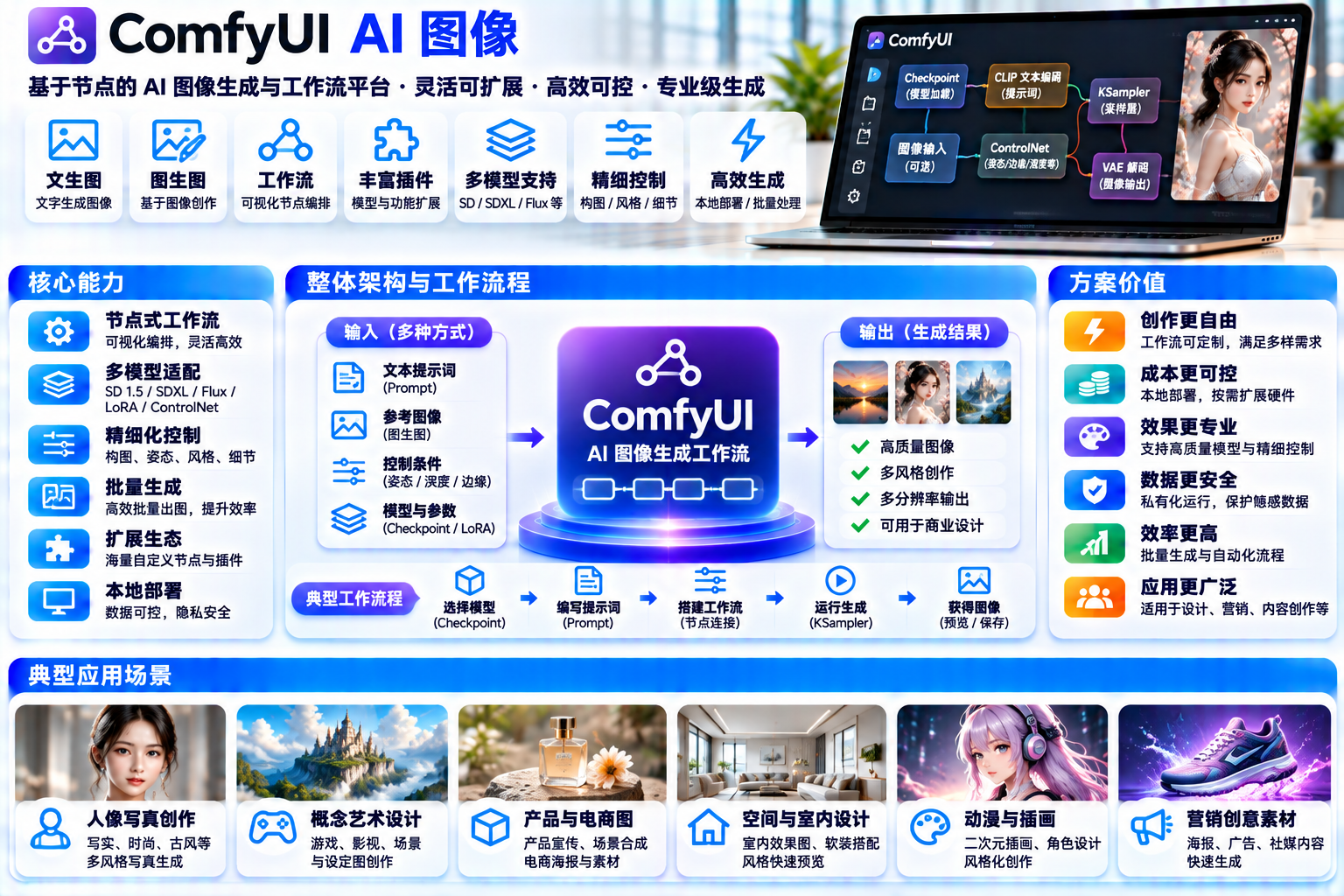
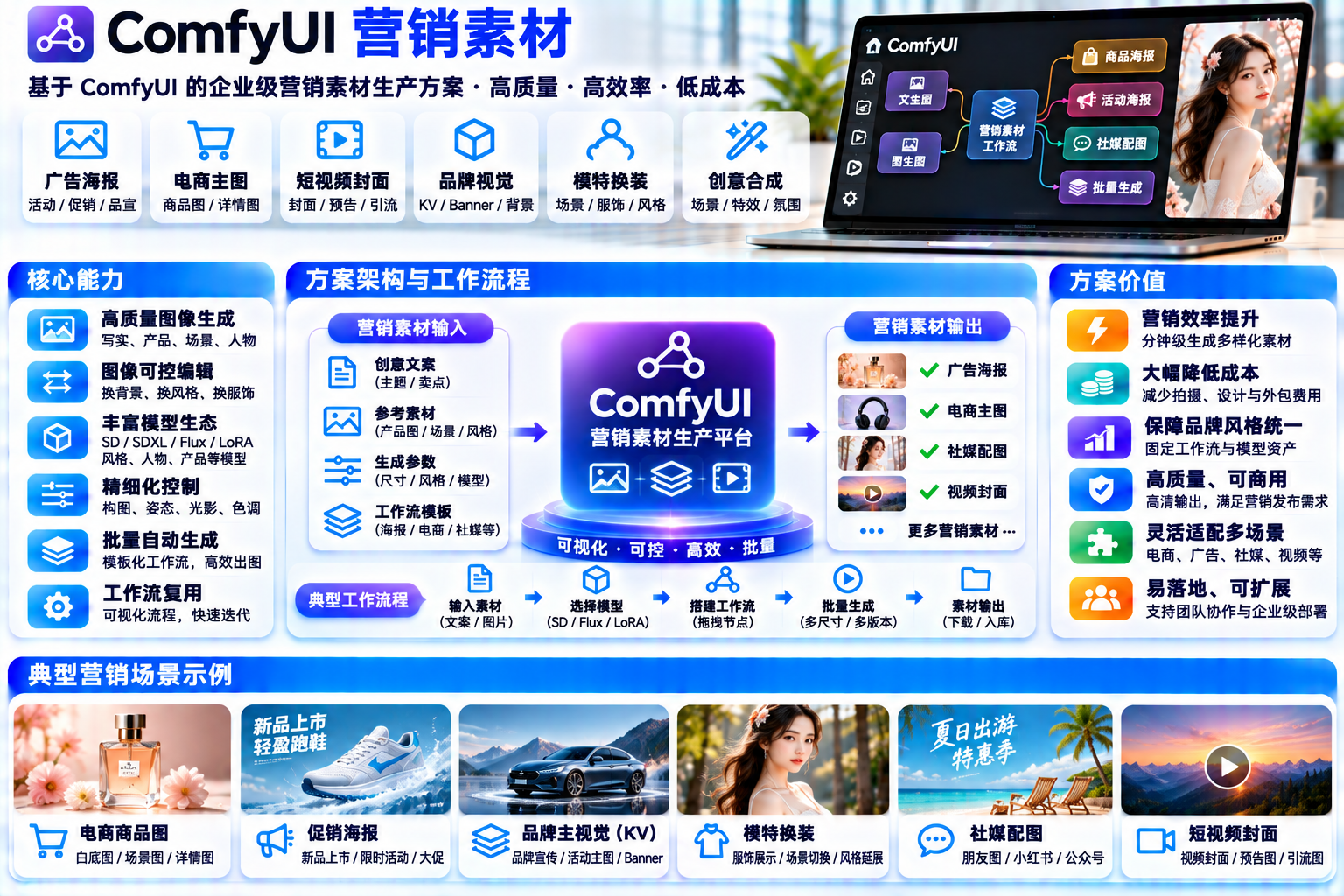
Interfaces, figures and prices are examples. Actual features, licensing and delivery scope are confirmed for each project.
Licenses and capability boundaries
Four license layers, reviewed separately
ComfyUI provides a graph-based interface, API and execution backend. It is a node-based generative workflow tool that connects models, text encoders, conditioning, sampling and decoding. Generation depends on the selected weights, installed nodes and configuration. Review each license layer independently.
Core backend Comfy-Org/ComfyUI
The repository identifies GPL-3.0 license. Its LICENSE contains the standard GNU GPL v3 text. Commercial use is permitted; distributing applicable code requires retaining notices and satisfying the corresponding-source obligations. Internal use and distribution have different implications.
- GPL-3.0
- Standard license text
- Review the selected version
Official frontend ComfyUI_frontend
This separate Vue / TypeScript repository also uses the standard GNU GPL v3 license . Its packaged build is distributed as comfyui-frontend-packageon PyPI. Review the actual frontend license instead of assuming it is MIT, and recheck the selected release before delivery.
- GPL-3.0
- Vue / TS
- Separate repository
Custom nodes Each repository grants its own rights
Node authors publish independently with separate license conditions . ComfyUI-Manager manages installation and updates; it does not grant a universal license. Review nodes, dependencies, preprocessing tools and model components separately.
- Review each repository
- Include dependencies
- Not automatically included
Model weights Independently licensed from the engine
Model owners license their weights separately from ComfyUI. Open weights are not a universal commercial-use grant. Hosted model APIs also have service and content terms. Review output rights for the selected model.
- Review each model
- Output terms
- Separate API terms
The model card identifies the FLUX.1 [dev] Non-Commercial License and describes personal, scientific and commercial uses of outputs as described in the licensesubject to that license. Rights to use model weights and rights to use outputs must be reviewed separately.
The model card specifies CreativeML Open RAIL++-M Licensewith use restrictions. Its limitations include poor text rendering. Precise typography therefore requires a separate design and review process.
Capabilities depend on installed models and nodes; commercial rights depend on component and output terms. Product appearance, packaging and text require human review. Saving workflow JSON does not guarantee identical results. Optional Partner / API Nodes require account credits and may send prompts or images to external providers.
The tool is the foundation; the business system needs engineering
ComfyUI supplies graphs, workflow JSON, local APIs and execution queues. Business permissions, user isolation, orchestration, asset libraries, approvals and external integrations require project engineering.
TWO BUSINESS INTERFACES
Two production paths, one review gate
Product work emphasizes accurate presentation and traceable edits. Campaign work emphasizes batches, formats and shared brand rules. Both paths end with human approval and export.
Product and scene imagery
Start with supplied references, select a workflow and parameters, inspect candidates, make local adjustments and review before export. Useful for exploring product, lifestyle and packaging compositions.
- 01Supply references
- 02Select a workflow
- 03Set parameters and size
- 04Generate candidates (Demo)
- 05Local edits / inpainting
- 06Human review and export
Reference conditioning, masks, inpainting, style control and upscaling require compatible models and nodes. Model families use different loaders and encoders.
Asset uploads and versions, presets, candidate comparison, mask annotation, review states and export naming.
Review appearance, packaging and text against the real product. Exact consistency and correct generated typography are not guaranteed.
Batch marketing assets
Organize poster backgrounds, advertising images and social formats around a campaign theme. Connect parameter combinations, queues, checks, approval and archiving into a reusable batch process.
- 01Define the campaign
- 02Parameters × formats
- 03Queue execution (Demo)
- 04Inspect and select
- 05Human approval
- 06Archive and deliver
Workflows produce candidates at configured resolutions and compositions. Evaluate layout suitability using the selected models, conditions and nodes.
Precise typography, brand checks, automatic layouts, deduplication, archiving, approval and business integrations are proposed custom features.
Typography, brand governance and approvals are not default model capabilities. Agree on their implementation and acceptance criteria for the project.
Creative workspace
Change the scene and workflow, inspect the pipeline
Select a scene, workflow, reference and size. The graph highlights the corresponding branch; candidates and logs use preset data. Run only simulates queue progress and performs no real generation 。
Creative workspace / Interface concept
Preset demo data DemoSelected: Candidate 01 (Context photo, not a generated result) . Candidates are photographs, not model output. Actual product imagery requires appearance, packaging and text review before use.
ANIMATED PIPELINES
Two pipelines, every step explained
Follow the business stages, progress indicator and notes. Stage playback starts only when requested. Pause and reduced-motion settings stop automatic progression; individual steps remain available.
Requirements and assets
Product, scene and brand constraints
Workflow selection
Select a compatible template
Models and conditions
Weights, encoders, prompts and sampling
Candidate generation
Queue execution / candidate outputs
Adjust and review
Local edits and individual inspection
Export assets
Naming, format and delivery records
Requirements and assets
Supply product references, packaging rules, target channels and prohibited elements. Record asset sources and usage rights. This preparation stage produces a brief and asset package without model execution.
Human input / DemoTask list
Campaign, channels and quantities
Parameter and size combinations
Theme × layout × output size
Queue execution
Concurrency, state updates and retries
Result checks
Size, composition, errors and duplicates
Human approval
Brand, text, licensing and campaign rules
Archive and deliver
Library, versions, approvals and delivery
Task list
Break a campaign into deliverable types, formats and quantities. Confirm the list before creating parameter combinations and acceptance checks.
Human input / DemoThe final gate shared by both pipelines
Model output is a candidate, not a finished deliverable. Make human review an explicit workflow stage:
- Check product appearance, packaging, logos and text individually; exact consistency is not automatic.
- Verify brand colors, typography, prohibited elements and layout safe areas.
- Review output terms for the selected model and retain input sources and processing records.
- Return rejected candidates for adjustment or another run instead of delivering them directly.
Tasks and assets
Filter work by state, trace results through records
Select a batch to inspect parameters, processing history and asset examples. All states, dates and thumbnails are preset data illustrating proposed queue, asset-library and approval interfaces.
Task and asset management / Interface concept
Preset demo data DemoB-2401 / Summer launch / Product images (Demo)
Running / Demo- 09:12Batch created / 12 parameter sets recorded
- 09:14References uploaded / 3 sample files
- 09:15Queued / Concurrency agreed by project
- 09:16Running 7 / 12 / Simulated state
- 09:16States use preset data, not actual execution
Concurrency limits, priorities and retry policies require custom scheduling. These records do not measure execution time or throughput.
NODE GRAPH PRINCIPLES
A node graph, from model to image
A representative text-to-image graph connects model loading, text encoding, conditions, sampling, decoding and saving. References, masks and style controls add compatible branches. Actual nodes depend on the selected model family and installation.
Load compatible models, VAE and encoders; encode prompts into conditions; define latent dimensions; sample using the selected seed and parameters; decode with VAE and save the image. This is a conceptual graph, not an importable workflow.
SDXL, Flux, Qwen Image and other model families use different loaders, text encoders and sampling configurations. Validate compatibility before adding a model.
Workflow JSON records nodes and parameters. Supported media can retain workflow and seed information, but model versions, nodes, precision and hardware can still change the output.
This is a conceptual node graph, not an official ComfyUI screenshot, installation record or license grant for any model.
ARCHITECTURE AND CUSTOM SCOPE
Six layers, explicit responsibilities
ComfyUI is the execution layer. The surrounding business interface, orchestration, storage and delivery layers require customization or integration. Define accounts, user isolation, scheduling, asset governance, approvals and external connections.
Implement roles, menus and operation permissions through server-side authorization and business interfaces . Enterprise identity and access governance require project implementation; the core execution service alone is not an enterprise access system.
Enforce workspace, task and asset ownership, quotas and audit through a custom service layer . Exposing one execution instance does not establish secure tenant isolation.
The engine provides APIs and a queue; priority, concurrency limits, retries and batch splitting require custom orchestration and state integration.
Organize, search and deduplicate references, candidates, versions and metadata through a custom asset library integrated with the customer's storage strategy.
Review states, comments, rework and release records belong to a custom approval workflow , represented explicitly in this process.
Connecting websites, commerce backends, PIM / DAM, enterprise messaging or ticketing requires agreed interfaces and identity mapping rather than a default bundled feature.
Review supported platforms and the chosen software stack. Memory and throughput depend on model size, precision, resolution, sampling, extra processing, concurrency and offloading. Benchmark the intended workflow before selecting compute, RAM, storage and queue capacity.
BUSINESS SCENARIOS
From a product image to a seasonal campaign
These photographs illustrate business contexts, not generated output or customer case studies. Confirm the model, scope and review requirements for each use case.
Commerce product imagery
Explore product, lifestyle and packaging compositions. Review appearance and text individually before publication.
Goal: consistent product presentation / DemoCampaign key visual
Explore campaign backgrounds and atmosphere, then complete exact typography and layout through brand design and review.
Goal: campaign atmosphere and layout space / DemoAdvertising concepts
Prepare creative variants for evaluation and retain the selected image with its parameter history.
Goal: multiple creative directions / DemoSocial content
Prepare portrait and square formats for different channels. Automatic layouts and typography require agreed customization and human approval.
Goal: multiple channel formats / DemoCorporate communications
Explore imagery for company publications, websites and presentations under shared brand and review policies.
Goal: consistent brand communication / DemoDEPLOYMENT AND DELIVERY
Deployment options and six deliverables
Choose deployment around data processing, compute and operations. Deliver workflow templates, custom code, component inventories, brand rules, acceptance examples and runbooks with clear ownership.
01Local workstation
Start with a scoped evaluation using a supported installation method. Local models can run on the workstation; review external nodes separately. Size hardware against the intended model, resolution and workload.
02Customer-hosted private service
Deploy the execution service with a task API, asset storage and access controls. Agree on isolation, backup, network and operations responsibilities for team use.
03Cloud compute / hybrid
Combine cloud execution with local preparation or review where appropriate. Evaluate uploads, external APIs and data handling. Official Cloud and Partner Nodes are optional commercial services.
Workflow template
Reusable workflow JSON, node documentation and parameter presets, including each template's required models and nodes.
Custom code
Business frontend, task API, orchestration, access controls, asset library, review workflow, export code and deployment configuration.
Model and node inventory
Names, versions, sources, license files and output-term reviews for selected models, encoders, adapters and custom nodes.
Brand asset standards
Brand colors, fonts, logos, safe areas, typography rules, prohibited elements and layout templates.
Acceptance examples
Agreed test inputs, parameters, candidate review records, failure handling and known limitations. They are not outcome guarantees.
Operations documentation
Deployment, upgrades, backup and recovery, credential rotation, audit, monitoring, alerts and incident guides.
Test inputs, parameters and human review records validate the agreed workflow and traceability. They do not guarantee image quality, consistency or commercial rights. Deliver component sources and license reviews alongside them.
CONSULTATION
Bring the project brief, agree on the delivery path
This is a local presentation, without a connected submission form . Use the website contact links below. This page does not submit or retain consultation data.
Agree on scope before evaluating outcomes
Prepare sample assets, brand rules, formats, channels, workload expectations, licensing requirements and existing system details. These determine templates, customization and hardware evaluation; there is no universal generation-speed figure.
Use the website's verified contact detailsDiscuss AI imagery and marketing assets
Agree on inputs, brand requirements, models, nodes, review stages and delivery integration.
Contact Yuqi 139 1891 4454supports@yuqi-sh.comAll solutions- Contact Yuqi through the established website or business channel.
- Use the deliverable and extension lists to agree on acceptance examples and licensing responsibilities.
- Confirm model, node and output terms with the relevant rights holders before commercial use.
- Review the official repositories and documentation linked below.
OFFICIAL SOURCES
Facts and demonstrations, independently reviewable
Official repositories, documentation and model cards support the technical descriptions. All interfaces, tasks and results are simulated. Review current formal terms for the selected components.
Photo sources and usage record