
Customer management,
built on a table you can trust .
Website enquiries, registrations, sales messages and old spreadsheets scatter customer information. We plan custom development on NocoDB to bring records into a shared workspace with defined fields, traceable follow-up, multiple views and reviewable imports.

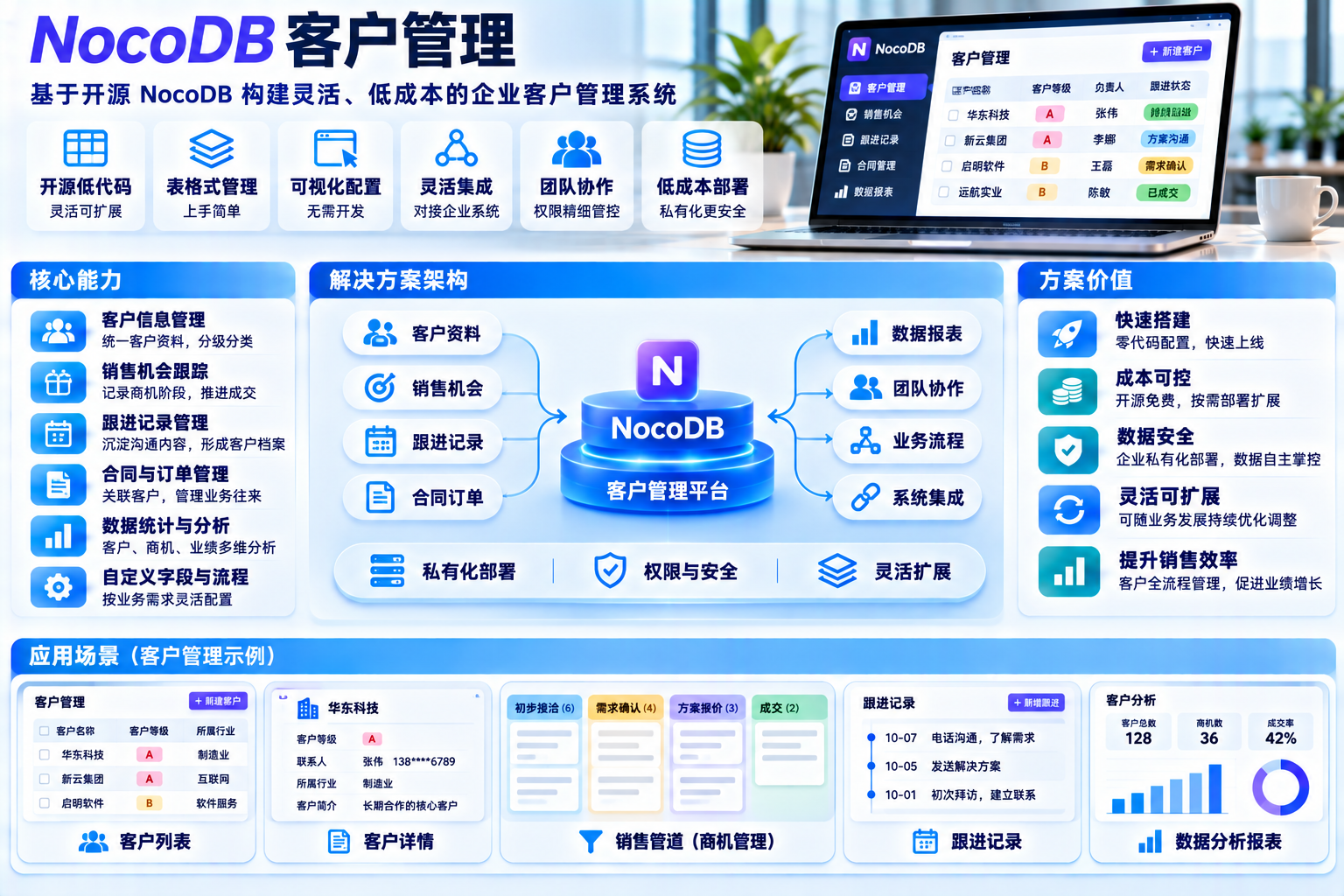
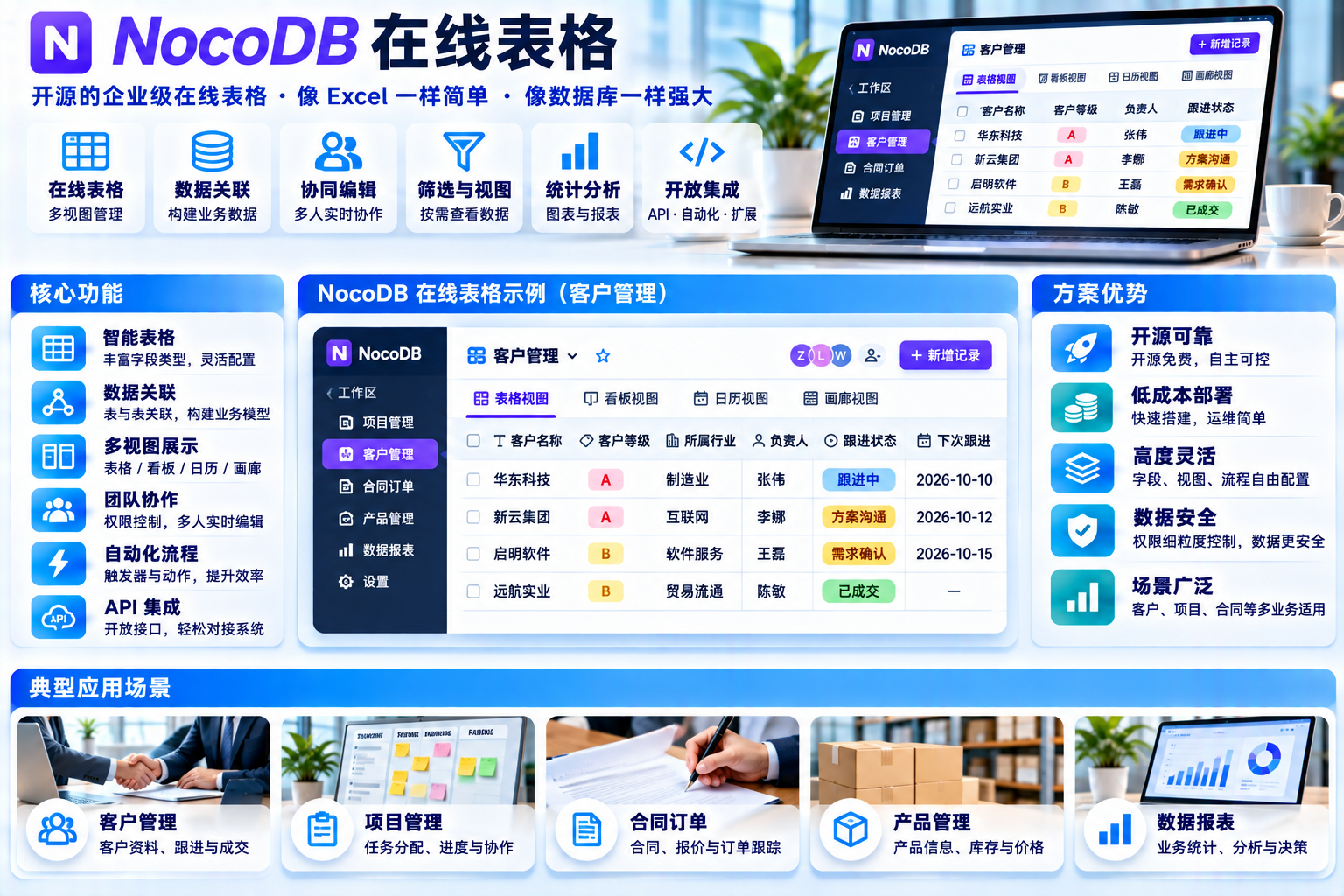
Interfaces, figures and prices are examples. Actual features, licensing and delivery scope are confirmed for each project.
Four capabilities around one customer record
Start with customer records, follow-up, grid / kanban views and imports , then add role-specific modules according to the project.

Customer records
Plan a primary record for each customer with linked contacts, sources, contracts and attachments.
- Stable identifiers
- Linked contacts
- Source tracking
- Attachments

Sales follow-up
Associate discussions, quotations and next steps with a customer record and named owner.
- Activity timeline
- Reminder integration
- Stage changes
- Handover history

Grid / kanban views
Review fields in a grid and group opportunities on a kanban board. Configure views and access for agreed roles.
- Grid view
- Kanban view
- Filters and groups
- Role-specific views
Data imports
Map historical spreadsheets, validate records and rehearse each batch before approval. Batch recovery requires project-specific development.
- Field mapping
- Duplicate checks
- Dry runs
- Batch recovery
An interactive workspace concept
Switch grid / kanban views, search example company names or try a simulated import. This local demo does not connect to customer data.
| Customer name | Contact | Stage | Example amount | Owner | Last activity | Source |
|---|---|---|---|---|---|---|
| A Example Customer A | Contact A | Proposal | Sample | Owner A | 11-14 10:24 | Website form |
| B Example Customer B | Contact B | Negotiation | Sample | Owner B | 11-14 09:51 | Sources |
| C Example Customer C | Contact C | Won (example) | Sample | Owner A | 11-13 16:08 | Historical spreadsheet |
| D Example Customer D | Contact D | Lead | Sample | Owner C | 11-13 14:32 | Event registration |
| E Example Customer E | Contact E | Contacted | Sample | Owner B | 11-13 11:17 | Website form |
| F Example Customer F | Contact F | Proposal | Sample | Owner A | 11-12 17:40 | Sources |
| G Example Customer G | Contact G | Lead | Sample | Owner C | 11-12 15:03 | Event registration |
| H Example Customer H | Contact H | Negotiation | Sample | Owner B | 11-12 10:26 | Historical spreadsheet |
Example Customer D
Event · 11-13
Example Customer G
Event · 11-12
Example Customer E
Website form · 11-13
Example Customer I
Business system · 11-11
Example Customer A
Website form · 11-14
Example Customer F
Business system · 11-12
Example Customer B
Business system · 11-14
Example Customer H
Historical spreadsheet · 11-12
Historical customer import simulation
Map fields, validate duplicates, rehearse and request approval. This demonstration never submits real records.
Five layers with explicit boundaries
From data inputs to business outputs , document responsibilities, flows and extension points in the agreed implementation.
 FAIR CODE · PRIVATE DEPLOY
Why build on NocoDB?
- Source visibility : source-available under SUL. Private internal use and commercial delivery have different licensing requirements.
- Tables reflect the business model : map fields and relationships to customer records and follow-up journeys.
- Configurable views : grids, boards, filters and groups depend on the selected version and edition.
- Defined extension points : import validation, snapshots and recovery require custom work; access and audit features depend on edition and licensing.
- Room to extend : consider linked contracts, support tickets and reporting as future development.
Repeatable checks
When customer records support sales, delivery and reconciliation, imports and model changes need explicit validation. The proposed NocoDB-based scope includes Repeatable checks : batch identifiers, configured snapshots, checks and human approval, subject to implementation and recovery testing.
Snapshot
Plan recoverable copies of schema, records and access settings before agreed changes.
Rehearse
Run the proposed import or change in an isolated environment before production.
Approve
Have the business owner review agreed samples, totals and stage distributions before approval.
Recover
Develop and validate recovery procedures and handling of concurrent changes; automatic rollback is not assumed.
Six proposed checks with retained results
ALL GATES PASS- ✓ Field mapping and dictionary consistency PASS
- ✓ Duplicate identifiers, nulls and invalid values PASS
- ✓ Customer / contact relationship integrity PASS
- ✓ Access model regression checks PASS
- ✓ Grid / board consistency PASS
- ✓ Snapshot availability and recovery rehearsal PASS
Illustrative check log
RUNNER / STREAMPlan a workflow your team can maintain
Four phases and eight proposed deliverables, with acceptance criteria agreed for each stage.
Discovery and modelling
Review inputs and historical tables, identifiers, field definitions, stages and role boundaries.
Configuration and custom work
Configure NocoDB and linked records, then plan licensed access features and custom validation, snapshots and audit integrations.
Migration and rehearsal
Map and import batches in a test environment, review differences and validate the recovery process.
Launch and handover
Agree cutover, training, operating guides, source / configuration transfer and an appropriate support period.
Proposed deliverables
Agree a version and reviewer for each output.
Proposed acceptance questions: Can a customer record be traced to its source? 、 Can the agreed recovery scenario be demonstrated? 、 Can another colleague follow the operating guide? 。
— Proposed acceptance criteria, subject to agreementWhat the project should help your team do
Connect decisions to defined records, actions and owners instead of relying on scattered files and messages.
 FROM CONSULTING TO OPERATION
Review the same customer record rather than reconstructing it from memory and screenshots.
Shared customer data
Agree identifiers and fields across websites, forms, business inputs and historical tables.
Traceable follow-up
Link activity and stage changes to records and owners for review and handover.
Consistent reporting definitions
Agree fields, stages and calculations before building management views.
Deployment and data control
Plan infrastructure, access and backup ownership subject to NocoDB licensing and the chosen edition.
Reviewable changes and recovery
Develop and test batch tracking, snapshots and recovery procedures for the agreed scenarios.
Future linked products
Consider contracts, tickets and reporting as later modules on the agreed data foundation.

“I would like to see the stage, owner and last activity in one place, and understand what happens if an import goes wrong.”— Hypothetical user need, not a customer testimonial
Related solution directions
Customer records can connect with infrastructure, consulting and operations services. These are possible combinations, not completed product integrations.
Customer Management and Online Tables
Records / Follow-up / Grid and kanban / Imports
IT planning and consulting
Assessment, process mapping and phased planning
Hybrid cloud management
Cloud accounts, resources, access and costs
Enterprise SD-WAN design
Branch connectivity and application routing
Security and access systems
Video, door access and visitor processes
Backup and recovery
Backup policies and recovery rehearsals
Website monitoring and automation
Browser checks and notification integrations
Virtual desktops
Desktop access, endpoints and operations
Scope and licensing questions
Does this replace our CRM?
It can be planned as a lightweight data workspace or integrated with an existing CRM. Replacement is not required.
Can it run in our own environment?
NocoDB supports self-hosting. Confirm SUL, commercial delivery rights and edition requirements before agreeing deployment, data handling and handover.
How do you handle messy spreadsheets?
Define fields and mapping first, then validate and rehearse batches. Snapshots and recovery need custom implementation and agreed test scenarios.
Would contracts or support tickets require rebuilding everything?
They can be considered as linked tables and views, with scope, licensing, access and migration assessed for each extension.

Bring the table you use today.
Discuss a more structured workflow
Review inputs, fields, views and proposed deliverables. Scope and timing are agreed after the initial discussion.