

Enterprise IT services / Assets and sourcing
IT Asset ManagementPlatforms
Coordinate equipment selection, supply, deployment and asset records so every device has a usable operating context.
01Sourcing and equipment scope
From multi-brand selection to deployable equipment supply
Translate business use, the current environment and budget priorities into a clear model, configuration and delivery scope.
Support selection and supply for servers, networking, storage and endpoints through reviewed channel resources.
Compare common enterprise brands and product directions against the confirmed model, configuration and delivery conditions.
Servers and storage
Compute, storage, spares and expansion capacity.
Switching, routing and wireless
Connectivity, uplinks and wireless-access equipment.
Security and hyperconverged systems
Security boundaries, hyperconverged platforms and supporting equipment.
Office endpoints
Endpoints and accessories for day-to-day work.
Access and surveillance
Access control, video surveillance and site-security equipment.
02Sourcing advantage
A broader channel view, with a more usable quote
Yuqi combines equipment selection, sourcing and site delivery so compatibility, deployment, acceptance and ownership are considered together.
- 01Multi-brand channels
Compare suitable equipment directions against the business use and current environment.
- 02Quote coordination
Organize a practical quote range around model, configuration, quantity and delivery conditions.
- 03Compatibility review
Check interfaces, capacity, power, versions and supporting parts before equipment arrives.
- 04Supply to deployment
Connect sourcing, arrival, racking, commissioning, acceptance and asset registration.
PROCUREMENT FIT / REQUIREMENT TO DELIVERY
- 01Multi-brand requirement matchBrand · category · quantity
- 02Configuration and compatibilityModel · interface · capacity
- 03Quotation and supplyTerms · purchase · arrival
- 04Deployment and handoverRacking · acceptance · warranty
03What we coordinate
From the equipment list to a usable handover
Work through the list, model, site and delivery plan so procurement connects to installation, commissioning, acceptance and ongoing records.
- 01
Requirement list and model guidance
Organize model and configuration guidance around use, quantity, interfaces, capacity, compatibility and expansion.
- 02
Quote, procurement and supply
Coordinate pricing, purchasing and arrival around the confirmed model, quantity, destination and timing.
- 03
Racking, network setup and integration
Complete racking, connections, network commissioning and fit with the existing environment.
- 04
Arrival acceptance and warranty check
Check model, quantity, serials, accessories, condition, warranty and relevant test records.
- 05
Asset and ownership records
Keep position, user, configuration, state, supplier and ownership in a searchable record.
- 06
Warranty coordination and refresh plan
Coordinate follow-up maintenance and refresh planning around warranty, spares, state and lifecycle.
04Procurement to asset
Connect procurement, deployment and asset handover
Each step leaves information that the next step can use, so equipment enters a manageable operating relationship on arrival.
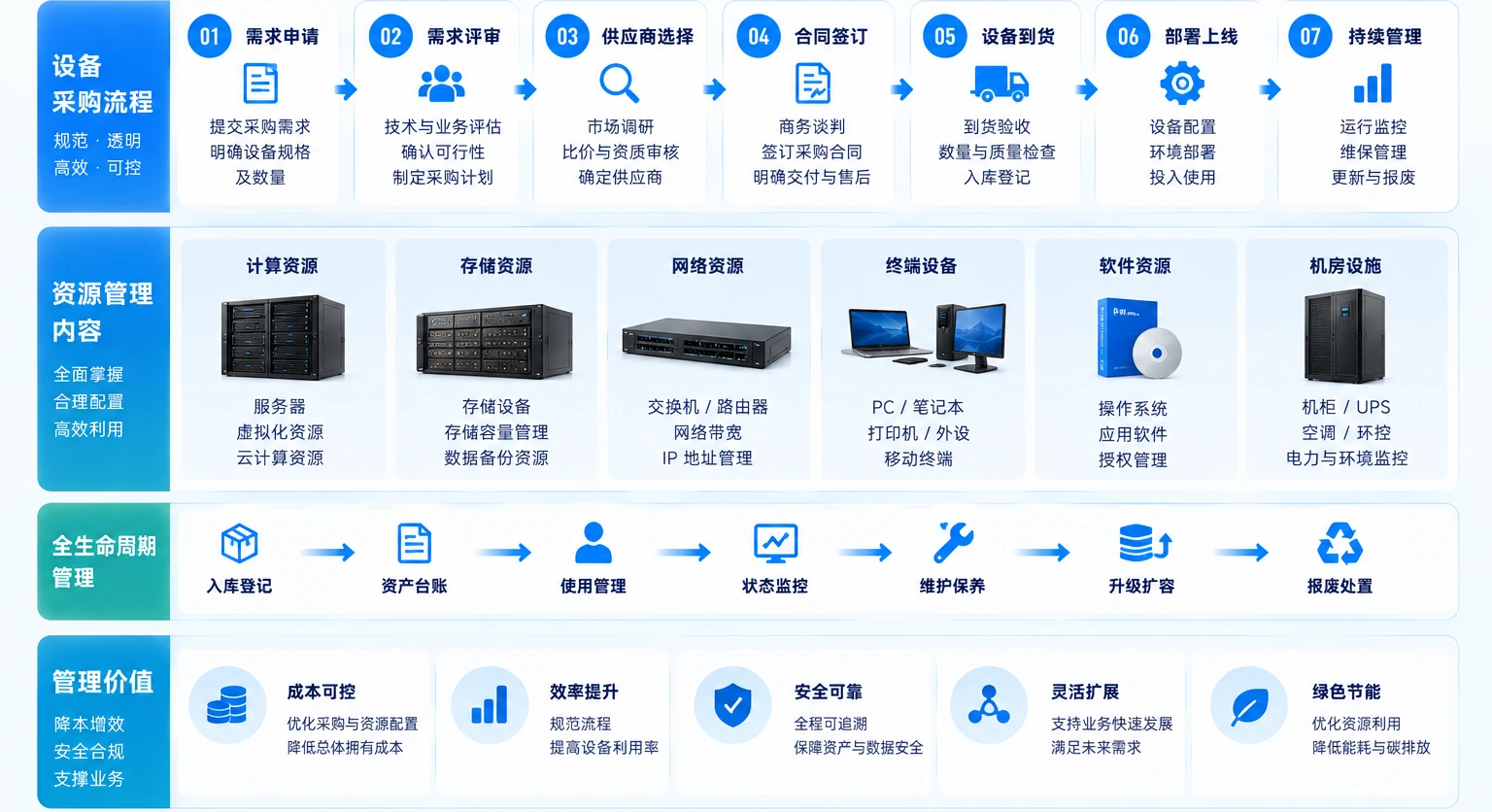
PROCUREMENT TO ASSET · PROCUREMENT TO ASSET
- 01Requirements and budget
Use, quantity, capacity, interfaces and delivery window.
- 02Selection and quotation
Model, configuration, compatibility and quote conditions.
- 03Supply and deployment
Arrival, racking, connections, commissioning and site acceptance.
- 04Asset and warranty handover
Serials, position, ownership, warranty and refresh plan.
Procurement, deployment and asset management stay connected, so equipment continues along a record, ownership and warranty path after arrival.
Requirements and budgetUse, quantity, capacity, interfaces and delivery window.
Selection and quotationModel, configuration, compatibility and quote conditions.
Supply and deploymentArrival, racking, connections, commissioning and site acceptance.
Asset and warranty handoverSerials, position, ownership, warranty and refresh plan.
05Sourcing FAQ
Make the key sourcing questions clear before and after purchase
Start with use, scale and the current register so equipment can enter day-to-day management with a clear record.
01What should be ready before equipment procurement?+
Prepare the business use, load, interfaces, existing equipment, capacity, service period, budget and implementation window instead of comparing model numbers alone.
02Is asset management only for large enterprises?+
The deciding factor is whether records support real operations, not company size. Smaller teams can start with key equipment, networks, accounts and ownership.
03Why review a register that already exists?+
Procurement, moves, repairs and staff changes make records drift. Rechecking the site and configuration confirms whether the register remains a reliable operating baseline.
06Delivery and maintenance
Leave asset records people can query and keep using
The result is more than a purchase list: it is baseline data for operations, inventory checks, incidents, expansion and lifecycle decisions.
- 01
Requirement and procurement basis
Models, configurations, quantities and budget priorities.
- 02
Arrival and acceptance record
Serials, warranty, accessories and test results.
- 03
Asset and ownership register
Position, user, configuration and ownership relationship.
- 04
Follow-up maintenance path
Spares, warranty coordination and refresh planning.
07Sourcing discussion
Start with the equipment list
Share the model, configuration, quantity, delivery site and timing. We will confirm the practical supply and implementation scope against the current environment.
Equipment, configuration, supply and maintenance follow the confirmed business requirement.13918914454