
Endpoints and network access
Connect meeting computers, cameras, microphones and displays to a reliable, manageable meeting network.
Enterprise collaboration infrastructure / Video conferencing
Connect participants across locations with clear images, reliable sound and practical meeting workflows. Yuqi Intelligent assesses rooms, endpoints, networking and platform permissions, then selects, deploys, integrates and hands over the system.
From booking and joining to sharing and ending, the next user should be able to run the meeting too.
Clarify collaboration problems first
Cross-site meeting problems often involve poor framing, echo, complicated sharing, unexplained network fluctuations or equipment only a few employees know how to operate, not simply missing cameras.
Yuqi Intelligent connects endpoints, microphones, displays, networking and permissions in one architecture, validating end-to-end scenarios. Interfaces and records remain traceable when coordinating Structured Cabling or subsequent Low-Voltage Maintenance services.
Connect meeting computers, cameras, microphones and displays to a reliable, manageable meeting network.
Camera framing, sound pickup, echo cancellation and codecs create bidirectional media paths.
Configure and hand over booking, joining, sharing, recording and permissions by platform and user role.
Endpoints, media and platforms
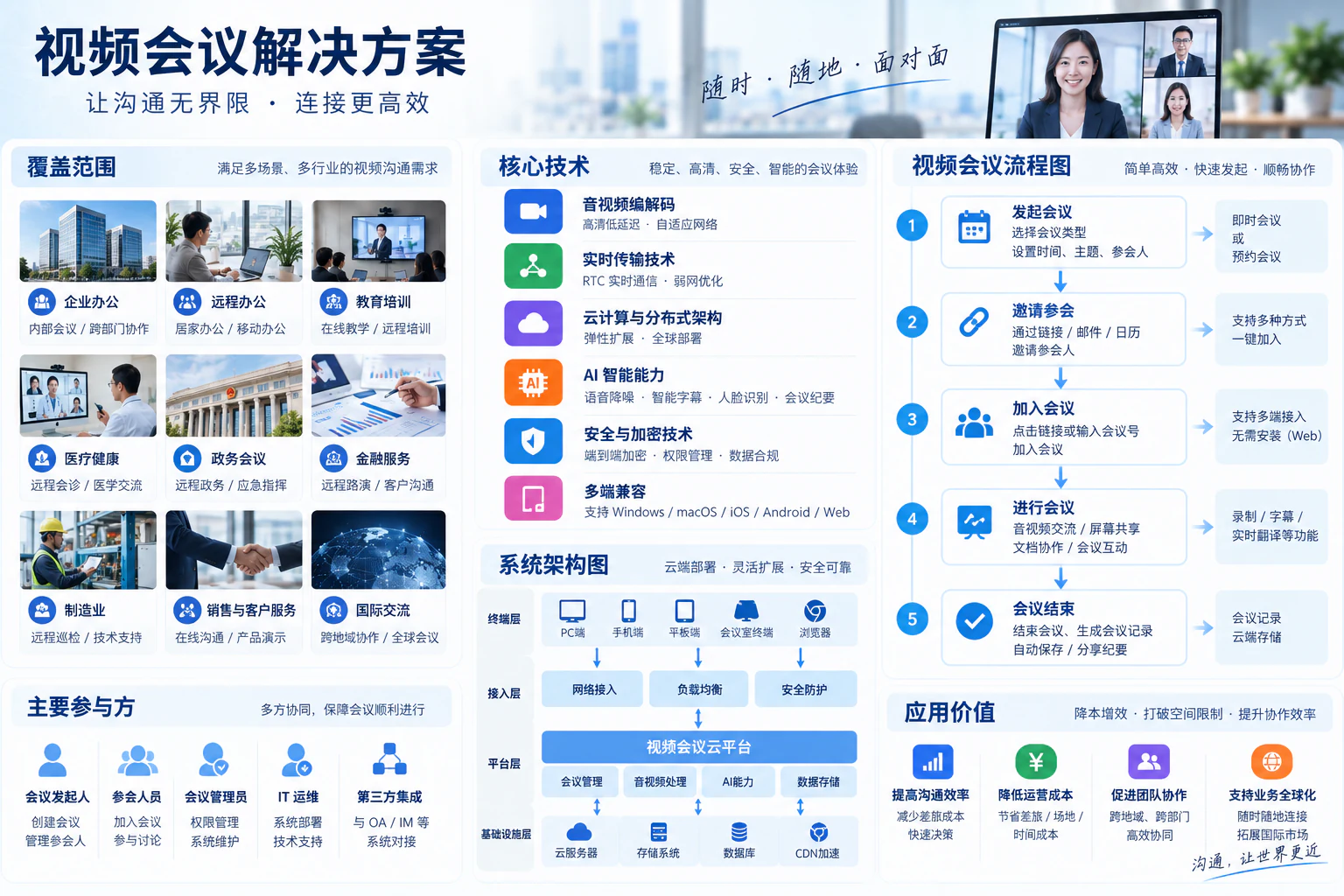
Cameras and microphones capture the room; meeting computers/endpoints process echo and encode/decode media. The enterprise network connects the platform and returns remote images and sound. Sharing, recording and mobile access are optional paths, subject to actual platform capabilities and permissions.
Cameras and shared content enter video processing; microphones and remote sound enter audio processing; control terminals manage meeting state and permissions. The paths meet at the platform and local outputs, with recording and mobile access integrated as needed.
Video
Audio
Meeting control
Audio comes first
Video conferencing connects rooms. Beyond the platform, pickup distance, reverberation, speaker placement and echo processing determine whether remote participants understand every speaker.
Microphones capture local speech for processing and remote delivery; local speakers play remote sound. Validate pickup coverage and echo cancellation together instead of merely increasing volume.
Cameras show people; screen sharing carries text and charts. Dual displays can separate participants from material. Choose laptop connections, wireless presentation or meeting endpoints by actual platform compatibility.

| Space | Priority | Usage |
|---|---|---|
| Small collaboration room | Close-range pickup, camera angle and easy joining | Small-group discussions with laptop support |
| Long-table meeting room | Distant-seat audio pickup and participant framing | Speech from multiple seats, shared content and dual screens |
| Training and hybrid meetings | Moving presenters, room sound and remote interaction | Separate presentation, questions and recording paths |
Responsibility boundaries
Implement cameras, microphones, displays, meeting computers, networking and controls under the site plan.
Confirm recording, streaming, cross-platform access, cloud management and mobile endpoints separately against platform, network, storage, permissions and contract.
Responsible specialists confirm building, electrical, fire-safety, refurbishment and other qualified work. Yuqi Intelligent coordinates interfaces and integration testing.
Training, presets, documentation and maintenance follow project and contract scope; diagram figures are not performance guarantees.
Frequently asked questions
Enterprise meeting rooms, leadership meetings, cross-site work, training and remote customer discussions. Assess headcount, acoustics, network quality and platform requirements before selecting equipment and deployment.
No. Capture, microphones, echo processing, displays, networking, accounts and permissions must form a complete path. Yuqi Intelligent tests scenarios and hands common operations to users.
Assess the platform, endpoint protocols, networking and permissions. Features, encryption, recording and cross-platform experience depend on actual licensing and deployment, not a universal guarantee.
Typically location plans, signal topology, equipment lists, scenarios/presets, installation and integration records, tests, training and responsibility boundaries. Final deliverables follow design, site conditions and contract.
Yuqi Intelligent builds and upgrades video rooms with cameras, microphones, speakers, endpoints and displays, providing installation, platform integration, audiovisual tuning and training so users can join, speak and share smoothly.
Match cameras, microphones, audio processors, speakers, meeting computers and displays to room size, headcount and platform, with equipment lists, integration plans and quotations.
Install equipment and cabling, configure accounts/platforms, tune framing, microphones and echo processing, and test local/remote joining, sharing and bidirectional media.
Diagnose unclear sound, echo, frozen images, complicated wiring and incompatible platforms across equipment, acoustics and networking. Replace, expand or integrate as needed while retaining tested devices.
Train users to book, join, share, mute and end meetings. Hand over inventories, wiring, configuration and tests, with agreed remote diagnostics, inspections and equipment maintenance.
Next step / AV SYSTEM REVIEW
Share room details, headcount, equipment, platforms and issues to define assessment, selection, integration, testing and handover.