

After subscribing to Google AI Pro, it is easy to bounce between three different video entry points. Gemini can generate video. Flow can generate video. Google Vids also includes AI video tools. The features appear to overlap, so experimentation often becomes expensive and difficult to organize.
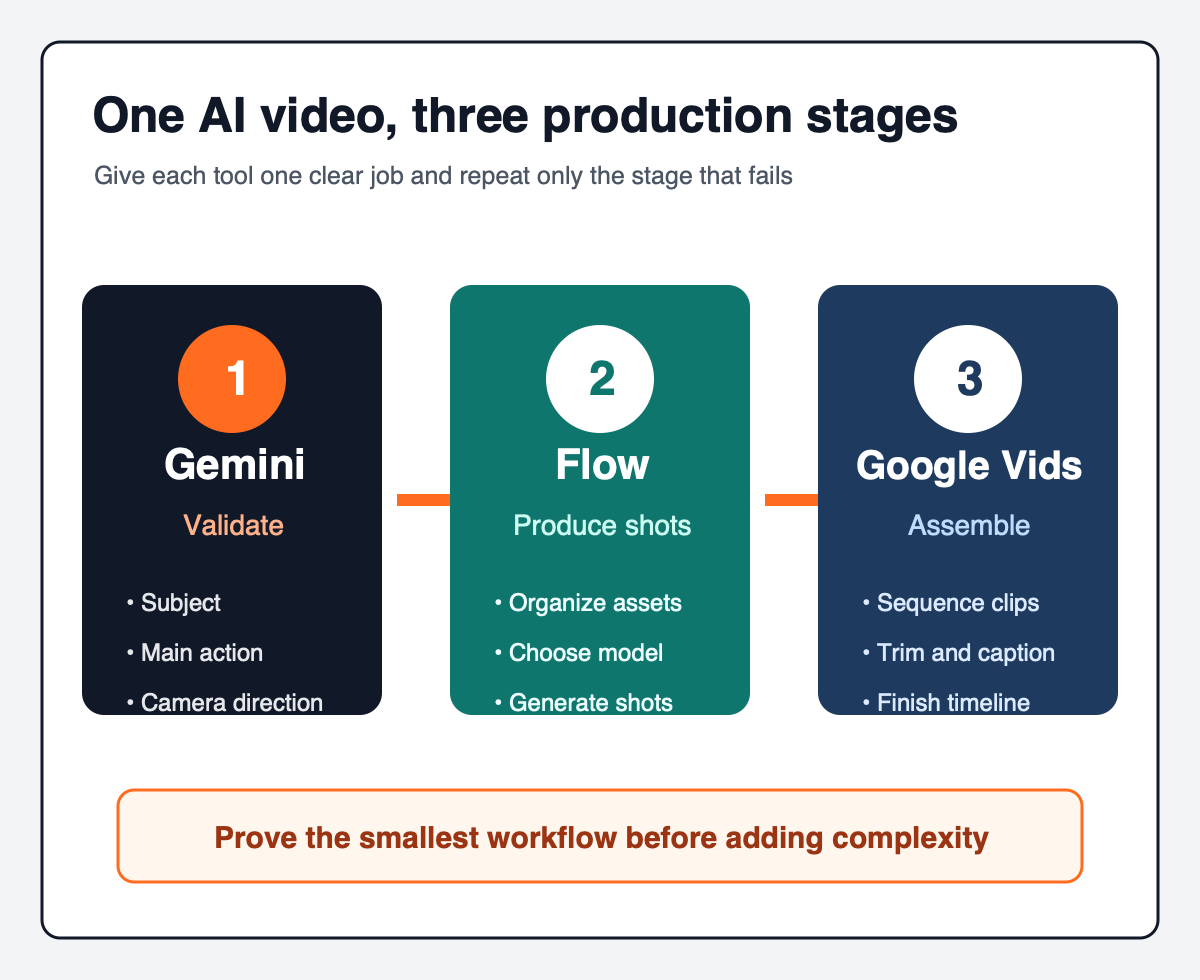
A more reliable AI video workflow gives each tool a distinct responsibility: Gemini validates the idea, Flow produces the shots, and Google Vids assembles the timeline. The point is not to add process. It is to stop expecting one prompt and one generation to carry a project from concept to finished story.
Give each tool one job
Gemini is the test bench. Use it to check whether the subject, main action, and camera direction are plausible. The first generation is not the final shot. Its purpose is to reveal whether the idea is worth developing.
Google Flow is the shot-production environment. Create a separate project for a series, organize character and location references, choose a model, and generate the shots after their direction has been approved.
Google Vids is the timeline. Import or generate clips, then sequence, trim, caption, score, and transition them. It answers a different question: not whether one frame looks good, but whether several shots work as one video.
For a simple four-to-ten-second concept, either Gemini or Flow may be enough. The complete workflow becomes useful when a project needs recurring characters, multiple shots, a repeatable series, or sustained production.
Break the story into shots before writing prompts
Answer four questions before generating anything:
- Is the final format landscape or portrait?
- Is the finished video ten seconds or thirty to sixty seconds?
- Which characters, products, or locations must remain consistent?
- How many primary actions does the story require?
Do not ask a ten-second clip to show someone arriving home, washing vegetables, cutting them, cooking, plating the meal, and eating it. Split that sequence into four or five shots, each with one main action.
Shot decomposition improves more than model comprehension. When one clip fails, the team can repeat only that clip. Assignments, review comments, and asset versions also become easier to manage.
Lock the first frame when consistency matters
If a production depends on a recognizable character, outfit, product, location, or visual identity, create and approve a first-frame image before animation. That frame should establish the subject, clothing, scene layout, camera position, lighting direction, and essential props.
For image-to-video generation, describe motion rather than redescribing the entire image:
Use the uploaded image as the exact first frame. The subject immediately begins cutting vegetables while steam rises from the pan. Two assistants pass in the background. The camera slowly pushes forward. Keep the subject, kitchen layout, and lighting consistent.
This does not guarantee perfect continuity, but it removes some of the ambiguity created when the model must reinvent the character and environment on every attempt. Google Vids' own guidance similarly recommends describing how scene elements or the camera should move instead of repeating the source image description.
Run the tools in sequence
Start in Gemini by validating three things: the subject, the primary action, and the camera movement. If the subject is wrong, extra lighting, texture, and cinematic language will not rescue the direction.
Move approved concepts into Flow. As checked on August 20, 2026, Flow lists Veo 3.1 Lite, Fast, Quality, and Gemini Omni Flash, with different feature, duration, and credit requirements. A practical allocation is to use Lite or Fast for composition and motion tests, Omni Flash for four-, six-, eight-, or ten-second clips and supported edits, and Quality for the shots that justify the highest cost.
Google AI Pro currently includes 1,000 Flow credits per month. For non-Ultra subscribers, the current cost per generation is 10 credits for Lite, 20 for Fast, and 100 for Quality. Gemini Omni Flash currently costs 15, 20, 25, or 30 credits for four-, six-, eight-, or ten-second clips, and 40 credits for a video edit. Costs are per generation, not necessarily per request: one request that creates two results may consume two generations. Google states that limits and costs can change, so check the active model and displayed cost before submission.
Use Google Vids when the project needs a timeline. A forty-second cooking story might become five clips: preparation, cutting, cooking, plating, and eating. Insert the approved clips, then adjust order, duration, captions, music, and transitions.
Google Vids currently outputs generated clips at 720p and 24 fps in either 16:9 or 9:16. It allows up to seven reference images for a generation. Google says most users can generate up to about fifty clips per month, with the allowance shared under eligible family-sharing plans. That makes Vids better suited to assembly than uncontrolled experimentation.
Use a prompt structure, not a magic prompt
This structure is a useful starting point for a ten-second image-to-video shot:
FORMAT
10-second vertical cinematic video, 9:16.

REFERENCE
Use the uploaded image as the exact first frame.

SUBJECT ACTION
Describe one primary action.

TIMELINE
0–3 seconds: first movement.
3–6 seconds: continuation or change.
6–8 seconds: key moment.
8–10 seconds: closing movement.

CAMERA
Describe camera movement.

ENVIRONMENT
Describe background motion.

CONSISTENCY
List the elements that must not change.

AVOID
No morphing. No duplicate characters.
No disappearing objects. No sudden camera cuts.
No costume changes.
This is not a universal prompt that must always be long. Remove sections that do not help a simple shot. The durable principles are one clear action, an explicit sequence, and an explicit list of invariants.
Avoid the four most common failures
Too much story in one shot. More actions create more opportunities for characters and props to drift.
No approved first frame for a recurring subject. The model has to reinterpret the visual identity every time.
Using the most expensive model before validating direction. Higher quality merely creates a more expensive unusable clip.
Treating generation as editing. A model can create shots, but pacing, selection, captions, sound, and delivery still belong on a timeline.
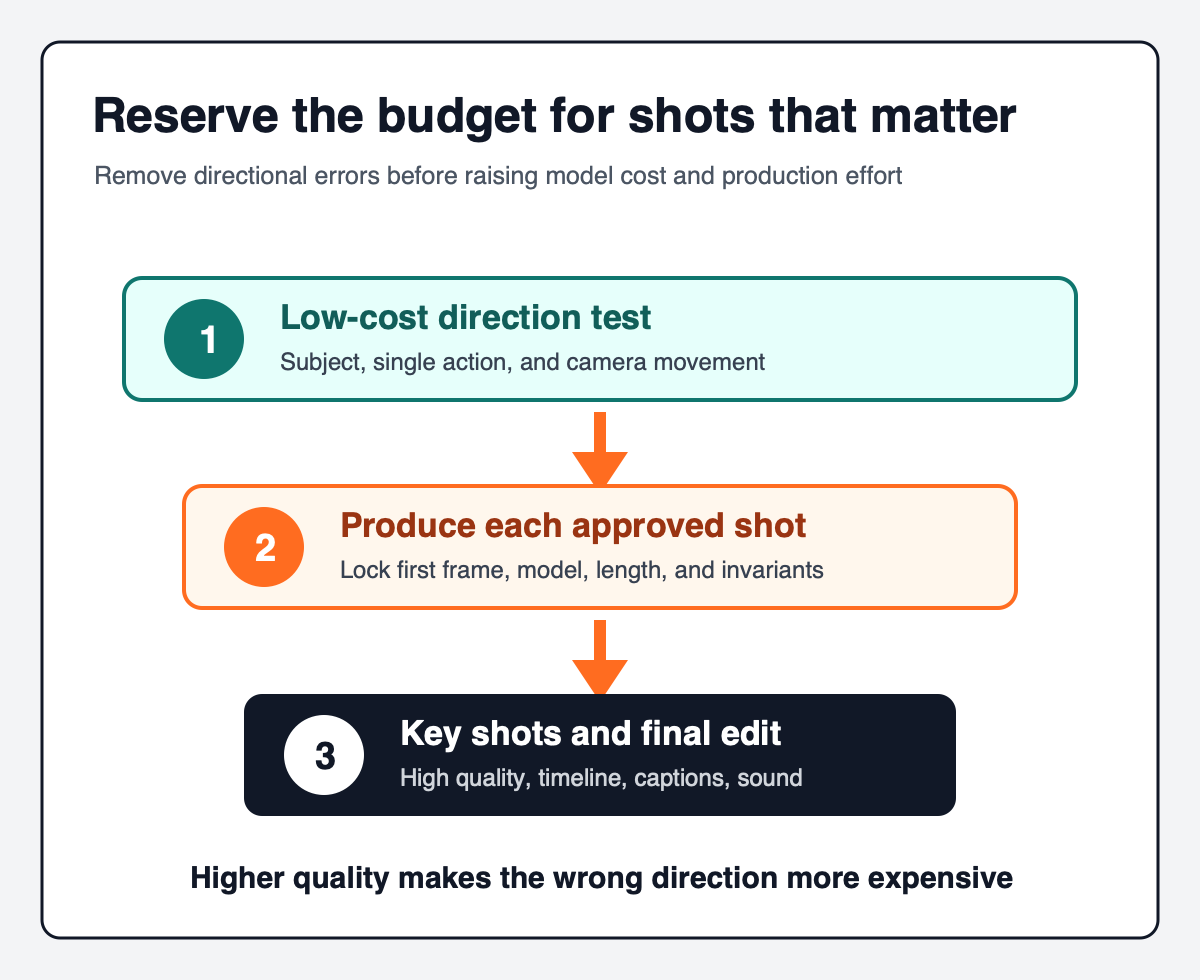
Before the first production run, confirm that the aspect ratio and final duration are known, the story has been split into single-action shots, consistency-critical subjects have an approved first frame, Gemini is being used to validate direction, the active Flow model and credit cost have been checked, and enough Vids capacity remains for assembly.
The practical lesson is simple: reliable AI video production does not come from finding one model that does everything. It comes from separating idea validation, shot production, and final assembly. Prove the smallest complete workflow first, then add more characters, shots, and motion.
Features, models, credits, and limits were checked on August 20, 2026. Availability can vary by region, account, subscription, and system capacity. Always confirm the current product interface and official documentation.
If your organization wants to turn topics, scripts, assets, review, and publishing into a repeatable content-production process, Yuqi Intelligence can help map the current tools and identify where standardization or workflow automation is appropriate.