
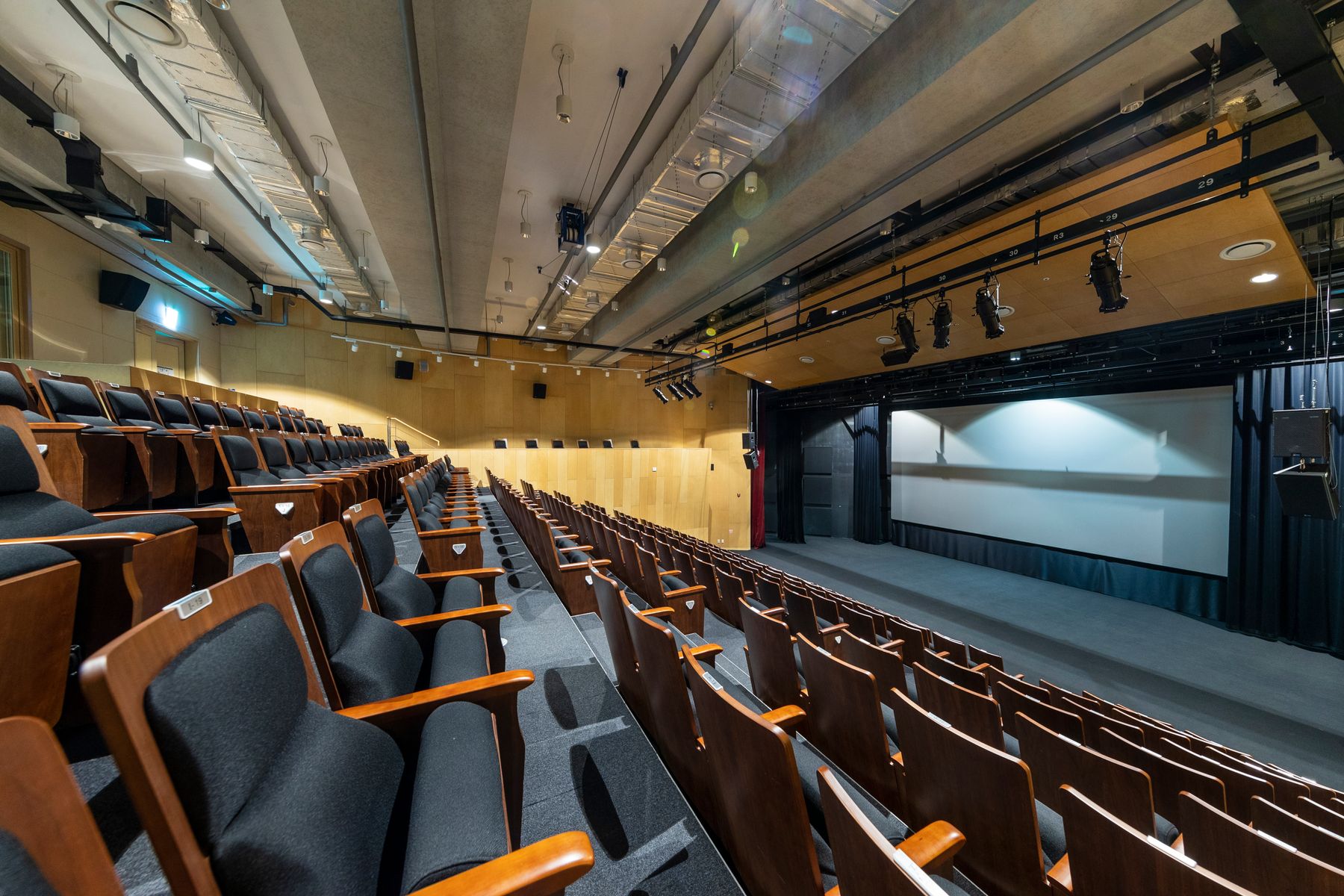
Inputs and connectivity
Assess computers, cameras, microphones and mobile devices within one usage scenario.
Low-voltage and intelligent systems / Meeting spaces
Make inputs, sound, images, controls and real usage work together in auditoriums, meeting rooms, training rooms and multipurpose halls. Yuqi Intelligent assesses spaces and signal relationships, then designs, selects, installs, commissions and hands over the system.
From a computer and camera to a real meeting, the system should be usable by the next operator too.
01Clarify operational needs first
Meetings, training and launches often need computers, cameras, microphones, displays, sound reinforcement and presets together. Filling the room with equipment leaves signal paths, control permissions and site responsibilities unresolved.
Yuqi Intelligent organizes connections by space and use, then validates video, audio and controls separately. Interfaces and records remain traceable when coordinating Structured Cabling or subsequent Low-Voltage Maintenance services.
Assess computers, cameras, microphones and mobile devices within one usage scenario.
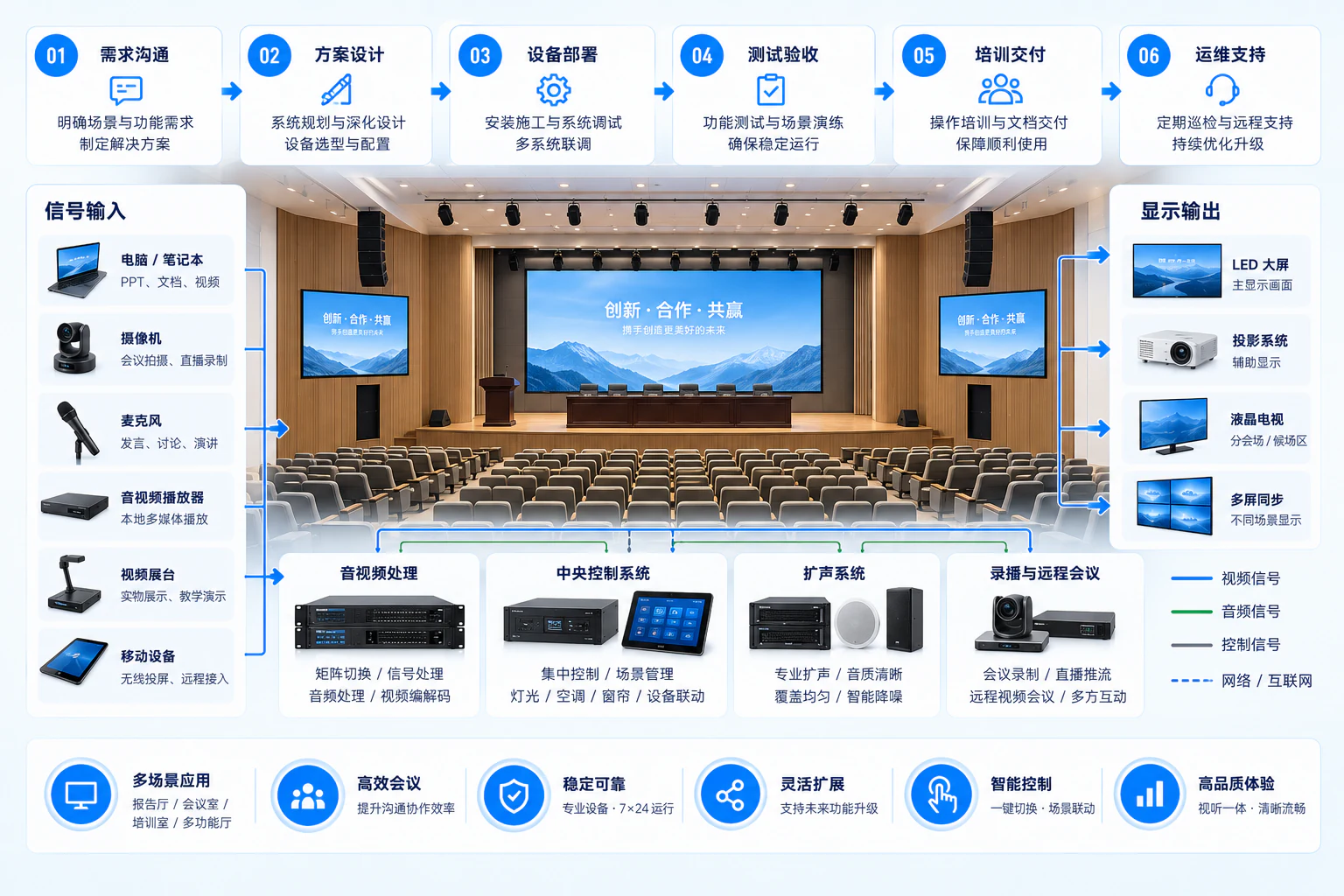
Video reaches displays; audio passes through DSP, amplification and speakers, with independently verifiable paths.
Configure and hand over scene presets, lighting, blinds, HVAC or equipment switching within the authorized scope.
02Inputs, audiovisual signals and controls
Computers, cameras and other sources enter their respective processing paths: video to displays, audio through DSP and amplifiers to speakers, and controls to scenes/devices. Remote meetings and recording are optional branches; do not incorrectly chain every system in series.
Inputs divide into video processing, audio DSP/amplification and central control, then reach displays, speakers and scene controls. Remote conferencing and recording are optional integrations.
03How Yuqi Intelligent helps
Auditorium projects are not merely exhibition construction. Confirm every stage against actual space, equipment interfaces, controls and ongoing use.
Review space, headcount, viewing distance, acoustics, lighting, cabling and existing equipment to define usage scenarios and boundaries.
Develop locations, signal topology and equipment lists around inputs, displays, audio processing, sound reinforcement, controls and networking, then select and supply within the agreed scope.
Install equipment, label cables, organize racks, configure signal routes, tune audio/video, set controls and connect platforms, testing representative scenarios.
Create usable meeting, training, launch and multipurpose presets, train users/administrators and hand over drawings, inventories and test records.
04Handover and use
After integration, users need to know which input to start with, how to switch displays, adjust volume/scenes and make initial fault checks.
Confirm remote conferencing, recording, streaming and cross-platform access separately against networking, accounts, storage, privacy and contract scope.
Provide clear controls for local speech, content display and remote participation.
Preset presentation, demonstration, sound reinforcement and multi-view scenarios.
Switch equipment and control logic according to the activity.
05Responsibility boundaries
Implement permanent audiovisual and control systems for auditoriums, meeting/training rooms and multipurpose halls according to the site plan.
Confirm remote meetings, recording, streaming and additional platforms separately against requirements, networks, storage, permissions and contract.
Responsible specialists confirm building, electrical, fire-safety, refurbishment and other qualified work; Yuqi Intelligent coordinates interfaces and testing.
Training, presets, documentation and maintenance follow project/contract scope. Figures in diagrams are not performance promises.
06Frequently asked questions
Enterprise meeting and training rooms, launch spaces, auditoriums and multipurpose halls needing multiple scenarios. Assess headcount, viewing distance, acoustics, lighting, cabling and usage.
No. The focus is lasting audiovisual, control and handover capability. Temporary event support may be coordinated within scope, but one exhibition installation is not a permanent-system handover.
They are optional branches. Confirm platforms, networking, storage, privacy, recording permissions and operating methods before choosing integration and testing.
Typically location plans, signal topology, equipment inventories, scenarios/presets, installation/integration records, tests, training and responsibility boundaries. Final scope follows design, site conditions and contract.
Next step / AV SYSTEM REVIEW
Share room use, headcount, equipment, inputs/outputs and problems to define assessment, detailed design, supply, installation, testing and handover.