

Many monitoring channels show red signals every day, yet nobody can answer the practical questions when one matters: what business impact does it represent, who owns the first response, what should happen first, and what evidence allows the event to be closed?
“The monitoring system raised an alert” only means that a condition was triggered. It does not mean that someone accepted the work. Without an owner, a response channel, an escalation route and closure evidence, more alerts simply become background noise. Enterprise IT alert closure is about moving each important signal to a reviewable result.
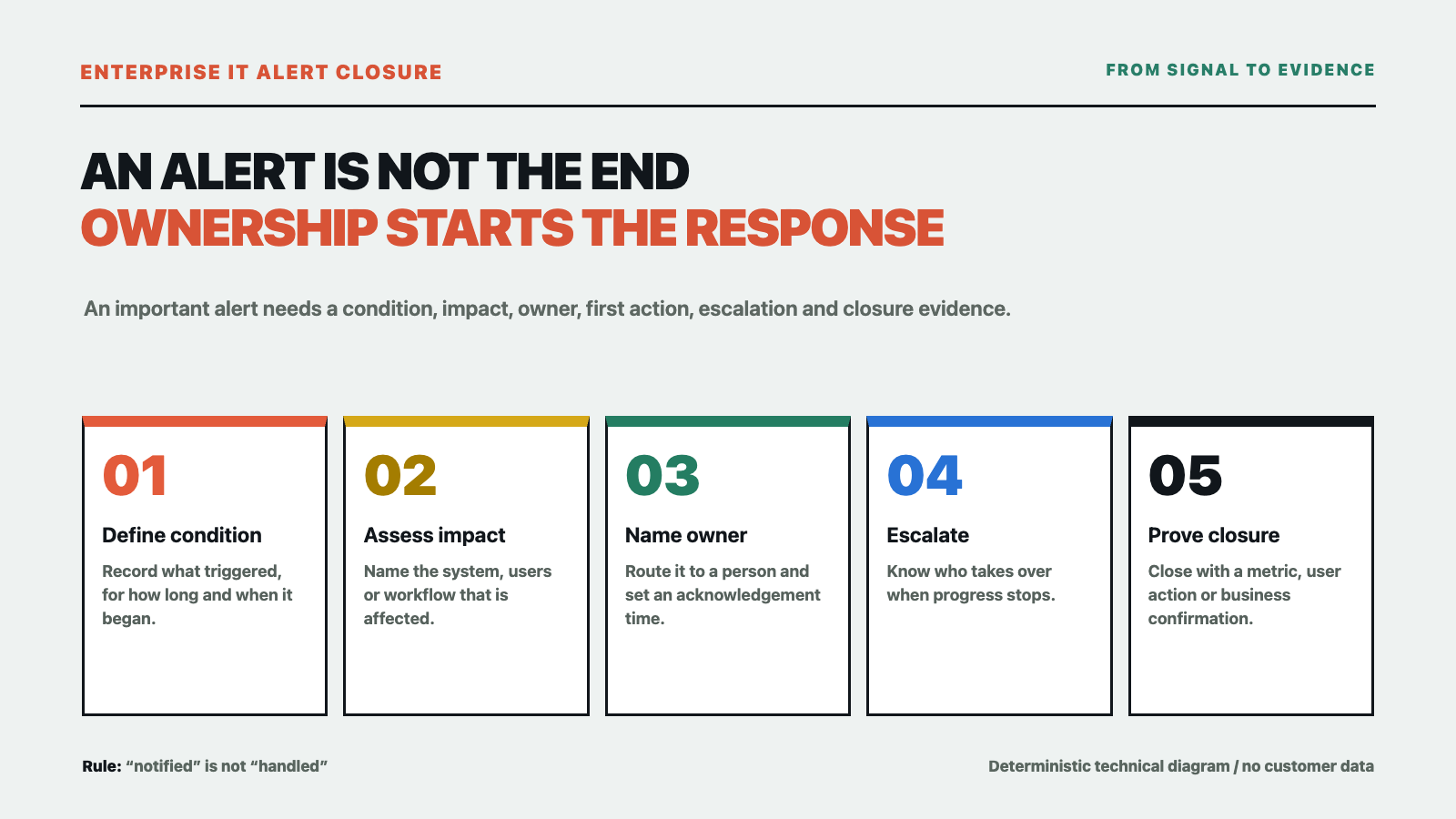
Separate a signal from an event that needs action
Not every monitoring signal should wake someone immediately. Start with three groups: observations that only need recording, risks that should be handled during working hours, and events that require immediate response because they affect a business workflow. The level should be based on business impact and acceptable recovery time, not only on a color or a threshold.
For example, a short increase in interface latency without user impact may only need a record. If the same symptom affects sign-in, orders or internal collaboration, it needs an owner and a first action. These are not universal product thresholds or customer measurements. Each business should define conditions based on its workflows, dependencies and maintenance windows.
Keep at least nine fields for an important alert
First, record the trigger condition: what was checked, for how long, and when it started. Second, describe the business impact: which system, users or workflow are affected and whether the impact is expanding. Third, assign a severity—observation, working-hours response or immediate response—and record the reason.
Fourth, name an owner, rather than only a department. Fifth, specify the notification channel and acknowledgement action: where the alert goes and when it escalates without confirmation. Sixth, write the first action: which log to inspect, which dependency to check, which change to pause or which data to protect first.
Seventh, prepare an escalation route: who takes over if the owner does not respond, and how network, application, supplier or business teams are involved. Eighth, define closure evidence: a metric has recovered, a business action succeeds, a change has been rolled back, or an accountable business owner confirms the impact has ended. Ninth, keep a review date and conclusion: whether thresholds, deduplication, capacity, permissions or runbooks need adjustment.
These fields do not require a complex platform on day one. A shared table or service-desk form can expose gaps faster than leaving every alert in a chat stream.
Run the loop in three layers
Layer one: reduce noise without hiding risk
Group repeated notifications from the same underlying event and use sensible suppression, cooldown and maintenance windows. Keep the original event and the reason for grouping so that a reduction in messages does not become a loss of traceability.
Layer two: route to a named owner
An alert notification should include the system, impact, severity, owner, first action and acknowledgement time. Microsoft’s Azure Monitor documentation connects alert rules with action groups, notifications and actions, and provides a way to test an action group. That is a useful reminder that a trigger condition and a notification action are separate design and verification steps; configuring one does not automatically create ownership.
Layer three: close with evidence
“Handled” and “it should be back” are not sufficient closure records. Attach at least one reviewable item: the recovery range of a metric, a successful minimum business action, a completed rollback or confirmation from the business owner. If the result cannot yet be verified, write “mitigated; root cause pending” instead of closing it just to make the list green.
Start with a small rehearsal
Do not redesign every monitor at once. Pick one existing alert with a controllable impact, complete the nine fields and run a rehearsal in an approved window: trigger or replay the event, confirm that the message reaches the intended person, record the first action, take the escalation route if progress stops, and finish with a minimum validation action by a system or business user.
At the end, answer four questions: did the alert reach the right person; did that person know the first action; can escalation find the next owner; and is the closure evidence understandable to the business? Any unanswered question is a loop gap, not a reason to label monitoring “complete.”
When more monitoring is the wrong next step
If current alerts have no owner, maintenance window, required permission or dependency map—or if the business has never participated in acceptance—adding more rules usually adds more noise. Google’s SRE enterprise roadmap warns about alerting on causes without a clear user-visible symptom. NIST incident-handling guidance likewise treats detection, analysis, response and lessons learned as one chain. Monitoring is not the endpoint; the value is enabling the right action.
What Yuqi can support
Yuqi can review an existing server, network, virtualization and application environment and help structure alert categories, ownership boundaries, notification and escalation paths, on-call records, change correlation and closure acceptance into handoff-ready IT operations documentation and workflows. The scope depends on the environment, permissions, business impact and agreed service boundary. We do not promise zero alerts, a fixed response time or automatic resolution of every event.
If you need to understand why alerts are not being owned, see Yuqi’s enterprise IT operations and infrastructure hosting service and start with one alert class and one nine-field record instead of buying more monitoring tools first.
Sources: Microsoft Azure Monitor Action groups, Create a metric alert, NIST Computer Security Incident Handling Guide, and Google SRE Enterprise Roadmap. This is general enterprise IT planning information, not a monitoring configuration, incident-response audit or service guarantee. It contains no customer measurements or vendor endorsement.