
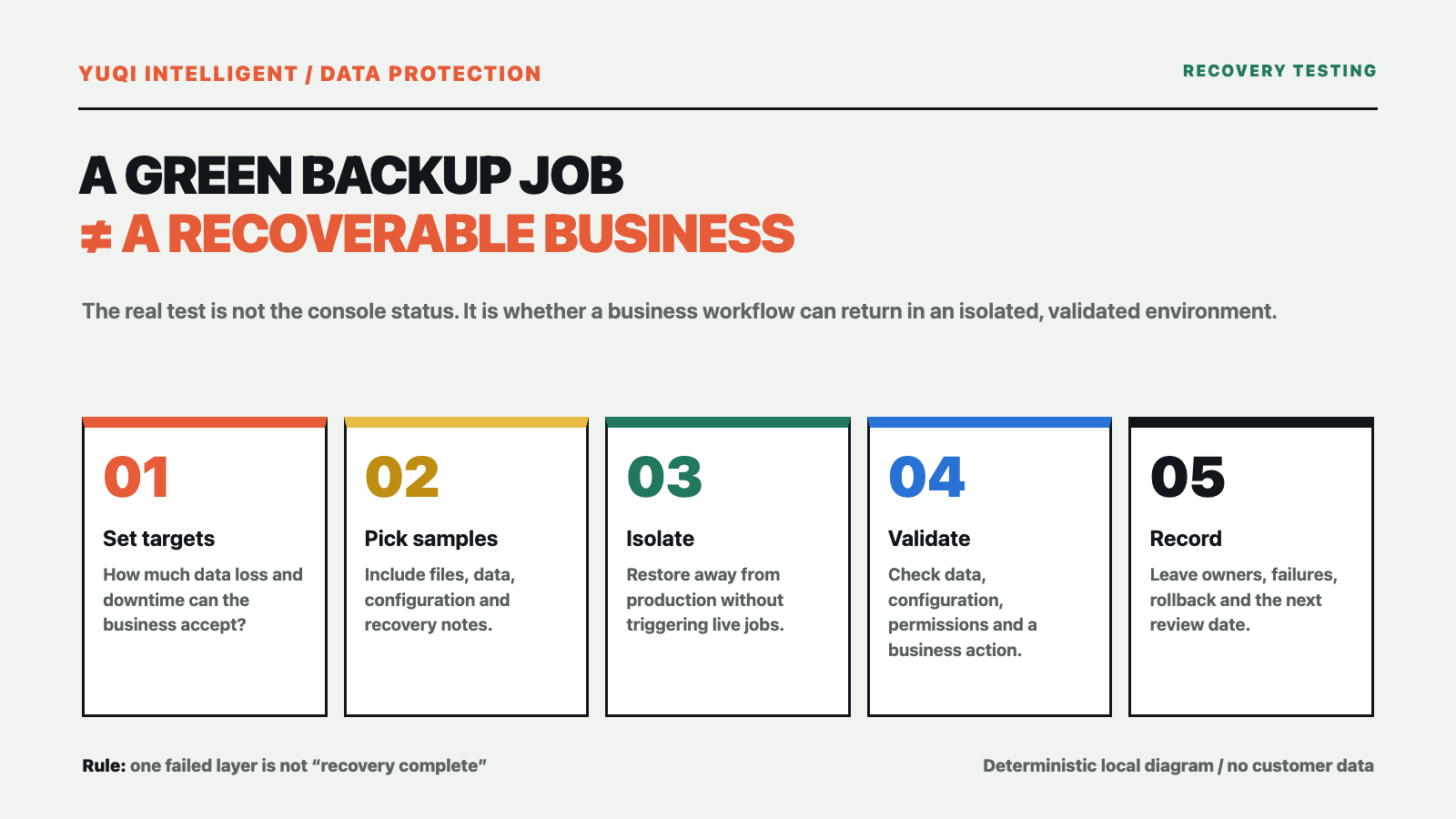
Many businesses see a green backup console every morning, yet nobody can answer three questions when a file, virtual machine or business system must be restored: which point in time should be recovered, who will execute the work, and how will the business validate the result?
A successful backup job only means that a scheduled job completed. It does not automatically prove that files are complete, a database can start, application configuration is available, permissions are preserved or the recovery owner knows the next step. A small, isolated and reversible recovery rehearsal is a better way to test whether a backup supports the business.
Define what “recovery” must achieve
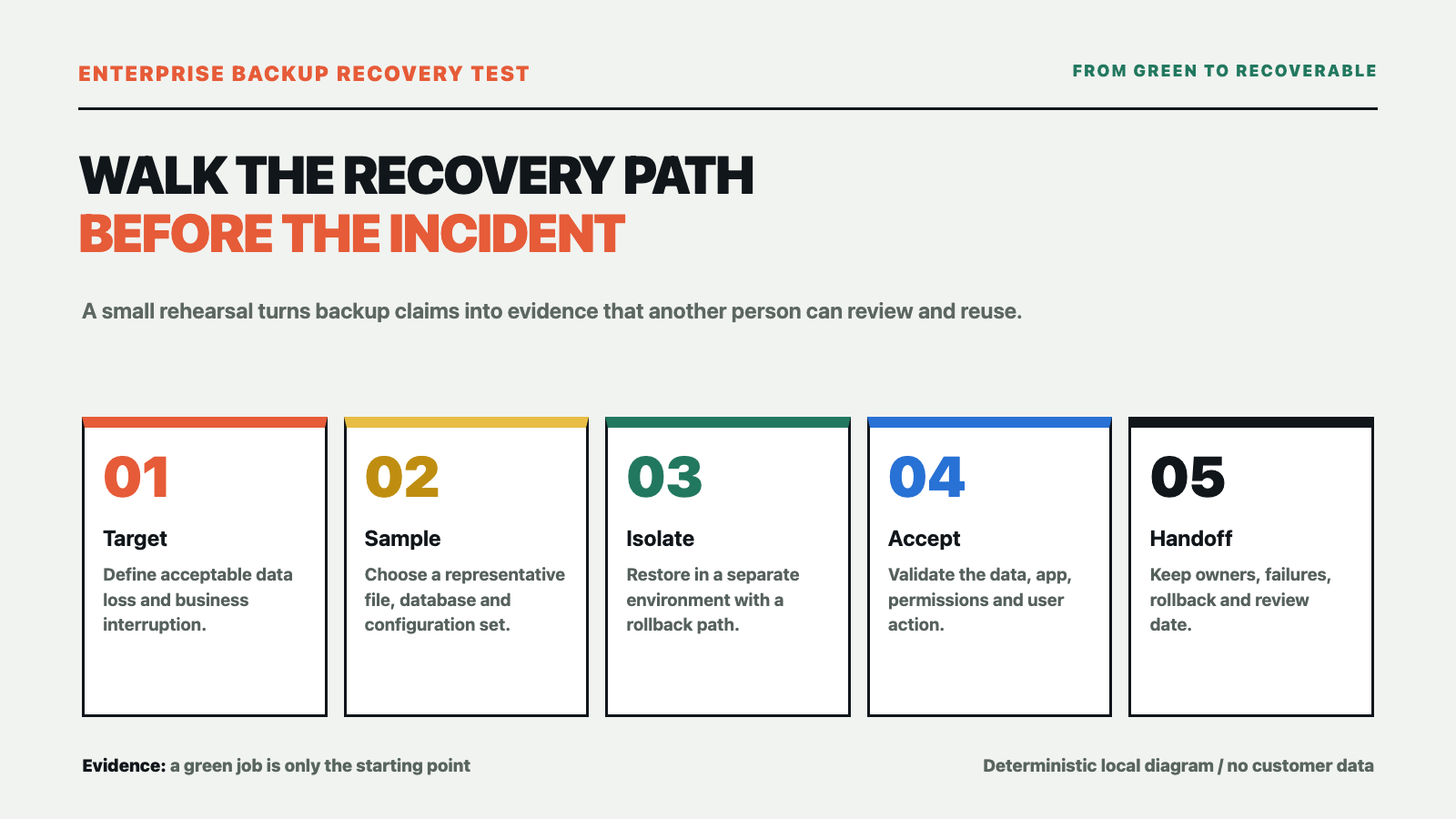
A recovery rehearsal should not end when a file is copied out. Start with two business-readable targets: how much data loss is acceptable, and how long the business can tolerate an interruption. These are commonly described as RPO and RTO. They are not fixed properties of a device; they are decisions shaped by orders, finance, production, customer service and available staff.
A shared folder may be allowed to recover to the previous evening, while an active order workflow may require a more recent point. Restoring one file and restoring a complete business system also have different time targets. Without targets, backup frequency, retention, storage location and recovery method are configured by intuition.
Select a small sample that someone can accept
The first round does not need to move the whole production environment. Select representative samples: a frequently used folder, a database backup, application configuration, network or virtualization configuration and a recovery note. Include normal data and a small number of older, unusual or permission-sensitive items.
Record the sample time, backup version, file count, key fields and original permissions. That creates a comparison point after the restore instead of relying on “the file opened.” Minimize customer, contract and employee information; use sanitized samples whenever possible.
Restore in an isolated environment
A rehearsal needs an isolated environment, an approved window and a rollback path. Put restored files, databases or virtual machines somewhere separate from production. Confirm that the test cannot overwrite live data or trigger production jobs through shared network paths, accounts or schedules.
Write down the participants before the window starts: who approves it, who executes the restore, who validates data and who decides whether the business can continue. NIST contingency-planning guidance treats recovery procedures, roles and plan testing as part of continuous improvement. For a small business, the minimum useful record is still who did what, when, and with which result.
Validate more than the file
Check the result at four levels:
- Data. Do file counts, sizes, versions, key fields and integrity checks match the sample?
- Configuration. Can the application configuration, dependent services, certificates and scheduled jobs be found, and is there a documented fix for anything missing?
- Permissions. Can the right people access the result while unauthorized access remains blocked? Do not open every permission merely to make a test pass.
- Business. Can a real user complete a minimum business action, such as finding a record, generating an internal report or completing an approval? Do not stop at “IT can see the service running.”
If one layer fails, do not label the rehearsal “recovery successful.” Record a more precise result, such as “data restored; application repair pending” or “files available; permissions pending,” then decide whether to expand backup scope, add configuration protection or redesign the recovery path.
Leave a record that the next person can reuse
Keep the rehearsal date, recovery target, sample version, operator, validator, elapsed time, failure points, rollback action and next review date. NIST’s recent backup guidance also emphasizes creating, testing and reviewing backups during recovery exercises. The record is not for a polished report; it lets another person take over when the usual recovery owner is unavailable.
Yuqi can help review an existing server, file, database or virtualization environment and turn it into a handoff-ready recovery path: critical-data inventory, RPO/RTO targets, backup scope, isolated restore environment, rehearsal steps and acceptance records. The final plan depends on the environment, data change rate, acceptable interruption and the scope agreed by both parties. We do not promise zero downtime or a fixed recovery time.
If you need to check whether an enterprise backup can actually support recovery, see Yuqi’s disaster recovery and backup solution and start with a recovery target and a small sample instead of counting green backup jobs.
Sources: NIST SP 1339, OT Backup Quick Start Guide; NIST SP 800-34 Rev. 1, Contingency Planning Guide; and the NIST NCCoE guide on protecting and testing backup files. This is general enterprise IT planning information, not a disaster-recovery audit or legal advice. It contains no customer measurements or vendor endorsement.