
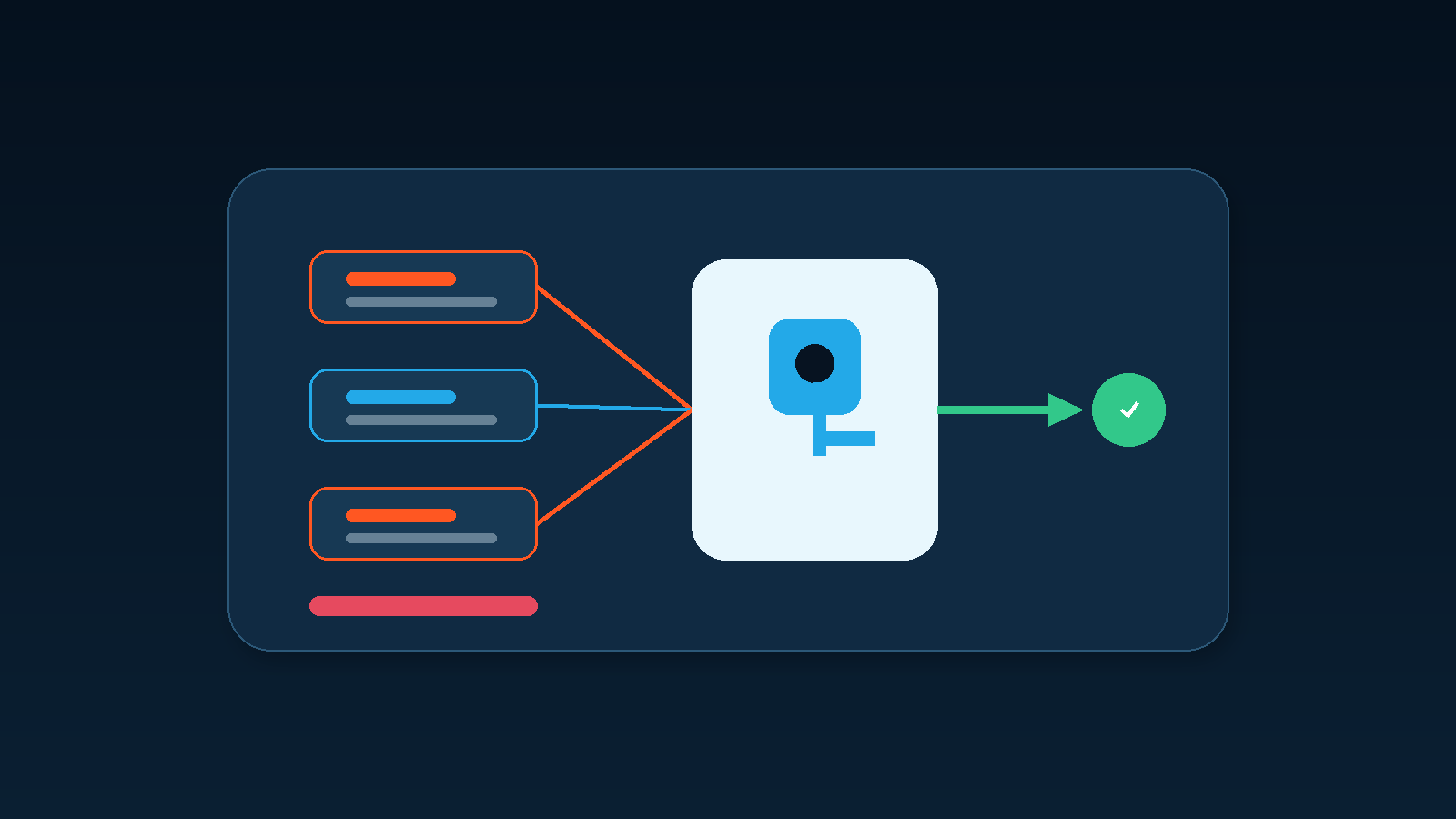
After a business automates orders, service tickets, contracts, or expense records, a dangerous failure is not always a missed run. Sometimes the same item is processed twice: two orders are created, two messages are sent, inventory is deducted twice, or the same document is written to the target system again.
Workflow duplicate execution prevention matters in small automations as well as complex systems. Polling triggers, webhook redelivery, network timeouts, parallel runs, active copies of an older workflow, and manual reruns can all present the same business object more than once. A reliable design does not assume exactly one trigger. It ensures that repeated delivery produces only one intended business result.
A failed response does not prove that the action failed
A workflow may successfully create an order in another system but lose the response during a network interruption. The calling flow sees a timeout and retries. If the destination cannot recognise that both calls represent the same business request, a second record may be created.
AWS explains that retries are useful for transient failures, but mutating operations need idempotent behaviour so that repeated calls do not create additional side effects. A run log therefore needs more than “succeeded” and “failed.” It should be able to represent sent-but-unknown, already exists, awaiting review, and safe-to-retry states.
Duplicate workflow copies are another source. A test environment, an old version, and a department-specific copy can all listen to the same event. Each flow may report success while the business receives duplicate results. The deployment inventory should identify the workflow name, environment, owner, trigger, and active status.
Use a business key, not only a run ID
Many platforms assign a unique ID to every run. That helps troubleshooting, but it does not reveal whether two runs handled the same order. The business needs a stable key such as a source-system order number, ticket number, contract ID, or a composite of the source system and record ID.
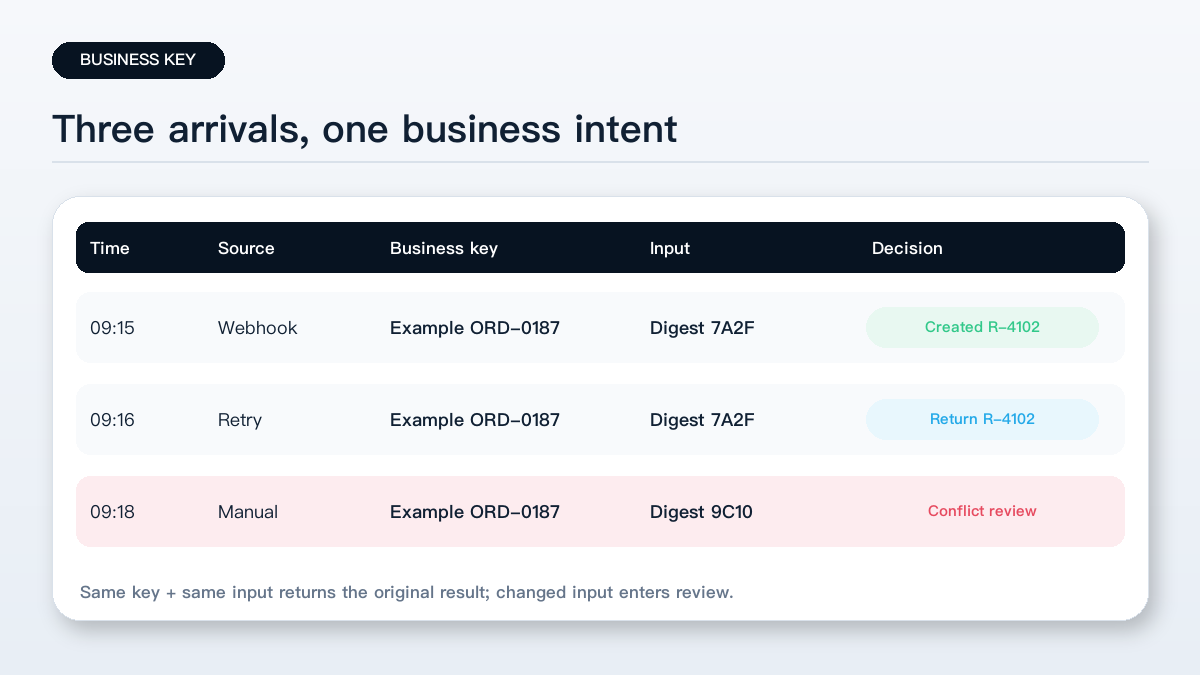
The business key should not be regenerated on every retry. At the same time, different orders must not share one key. A run ID and a business ID have separate purposes: the run ID explains an execution attempt; the business ID identifies the underlying intent.
Avoid placing passwords, identity numbers, customer email addresses, or other sensitive values in idempotency keys. Use an internal record ID or a non-reversible digest when a key must cross systems.
Idempotency is more than skipping every duplicate
In plain language, an idempotent operation produces the same intended business state whether it is applied once or multiple times. Microsoft recommends designing Power Automate flows to account for duplicate inputs. Its examples include checking whether a SharePoint document already exists and using key constraints to prevent duplicate records.
Duplicate detection cannot rely only on a customer name, date, or filename. Two customers may share a name, and one customer may place two legitimate orders on the same day. Store the business key, a digest of important input fields, and the processing state together.
If the same key arrives with the same input after the first operation completed, the workflow can return the existing result. If the amount, line items, or version changed under the same key, the flow should not silently skip or overwrite it. It should create a conflict for a responsible person to review.
Check before writing and read back after writing
A useful processing record includes the business key, source, first-seen time, current state, destination record ID, last attempt, error, and reviewer.
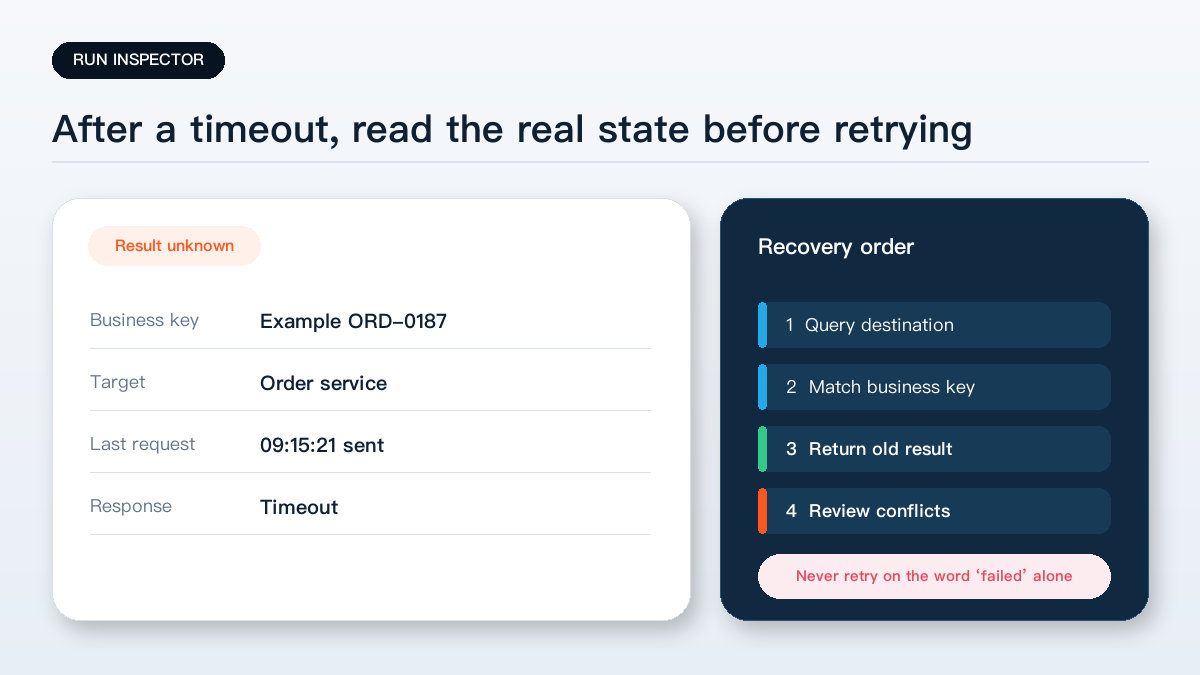
Before creating an order, sending a formal notice, generating a contract, or deducting inventory, query the processing record. After the action, read the destination system and store the actual record ID. Recovery can then decide whether to continue, return the existing result, compensate, or require review.
Logging alone is not a concurrency control. Two runs can query at nearly the same time, both see “not processed,” and both create a record. Critical writes also need a unique constraint, an atomic upsert, a transaction boundary, or serialised execution. If the destination cannot provide those controls, route ambiguous cases to an exception queue.
Stripe documents the same broad idea through idempotency keys: a retried create or update request can be recognised as the same operation rather than creating another object. A business does not need to copy Stripe's implementation, but it can reuse the design principle of one stable key for one unchanged business intent.
Five checks before production use
- Define a stable business key for each order, ticket, contract, or expense record and document who creates it.
- List actions with material side effects, including record creation, inventory changes, formal email, document generation, and financial entries.
- Store status and destination IDs; after a timeout, query the real outcome before retrying.
- Send the same test record twice and verify that the destination still contains one business result while the second attempt is visible in the log.
- Route changed input under an existing key to a conflict queue instead of overwriting, skipping, or repeating it automatically.
The key point: reliable automation does not depend on a promise that an event will arrive only once. It controls the result when duplicates, retries, and reruns inevitably occur.
Yuqi Intelligence helps businesses review existing spreadsheets, workflow tools, business identifiers, retry behaviour, and exception handling before automating orders, contracts, service records, and other repeatable processes.