
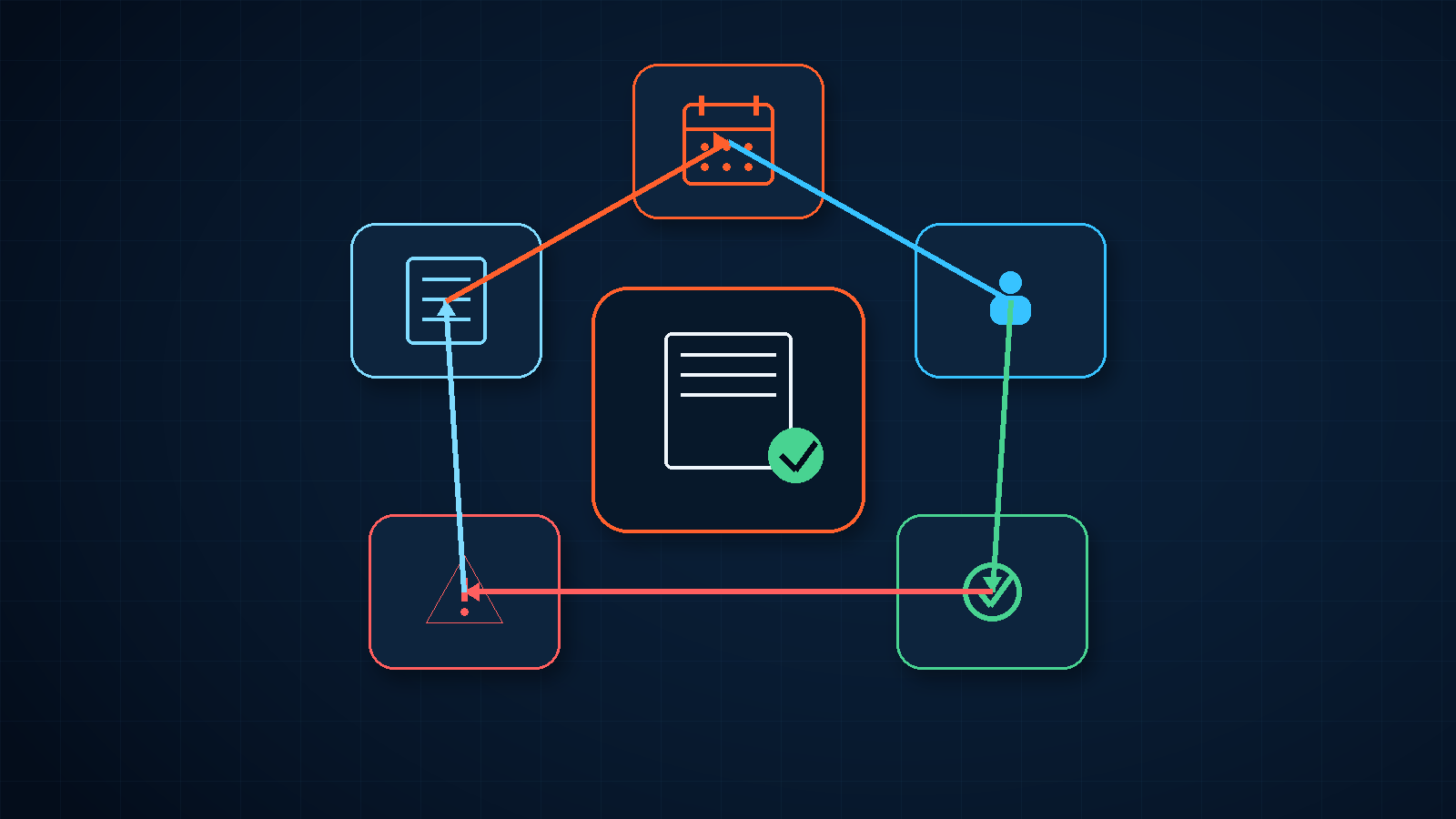
Many businesses already use a spreadsheet, calendar, or workflow tool to remind employees about contract expiry dates. Renewals, notice periods, service termination, and supplier reviews are still missed. The immediate response is often to add another email alert, but the failure usually started earlier: an ambiguous date, an owner who changed roles, a contract status that was never updated, or a workflow that failed without anyone noticing.
A contract expiry reminder workflow is not simply an alarm attached to a date. It requires a maintained contract register, clear ownership and escalation, and run records that expose failures.
One expiry-date field is often insufficient
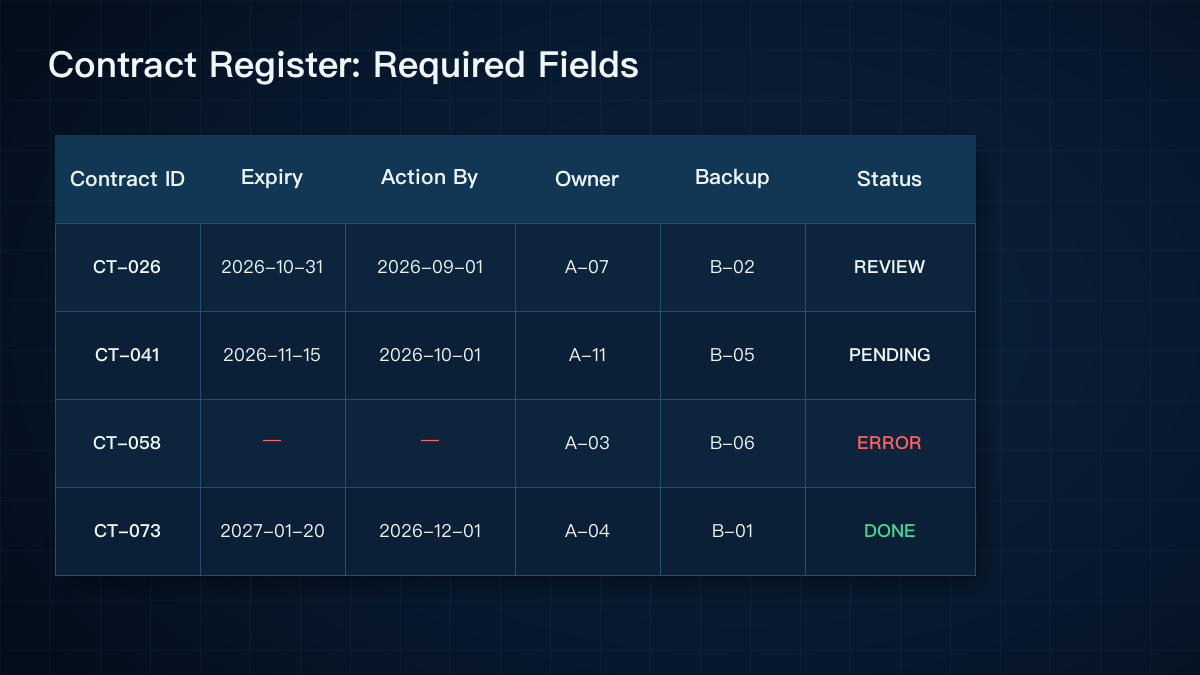
A contract may have a signature date, effective date, expiry date, automatic-renewal deadline, termination-notice date, and payment milestones. If the system offers only one field called “contract date,” employees will enter different meanings into the same column.
Microsoft Lists requires a Date and Time column for its reminder flow and lets users define how many days in advance to send a reminder. This small implementation detail illustrates a broader requirement: automation needs typed data and unambiguous field definitions.
At minimum, a business should distinguish the expiry date, final action date, and next review date. It should also define the time zone, whether the deadline includes the stated day, and how blank values are handled.
Ownership matters more than the delivery time
Many reminder flows send email to the person who originally entered the contract. Months later, that person may have moved roles or left the company. The automation runs, but the message no longer reaches someone responsible for the decision.
Each contract should have a business owner and a management backup. The owner decides whether to renew, terminate, or negotiate. The backup receives an escalation when the primary owner is unavailable or has not updated the status.
Lead times should reflect the contract type. A property lease, software subscription, maintenance agreement, and supplier framework may require different review windows.
An enabled workflow may still be operationally broken
Microsoft's Power Automate troubleshooting documentation lists expired connections, changed permissions, renamed or deleted resources, null values, and rate limits among common failure causes. Google Apps Script installable triggers run under the identity of the person who created them. A workflow tied too closely to one employee can therefore become fragile when responsibilities or accounts change.
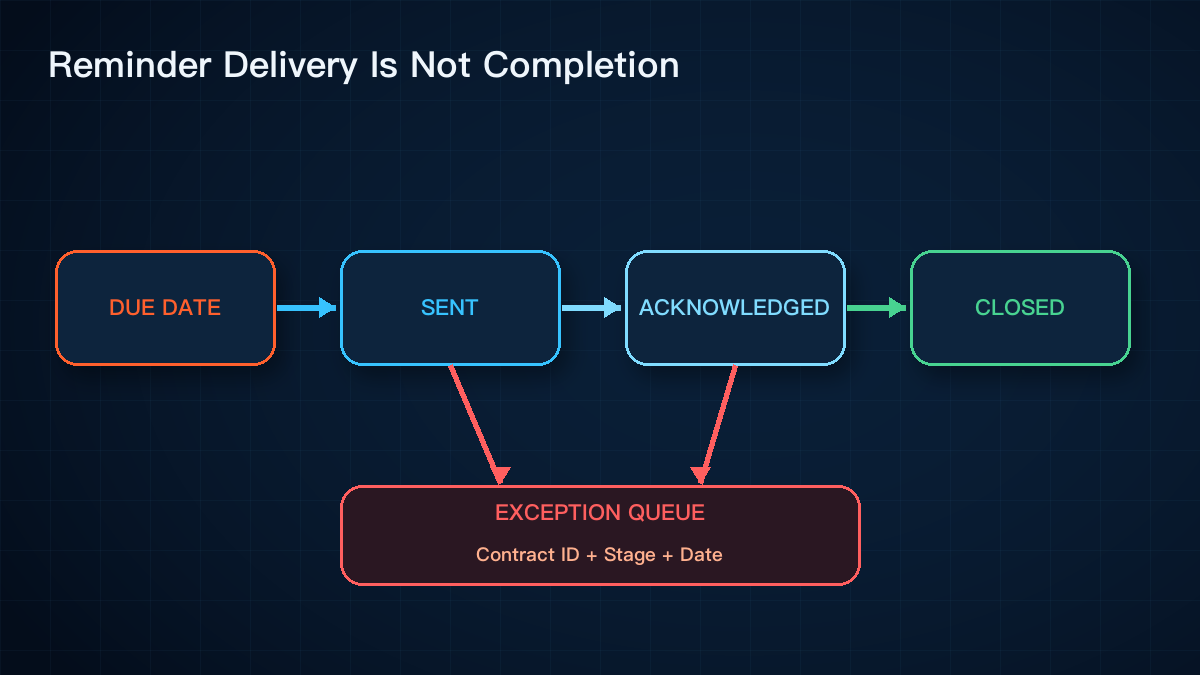
Operations teams should review the latest run time, failure history, number of contracts processed, and notification outcomes. Sending an email is only a technical action. The business process closes when the owner records a decision such as renew, terminate, negotiate, or no action required.
Retries can create duplicate messages
Microsoft's guidance for testing cloud flows warns that resubmitting a run may create duplicate records or emails. A contract reminder should record the contract identifier, reminder stage, and send date. If a stage already completed successfully, a bulk rerun should not notify everyone again.
This control can be implemented without a large system. A stable contract ID, reminder log, and status values such as pending, sent, acknowledged, and exception provide a useful foundation.
Five implementation checks
- Separate expiry dates, final action dates, review dates, and payment milestones. Standardize the format, time zone, and blank-value policy.
- Assign a primary owner and backup owner to every contract, with a repeatable handover process for role changes and departures.
- Configure reminder and escalation stages by contract type instead of applying one set of lead times to every agreement.
- Record the contract ID, reminder stage, scheduled time, actual send time, recipient, result, and error details.
- Review failed runs, invalid owners, missing dates, and contracts approaching expiry without a status update every month.
The core point: reliable contract expiry reminders connect dates, ownership, escalation, delivery, acknowledgement, and exception handling in one traceable process.
Yuqi Intelligence helps businesses turn fragmented contract spreadsheets, calendars, and chat reminders into maintainable workflows. We begin with the existing register, review points, and handover rules before deciding what should be automated locally.