
One of the least visible operating costs in a small business is repeated answers: opening hours, service scope, required materials, and order or application status. The answers live in group chats, spreadsheets, and old documents, while ownership for updates is unclear. Buying a “万能 Agent” before defining those boundaries can combine model risk, channel credentials, data rights, and error ownership in one production launch.
The practical proposition behind QwenPaw enterprise AI assistant deployment is smaller: start with a stoppable pilot. Use public or redacted FAQs, validate fixed questions in the local Console, and only then connect one chat channel. This guide is based on the official QwenPaw README, Quick Start, Channels documentation, Console documentation, and the Apache-2.0 LICENSE. We did not install, start, configure, or connect QwenPaw on this machine. Commands and expected results below are official instructions, not local verification.
What QwenPaw Should Solve First
The project describes QwenPaw as a personal AI assistant that can run locally or in the cloud, with a Console, TUI, desktop app, Skills, plugins, memory, and multiple chat channels. The README lists DingTalk, Lark, WeChat, Discord, Telegram, iMessage, and QQ among the channels.
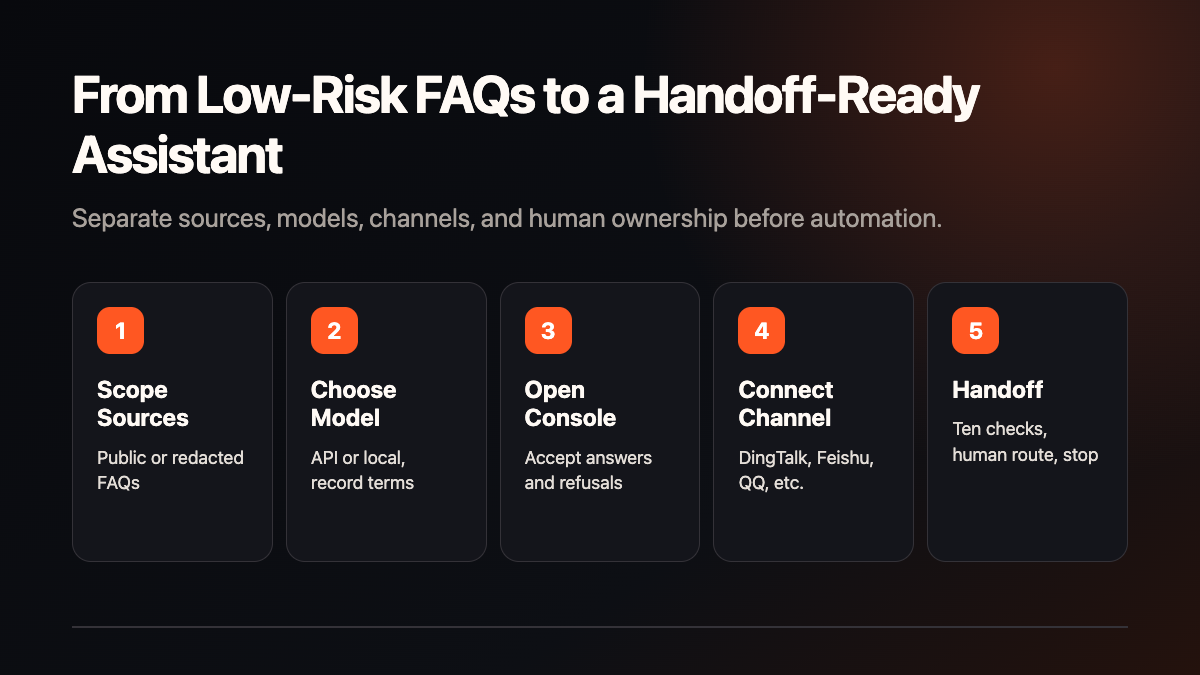
For an enterprise, the first step should not be to connect every document. Turn one repeated question into a measurable entry point. A training company might start with course FAQs; a store might start with opening hours and service descriptions. When the answer is uncertain, preserve a human handoff so someone owns the error.
“Local deployment” also needs a precise definition. With a cloud model, model calls remain subject to the provider’s data terms. With a chat channel, messages pass through that channel service. Discuss higher-sensitivity data only after the model, network, logs, and source-data policy are reviewed.
Official Minimum Setup
The official pip path requires Python 3.11 to 3.13. Use an isolated virtual environment for a pilot, then run: python -m venv .venv, source .venv/bin/activate (Windows: .venv\Scripts\Activate.ps1), pip install qwenpaw, qwenpaw init --defaults, and qwenpaw app.
The official expected result is a Console at http://127.0.0.1:8088/. You must then open Settings → Models and configure an API key or a local model. A reachable Console does not prove that the assistant can answer. QwenPaw also documents script installation, Docker, AgentScope Platform, ModelScope Studio, Alibaba Cloud ECS, and a desktop application; each path has different accounts, network, cost, and data boundaries.
Docker boundaries
The official Docker path uses agentscope/qwenpaw:latest and separate volumes for data, secrets, and backups. Model settings and API keys belong in the secrets volume. The official guide warns that localhost inside a container is the container itself; reaching a host-side model requires separate network handling. Never place real keys in an article, repository, or log.
Separate Model, Channel, and Telemetry Acceptance
The model is required; a chat channel is optional. Start in the Console, verify answers, refusals, and human handoffs, then configure one channel. For DingTalk, the official channel guide requires a Client ID and Client Secret, and file or image downloads may require a public-IP whitelist. Feishu uses a WebSocket long connection and Open API, with its own credential and setup order.
There is also a telemetry choice. The official README says interactive qwenpaw init asks whether to join anonymous usage data collection, while qwenpaw init --defaults accepts it once automatically. The listed fields are version, install method, OS and version, Python version, CPU architecture, and GPU availability; the documentation says personal data, files, credentials, IP addresses, and identifiable information are not collected. A stricter enterprise should record this choice and have an owner approve it.
A Seven-Day Pilot
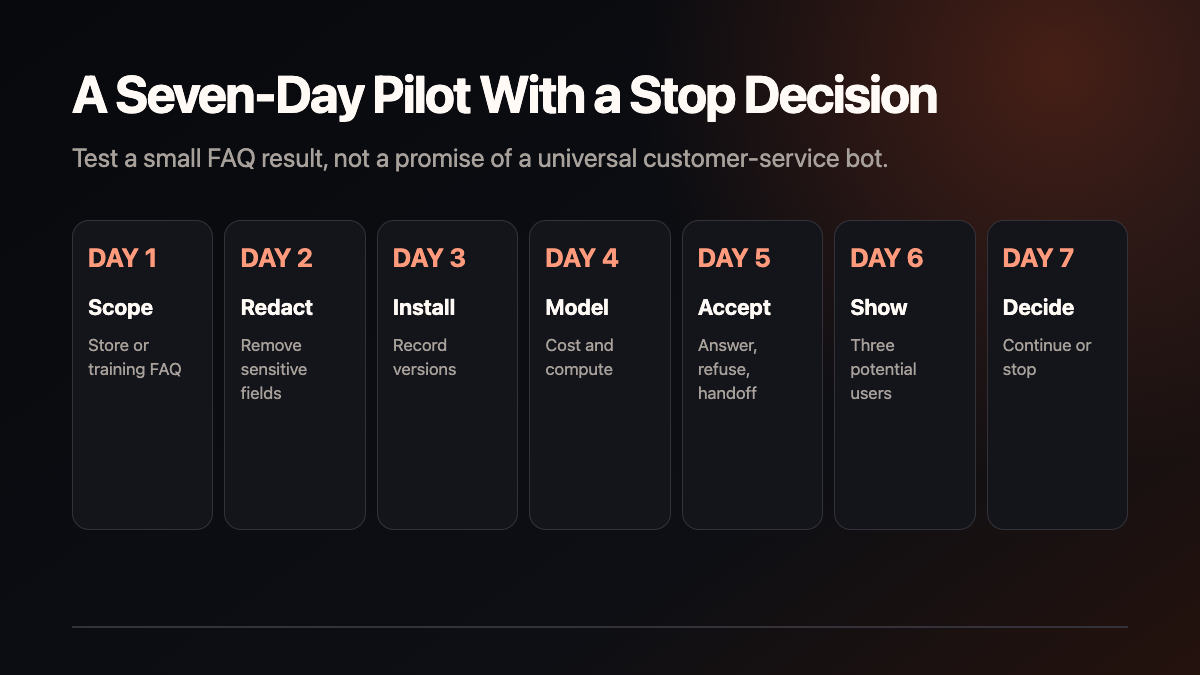
- Choose a scope: one store, training, or service FAQ scenario.
- Redact inputs: remove names, phone numbers, order IDs, and unapproved internal material.
- Isolate the setup: record Python, QwenPaw, provider, Docker volumes, and a rollback point.
- Configure the model: document API charges or local-model download, memory, and speed limits.
- Accept ten questions: include normal questions, follow-ups, refusal, and human handoff.
- Connect one channel: only after Console tests pass, configure DingTalk, Feishu, QQ, or another supported channel.
- Decide to stop or continue: use error types, maintenance cost, and real user feedback—not repository popularity.
An Eight-Point Handoff Checklist
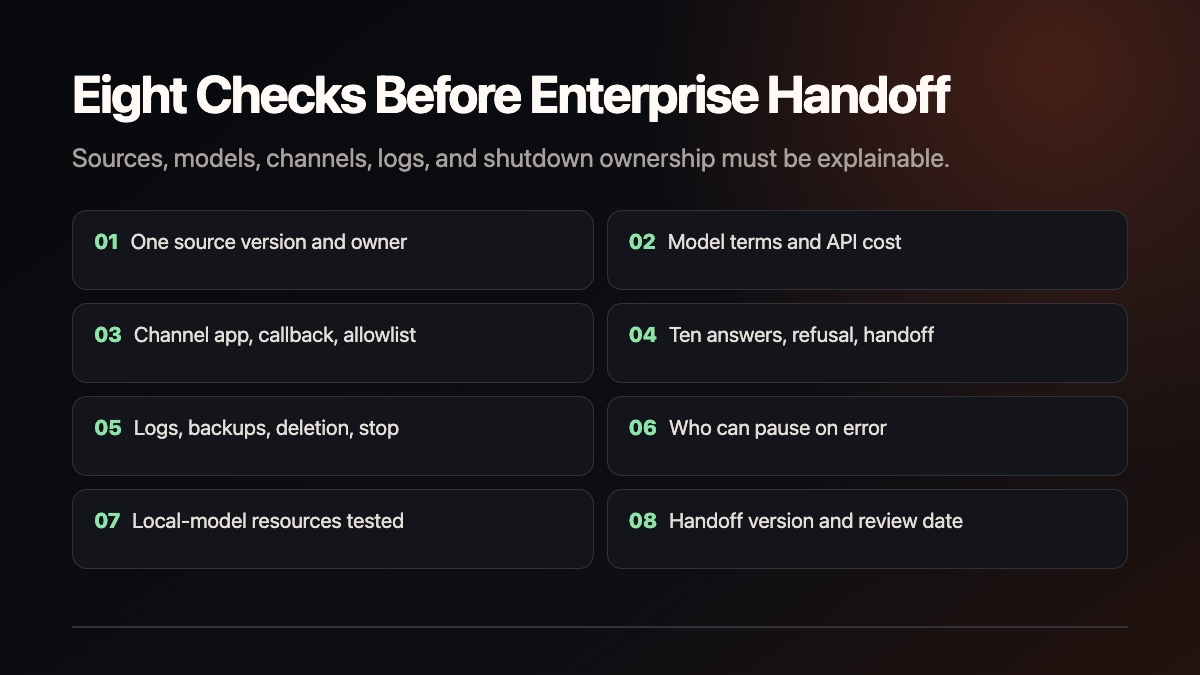
- Is there one approved source version, source list, and owner?
- May the selected model process this material, and who pays for calls?
- Who owns channel apps, callbacks, reviews, whitelists, and renewals?
- What are the ten accepted answers, refusal phrases, and human handoffs?
- Can logs, backups, deletion, and shutdown be reviewed?
- Who can pause the channel or model when an answer is wrong?
- Have local-model download, memory, speed, and upgrade behavior been tested on the target machine?
- Are the handoff file, versions, credential ownership, and next review date recorded?
Troubleshooting, Upgrade, and Shutdown
The Console opens but there is no answer
Check Settings → Models for a valid provider or local model. The URL only proves that the web service responds; it does not prove that the model, permissions, and prompt path work.
A channel does not receive messages
Review the channel’s credentials, event subscriptions, callbacks, approvals, and IP allowlists. Do not keep resubmitting secrets when the state is unclear; record the error and route it to the named owner.
A local model is too slow
The official materials do not provide one universal minimum GPU or memory requirement. Record the target machine, model, download size, first-start time, and error type. If resources are insufficient, return to the Console or choose an appropriate provider rather than promising smooth operation on every laptop.
Protecting an upgrade
Back up the working directory, secrets volume, and backups volume. Record the QwenPaw version and configuration changes, read the corresponding release notes, and repeat the ten-question and channel acceptance after updating.
Stopping the pilot
Disable channels and schedules in the Console, handle permitted working data under company policy, and then stop the process or container. Before deleting Docker volumes, model caches, or backups, check retention requirements. Apache-2.0 covers the project code; it does not clear third-party model, channel, or source-data terms.
Fit, Boundaries, and a Practical Service Entry
QwenPaw is a reasonable fit for a low-sensitivity, fixed-question scenario with a named owner. It is not a safe first step when there is no data owner, no human handoff, no permission to use the chosen model, or an expectation of one-click, always-correct customer service. One model, one channel, ten FAQ checks, and one handoff page can be a useful smallest service unit, but deployment fees, configuration fees, maintenance, and time savings require real interviews and acceptance. This article contains no customer, revenue, or performance claim.
Shanghai Yuqi Intelligent Technology Co., Ltd. can help businesses in Shanghai and nearby areas structure source permissions, build a low-risk QwenPaw pilot, configure a model and channel, and document acceptance. The provider, data terms, asset rights, and service scope remain subject to the company’s review, official documentation, and actual testing.