
On an employee’s last day, IT often receives a simple instruction: “The mailbox is disabled, so we should be fine.”
The mailbox is only one entry point. A real offboarding review may include SSO sessions, VPN, cloud storage, project tools, code repositories, NAS access, Remote Desktop, shared accounts, API keys, MFA devices, access cards, and company data still synchronized to a personal device. Disabling email does not prove that access has ended.
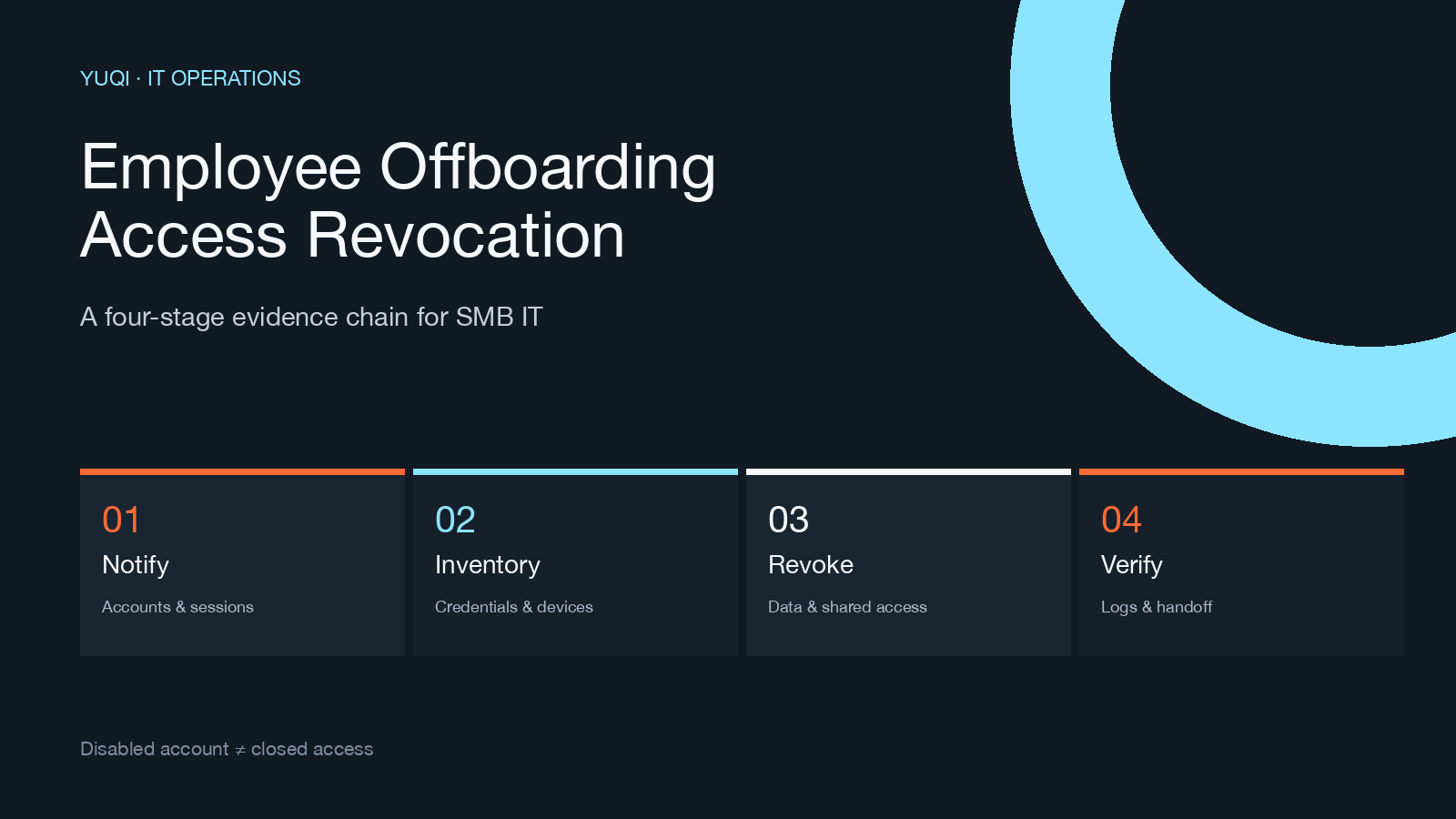
This guide gives an SMB IT owner or outsourced IT partner a vendor-neutral order: inventory the objects, disable and revoke access, hand over assets and data, then read back the evidence. CISA, NIST, and CIS guidance all point toward timely access removal, credential or authenticator revocation, and asset recovery. They do not create one universal number of minutes for every company; timing must be aligned with HR, legal, retention, and business-continuity requirements.
A notification is not an access closure
An offboarding event usually contains three separate moments: HR notification, account disablement, and IT evidence closure. Treating them as one status creates gaps.
If the ticket only says “mailbox disabled,” you still cannot answer:
- Does the person still have VPN, Remote Desktop, or cloud-console sessions?
- Are personal tokens, app passwords, SSH keys, or API keys still valid?
- Who owns a shared account now, and has its password been rotated?
- Were the laptop, access card, USB media, and synchronized folders handed over?
- Do retention, litigation, or audit requirements limit what can be deleted or changed?
01 | Inventory the person’s path, not only the system list
Start from the person’s actual work path. At minimum, confirm five object groups:
- Identities: email, SSO, chat, project management, code repositories, cloud platforms, finance, and line-of-business systems.
- Access paths: VPN, Remote Desktop, jump hosts, NAS, wireless networks, and external collaboration spaces.
- Credentials: passwords, MFA devices, recovery methods, personal tokens, SSH keys, API keys, and certificates.
- Assets: laptops, phones, access cards, removable media, software licenses, and peripherals.
- Data: local files, cloud-sync folders, mail, chats, project records, and scheduled automations.
The result should map back to a person, an asset group, and an accountable owner. Shared accounts need a named successor and a credential-rotation action; uncertainty is not a reason to leave them untouched.
02 | Disable and revoke: four different actions
A. Disable the identity
Disable directory, email, SSO, and business-system accounts. Check aliases, forwarding rules, delegation, and remembered devices. Do not treat a successful web sign-out as proof that every desktop or mobile session has ended.
B. Revoke sessions and authenticators
Revoke active sessions, refresh tokens, MFA devices, recovery methods, and personal access tokens. VPN, Remote Desktop, and cloud consoles have their own session behavior; read those states back instead of assuming account disablement closed everything.
C. Rotate shared credentials
For shared passwords, service-account secrets, SSH keys, and API keys known to the departing employee, determine scope and then rotate, replace, or revoke them. Verify that automations, scripts, and backup jobs still work after the change.
D. Close non-account entry points
Access cards, device-management records, remote-control tools, and local sync clients also need an outcome. They may not appear in a mailbox screenshot but can still provide a route into systems or data.
03 | Hand over assets and data without destroying evidence
Device handover is more than collecting a laptop. Record the asset identifier, device state, encryption state, and local or cloud synchronization state before applying the organization’s retention and legal rules.
Confirm four things:
- project files have a named business owner;
- company data on personal devices has an authorized handling decision;
- automations, scheduled jobs, and notifications tied to personal accounts have been migrated;
- retention, dispute, audit, or legal-hold requirements are known before deletion or modification.
Access revocation and data deletion are different decisions. Without authorization, do not bulk-delete mail, chat, cloud files, or local data simply because the employee has left.
04 | Read back the evidence before closing the ticket
Keep at least four evidence groups:
- Identity and accounts: read back disablement, aliases/forwarding, and active sessions; owner: identity or system administrator.
- Credentials and devices: read back token/MFA/key outcomes and the asset receipt; owner: IT and device owner.
- Data and jobs: read back file handover, sync, automation, and notification migration; owner: business successor.
- Exceptions and approvals: read back retention, delay, shared-account rotation, and the review date; owner: HR, legal, and business owner.
“Completed” is not a sufficient evidence field. Every exception needs an approver, a reason, a review date, and an accountable owner before the ticket is closed.
Fast-looking actions that leave gaps
- Disable email but skip VPN, Remote Desktop, SaaS, and active sessions.
- Delete an account before retention, audit, or handover requirements are understood.
- Leave shared passwords and API keys unchanged while marking the ticket complete.
- Collect the laptop but ignore access cards, personal-device sync folders, and removable media.
- Leave “confirm later” in a note with no owner or review date.
Where Yuqi fits
If an organization lacks a stable asset register, access inventory, and evidence-based change process, Yuqi’s enterprise IT operations and infrastructure hosting service can start with an operations assessment and turn server, network, endpoint, application, and disaster-recovery responsibilities into repeatable inspection, access, and handover records. This article is a public checklist; it does not claim that any account disablement or data deletion has been performed in your environment.
Sources and limits
- CISA: Managing Risk of Adverse Involuntary Employee Separations: source for offboarding risk, access disablement, asset recovery, and accountability boundaries.
- NIST SP 800-171r3: source for disabling system access, revoking authenticators, and retrieving system property at termination or transfer.
- CIS Control 6.7: supplementary source for a defined and timely access-revocation process.
This article summarizes public guidance. It does not promise one universal deadline; production actions must be confirmed with HR, legal, the business owner, and IT.