

Many businesses subscribe to two broadband lines from separate providers to avoid losing connectivity. With both WAN lights on, it is easy to assume that the backup will take over and keep the company online when the primary line fails.
During a real outage, the whole office may still lose access, staff may need to switch lines manually, or a web page may load while business systems and remote access remain unavailable. Buying two circuits is not the same as having network continuity. Check whether the paths are independent, whether the equipment can detect a real failure, whether critical services work after a switch, and whether the process has been rehearsed.
Two broadband lines may still share one point of failure
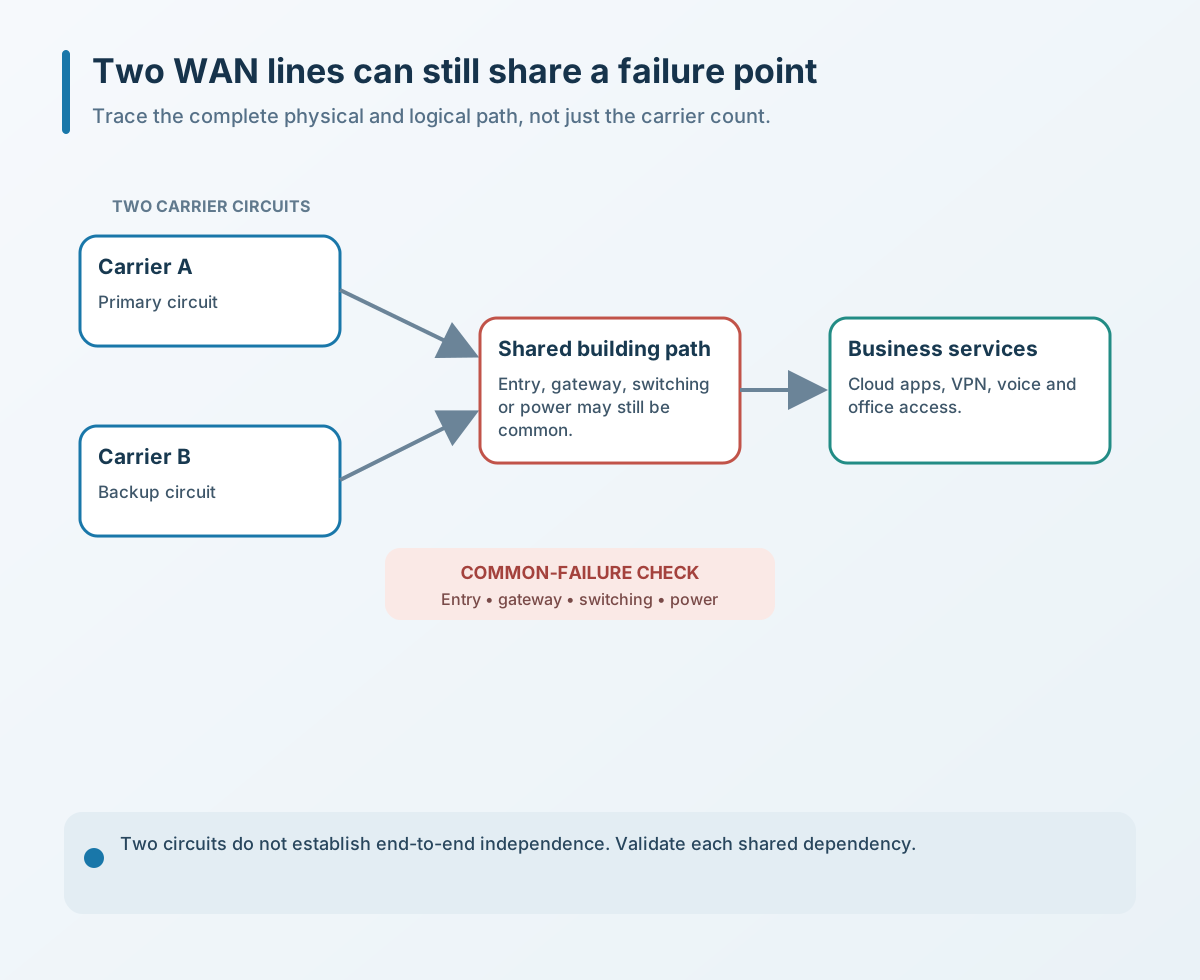
Two bills and two provider names prove a difference in procurement, not necessarily end-to-end path independence. Both lines may enter through the same riser, building fiber or equipment room. They may also terminate on the same gateway, switch or power source.
A fault on one provider's side may be avoided, but a shared building path, gateway, switch, power supply or configuration can still take both lines down. NIST contingency-planning guidance recommends identifying single points of failure in communications networks, providing redundancy for critical components, and keeping network diagrams, equipment configurations and carrier contact information available.
A business does not need a complex architecture to begin. Sketch the path from the office to the Internet: where each carrier enters, which devices it traverses, how they are powered, and which services depend on them. Any point where the two lines converge is a shared risk worth reviewing.
A link light does not prove the Internet is usable
A successful switch depends on the gateway recognizing that the primary line can no longer support the business. Checking only whether a port is connected or has an address may not reveal an upstream routing failure, unavailable DNS, severe packet loss or access to only some destinations.
Cisco's 2025 branch-network design describes using connection monitoring to assess WAN uplinks and Internet connectivity and decide when to switch. Fortinet's link-health monitoring documentation also describes tracking latency, jitter and packet loss through probes or session information, then moving traffic off a path when health checks fail.
That does not mean every business should copy the same probe destinations and thresholds. Too few targets can trigger a false switch when a probe server itself fails; an overly sensitive threshold can cause repeated switching; a loose threshold may leave staff unable to work while the line still appears healthy. Define explainable probe targets, failure counts, switching conditions and recovery conditions for the equipment and business services in use.
Internet access after failover does not prove the business is restored
Public web pages, corporate VPNs, cloud desktops, video meetings, external allowlists, fixed public IP addresses and third-party APIs can react differently when a line changes. Existing sessions may break, the public egress address may change, and systems that rely on IP allowlists may refuse access. Routing, NAT, DNS, inbound publishing and security policies may also exist only on the primary path and need a deliberate design for the backup.
Acceptance should not stop at opening one web page. List critical services and check each one after failover: access to cloud systems, branch and remote connections, voice or video calls, dependencies on fixed IPs, and whether upload and download capacity still supports essential work.
The backup line also needs enough capacity. It may not need to carry all traffic in normal conditions, but define which services are protected during an outage, which traffic is limited and who can make that decision. Otherwise, backups, video and ordinary downloads may crowd a smaller line and leave critical work unusable.
Automatic failover is not the end; manage recovery too
Consider when the device should return to the primary line, whether current sessions will need to reconnect, and whether routes and security policies stay consistent. Unstable recovery detection can make traffic bounce between lines. A backup circuit that is rarely used may also drift in configuration, account status, plan or link health.
Active-active and primary-backup designs have different costs and maintenance needs; there is no universal answer for every business. What matters is documenting the current mode, owner, health targets, failover and failback actions, and conditions for human intervention. Update the network diagram and records after changes so the capability does not live only in one person's memory.
Four checks a business can make first
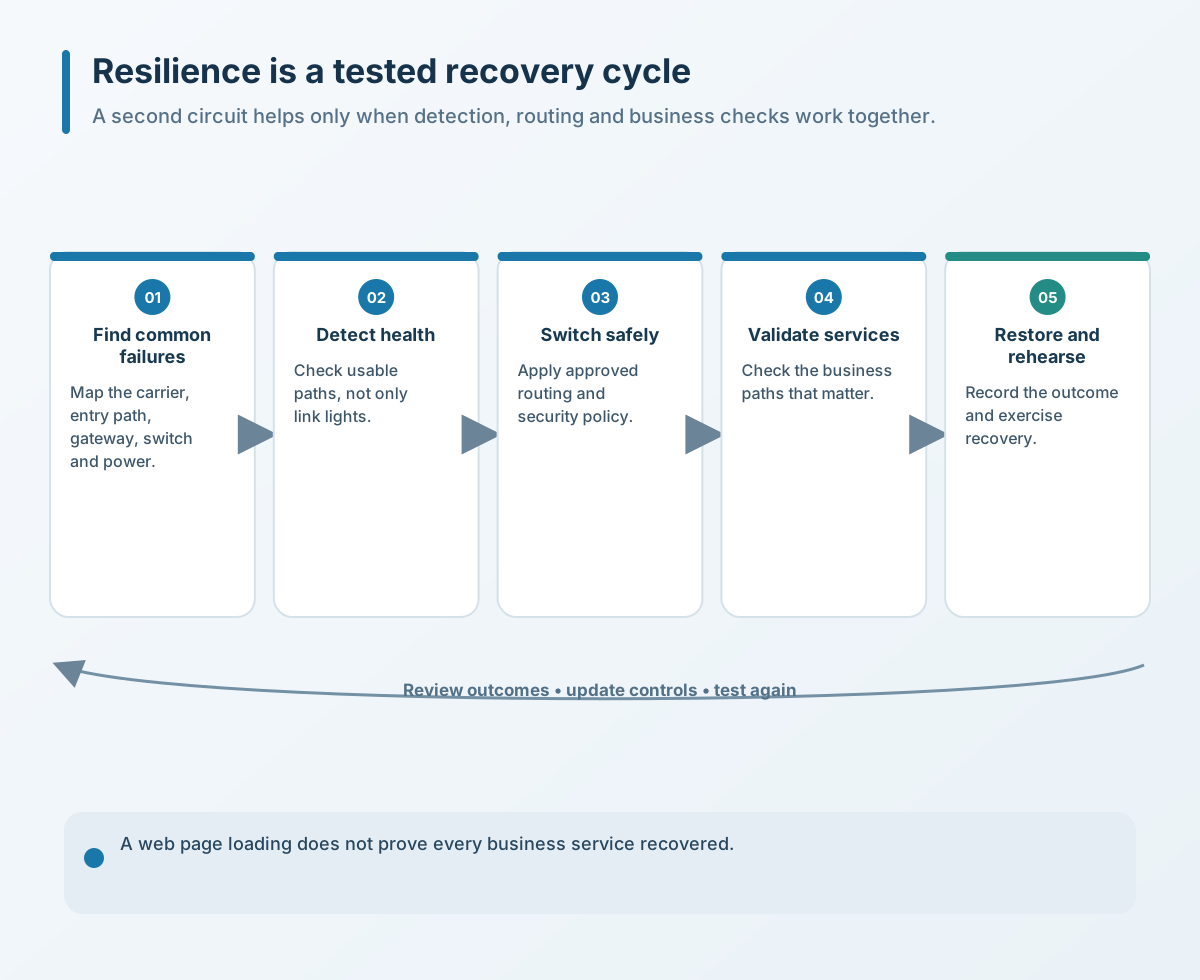
- Map the end-to-end paths. Record each provider, building entry, modem or terminal, gateway port, switch and power source. Identify equipment and routes that are still shared.
- Review health checks. Confirm the device checks Internet or critical-destination availability, not just a lit port. Record targets, thresholds, failover and recovery conditions, and verify standby routing, NAT, VPN, DNS and inbound dependencies.
- List critical services. Document the minimum requirements and owner for web services, cloud systems, VPNs, fixed-IP allowlists, calls and meetings on the backup line.
- Run a controlled drill. During a low-risk window, simulate loss of the primary circuit and record detection time, switching time, service behavior, human actions and recovery. Update the plan afterward.
The value of dual broadband is not an extra line on a purchase order. It is a demonstrable reduction in single-point failures, with a known path for service degradation and recovery. Map the paths, detection, capacity and drill before deciding whether more equipment redundancy or automation is warranted.
If you need to review dual broadband, gateways, business-critical services or failover drills, contact Yuqi Intelligent to set priorities based on your circuits, equipment and continuity needs.