
After-sales information at equipment, low-voltage, electromechanical and repair businesses often sits across WeChat groups, calls, paper forms, spreadsheets and business systems. The same fault may be logged once by customer service, copied again by a technician, and then searched for all over again when finance handles settlement.
AI and workflow automation can reduce sorting and re-entry, but they do not automatically know whether two records refer to the same customer, device or service incident. Without consistent identifiers, fields and ownership states, faster automation can spread duplicates and mismatches faster.
Duplicate entry is not just a lack of software
The same customer may appear under a legal name, abbreviation, store name or contact person's name. There may be several devices of one model. A message saying “that device today” can become a new task when it reaches the system.
Automation can create, copy or match records only from the fields it receives. Without a reliable identifier, it is left to guess from names and text.
Microsoft's data-platform documentation describes unique identifiers or unique field combinations as a way for external systems to reference records accurately. A business does not need to use a specific product to apply the principle: each business object needs a stable identity.
What four identifiers solve
Customer ID: which customer does this belong to?
Customer names can vary across abbreviations, former names, parent and subsidiary companies, or same-name organizations. A customer ID provides a stable link; names, contacts and addresses are attributes, not a substitute for record identity. Decide which system issues the authoritative ID and who resolves possible duplicates.
When a service request arrives, staff can search by name but should save it against a confirmed customer. If the match is unclear, route it through a “customer to confirm” step instead of creating another similar record to save time.
Device ID: which specific unit needs service?
A business may own many devices of the same model, and their locations can change. A device ID should link to its model, serial information, installation location, commissioning date, warranty status and customer.
Whether a real serial number should serve as the primary ID depends on the business, privacy and vendor rules. An internal ID is often easier to keep stable. If the specific unit is not yet confirmed, mark it as pending confirmation rather than merging it with another device of the same model.
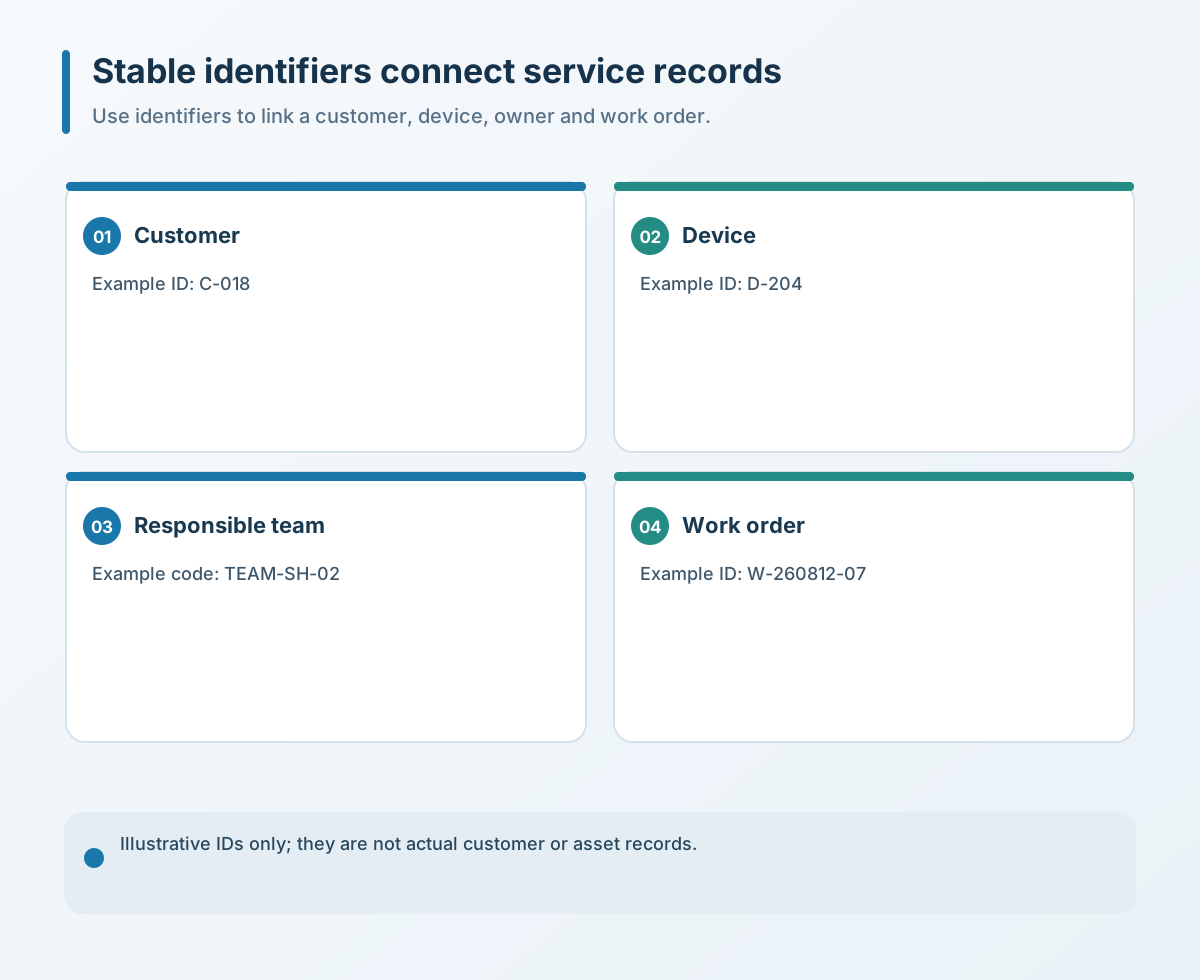
Work-order ID: keep one service incident in one primary record
A work-order ID identifies one service event. WeChat messages, call notes, site photos, parts, labor, quotes and settlement should link to the same main work order rather than creating unrelated records at every step. Keep the original request, extracted fields, candidate match and downstream record linked so a reviewer can trace how the record was created.
Duplicate-detection rules can flag similar records, but cannot guarantee that every duplicate will be found. Simultaneous submissions, incomplete fields or two faults on the same device can be hard to distinguish. People should review suspected duplicates; automation should not merge and delete them on its own.
Responsibility ID: who owns the next action?
This can be an employee number, service queue, team or role identifier. It should answer who is currently responsible, when they accepted the task, what comes next and who follows up if it is overdue.
When someone takes leave, changes roles or leaves the company, handover should preserve the original work history while clearly updating the current owner. Reminders can then reach the right person rather than everyone in the group.
Beyond IDs, standardize status and the minimum required fields
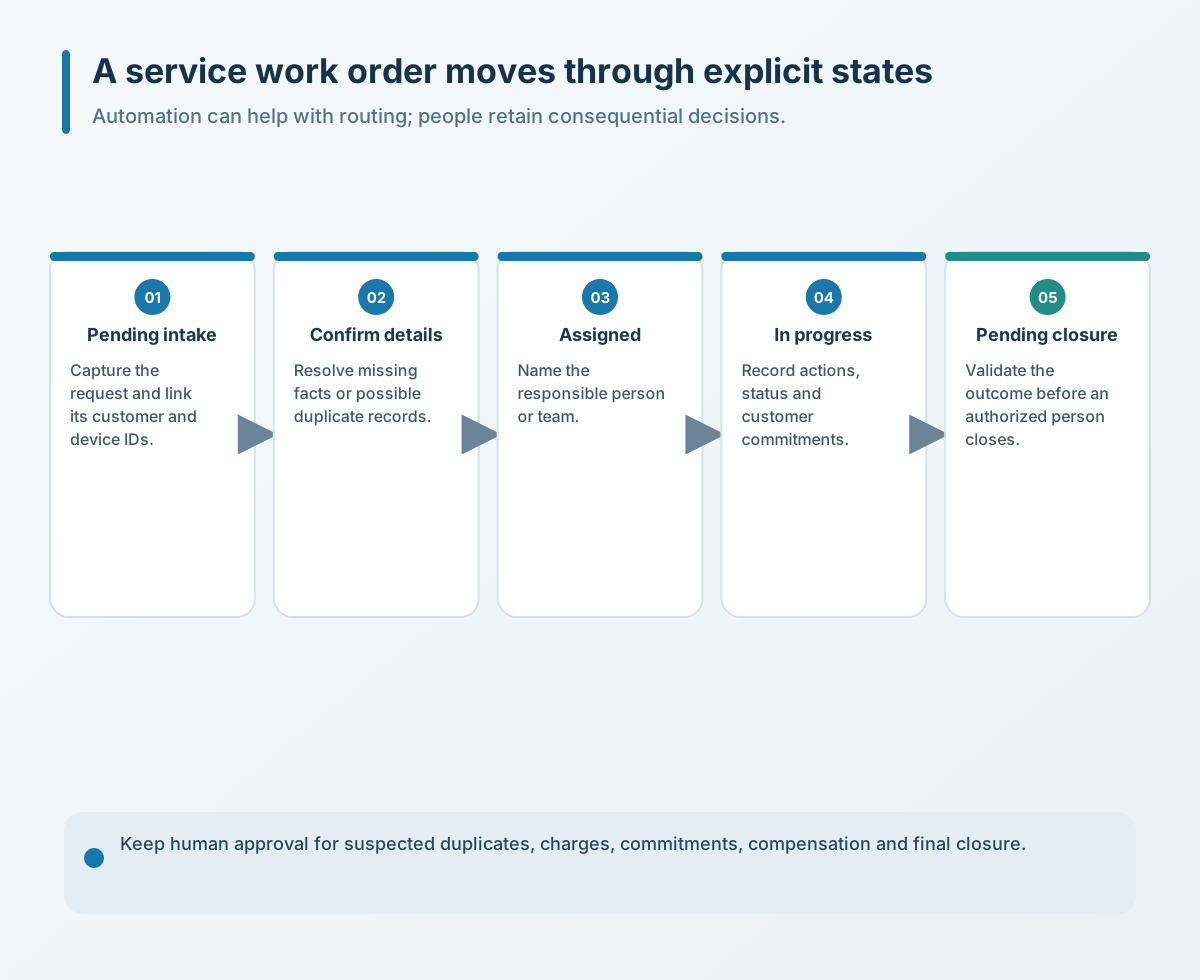
A business can start with a small set of workable states: received, device to confirm, assigned, in progress, awaiting customer confirmation, completed and closed. Too many statuses increase the effort required of staff.
Each status needs an entry condition, an accountable role and an exit condition. A technician's work may be complete while the order still awaits customer confirmation; that does not necessarily mean finance can settle it. A customer deferring a repair does not mean the work order should disappear.
Workflow automation is easier to control and maintain when it handles only necessary fields and records. Decide which data is required to open a service request; do not pass every chat message, customer detail and historical attachment to a workflow or public AI tool indiscriminately.
AI can help organize work, but it should not own the decision
Once identifiers, fields and statuses are stable, AI can help classify repair descriptions, draft work-order summaries, extract device clues, flag missing fields, organize service notes or prepare a customer-service reply. Treat extracted IDs and matches as candidates, then route uncertain matches to a named reviewer instead of posting them automatically. People can review these outputs and correct them when needed.
Warranty responsibility, chargeable versus free service, scrapping a part, customer compensation, contract interpretation and final closure should not be decided directly by AI. These issues involve contracts, costs, permissions and commitments to customers; an authorized person should review them.
Four practical starting points
- Sample recent work orders. Find where the same customer, device or fault has been entered more than once, and note which intake channel created the duplicates.
- Standardize four identifiers. Give customers, devices and work orders stable IDs, and use a responsibility ID for the current owner. A change in name, location or contact should not arbitrarily change record identity.
- Turn statuses into workable rules. Define the owner, entry condition, next action and exit condition for each status. Allow a pending-confirmation state when a match is uncertain.
- Automate low-risk steps first. Start with reminders, summaries, field checks and document drafts. Keep duplicate merging, fees, warranties, customer commitments and closure under human approval. During a pilot, track duplicate and mismatch rates, corrections, reopened cases, ownership delays and customer impact—not only processing speed.
After-sales automation starts by giving every piece of information a clear home. Once customer, device, work order and responsibility relationships are stable, AI can reduce repeated work on reliable data. If those relationships are not clear, automation only reproduces the confusion faster.
If you need to review quotes, contracts, repair orders, service records or spreadsheet workflows, contact Yuqi Intelligent. First clarify data fields, identifiers and approval boundaries, then assess which steps are suitable for local document generation or workflow changes.