
Calculate the planned load by multiplying each device's maximum or design wattage by its quantity, then adding those subtotals. The total must fit within the switch-wide Power over Ethernet (PoE) budget. Separately, each powered device must match its port's PoE mode and per-port limit. For example, four APs planned at 22W each and four cameras at 10W each total 128W. Against a 150W budget, that leaves 22W on paper; one more device planned at 25W would exceed the budget by 3W. These are arithmetic examples, not site measurements. Verify exact hardware revisions before procurement.
What is the difference between total budget and per-port power?
PoE (Power over Ethernet) carries data and power over a network cable. IEEE 802.3af is commonly called PoE; 802.3at is PoE+ and supports a higher per-port power class. Power available at a device can be less than power supplied at the switch because of cable losses. A matching RJ45 connector alone does not establish compatibility; see Ubiquiti's PoE mode guide.
For the TP-Link Omada SG2218P hardware revision V2.20, the vendor lists 16 PoE+ ports, up to 30W on a port and a 150W switch-wide PoE budget. 16 × 30W = 480W is not simultaneous output. A port limit governs one connected device; the total budget governs the full set. Do not transfer this model's figures to another revision without checking its data sheet.
| Check | Question | SG2218P V2.20 example |
|---|---|---|
| Powered ports | How many devices can connect? | 16 PoE+ ports |
| Per-port limit | Can this port power this device? | Up to 30W |
| Total budget | Can all planned devices be powered? | 150W shared |
Why doesn't a free port imply spare power?
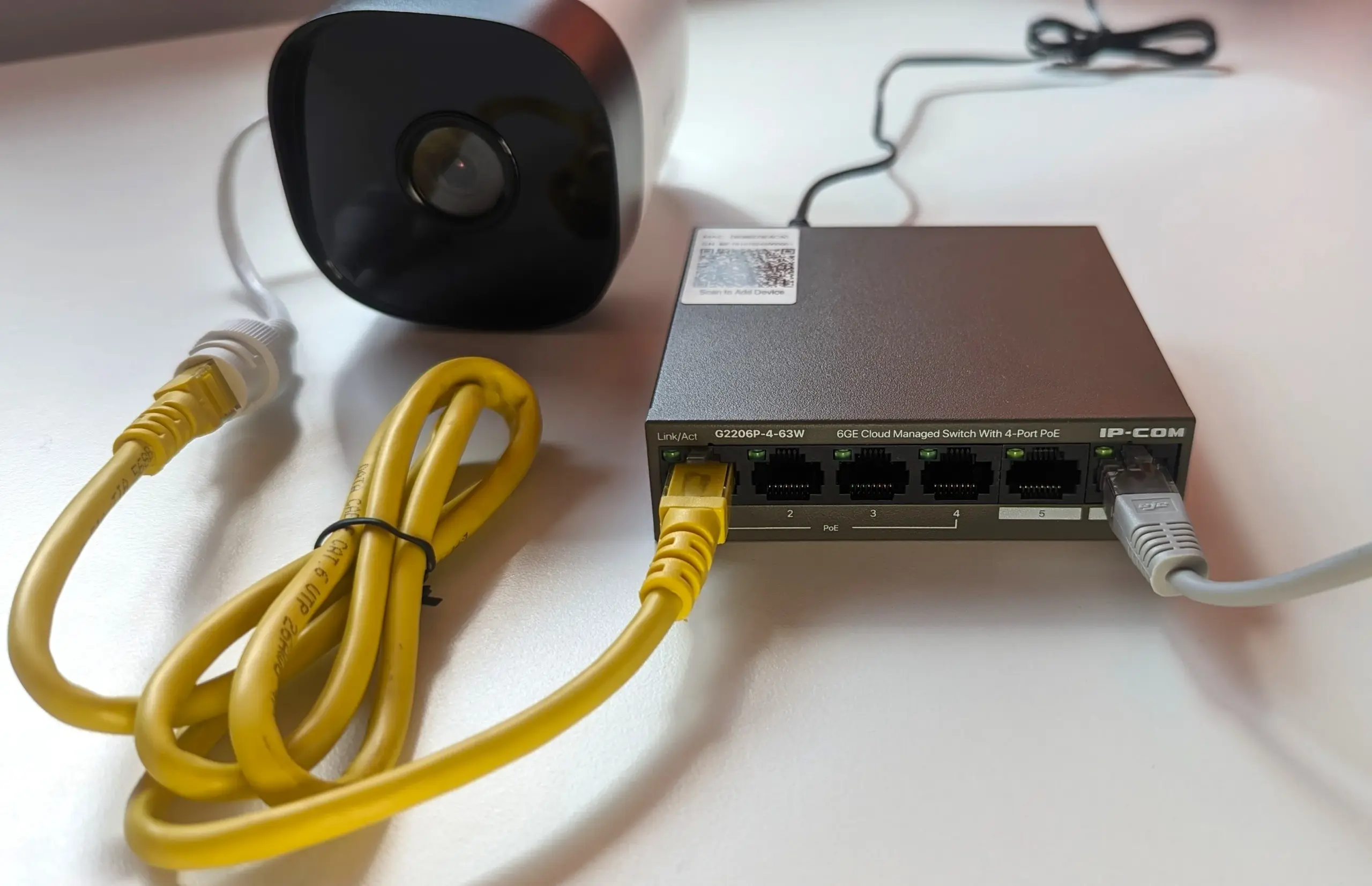
This photograph shows a different IP-COM PoE switch and camera, useful for identifying the physical types of equipment. It is not the SG2218P, a Yuqi customer site or test evidence for any wattage here. Photo by Boltasu; original and licence, CC BY-SA 4.0.

Which device specifications belong in the calculation?
List each model separately. If its data sheet is missing, mark design power unknown; a momentary dashboard reading cannot replace the maximum or design requirement.
| Field | Record | Why it matters |
|---|---|---|
| Powered device | Model, hardware revision, quantity, location | Similar devices may draw different power |
| Power mode | 802.3af / at / bt or vendor requirement | An RJ45 socket alone proves no compatibility |
| Design power | Vendor maximum/design watts per device | Input for the budget, not a momentary reading |
| Port plan | Switch model, PoE port, cable ID | Uplinks are not necessarily powered ports |
| Expansion | Planned device models, quantities, watts | Reserve capacity against an actual plan |
For higher-power APs, cameras with infrared lighting or accessories, check the exact configuration's maximum draw and PoE mode. Do not confuse typical consumption with the device's required negotiation class.
How do you calculate a 150W example step by step?
Formula: planned total = Σ (quantity of each device model × design watts per device). Calculate today's load, then add known expansion separately. The device wattages below are illustrative assumptions, not measurements of the photographed equipment or a customer installation.
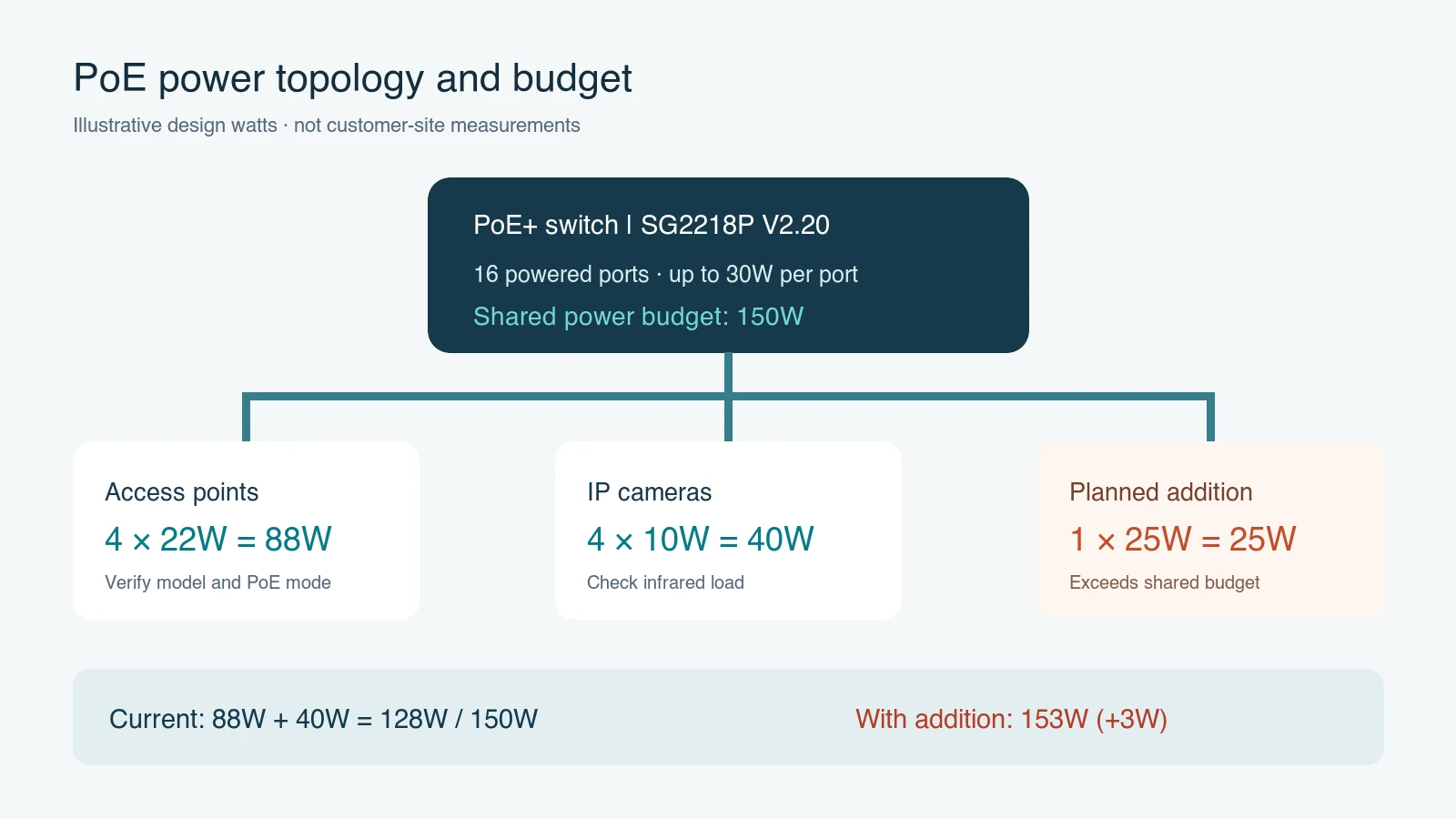
The topology puts switch-wide capacity, device groups and the proposed addition on one diagram. Its endpoint wattages are assumptions for the worked example, not SG2218P field-test results. Check each branch's PoE mode and per-port limit separately.
| Illustrative device | Quantity × design power | Planned subtotal |
|---|---|---|
| Access points | 4 × 22W | 88W |
| IP cameras | 4 × 10W | 40W |
| Initial plan | 8 devices | 128W |
| One additional device | 1 × 25W | 25W |
| Expanded plan | 9 devices | 153W |
The initial paper difference is 150 − 128 = 22W. Adding the illustrative device produces 153 − 150 = 3W over budget. Even below 150W, a device may fail if its port cannot negotiate the required mode or supply enough power. The 22W difference is not a universal safety margin; base headroom on the actual models, maximum load and expansion plan.
What are the practical options if the plan exceeds the budget?
Do not order a larger switch based on port count alone. Fill in exact model specifications, then identify whether the limiting factor is switch-wide capacity, one port's limit or an incompatible PoE mode.
| Finding | Verify first | Possible adjustment |
|---|---|---|
| Planned total exceeds the switch budget | Model revision, device data sheets, expansion list | Higher-budget switch or split powered groups |
| Total fits, but one device will not start | That port's mode, per-port limit, negotiation | Correct port/power method; inspect device settings |
| Downstream PoE switch loses power | Upstream input and downstream output budgets | Recalculate both stages or use separate supply |
| Intermittent reboot or disconnection | Cable, port settings, firmware, upstream supply | Locate the cause before assuming a new switch fixes it |
Option A: select a switch with a larger total PoE budget. This fits when devices need central power and each endpoint is compatible with its planned port. Recalculate today's load plus documented expansion, and verify the upstream power and installation conditions.
Option B: divide devices between two powered groups. This may fit an office already separated by cabling or network zones. Calculate each switch budget independently and record ports, uplinks and management responsibility. Two budgets cannot be combined to power one device.
Option C: use vendor-approved separate power for a few special endpoints. Confirm that the device, adapter or injector, cable and location are compatible. Record the separate power path in the handover; do not improvise with an unsuitable supply.
Whichever option is chosen, verify simultaneous operation, per-port state, switch load, alarms and endpoint stability. Replacing the switch will not necessarily fix a cable or port-configuration fault.
How do you verify the plan after installation?
- Record the exact switch and endpoint revisions, required PoE modes, design watts, ports and cable identifiers.
- Operate the agreed AP/camera combination simultaneously. Observe per-port power state, current switch load, alarms and device restarts.
- If a device fails, check its port's negotiation and limit, then the cable and connector. A total below budget does not rule out a port-level fault.
- Hand over both planned and observed values, test conditions and corrective actions. One observed load does not prove all future peaks. For cabling evidence, use the office cabling test-report checklist.
This is a planning and handover method, not a diagnosis for any site. To understand how power, ports and cabling fit into an implementation scope, see Yuqi's system-integration solution. Do not apply the example values without an actual equipment schedule.
Sources: TP-Link Omada SG2218P V2.20 specifications; Ubiquiti PoE modes; Boltasu's equipment photograph and licence. Prepared by Shanghai Yuqi Intelligent Technology Co., Ltd.'s technical content team with AI-assisted drafting and review against public sources. The example endpoint combination was not field-tested here.
Frequently asked questions
Can 16 ports rated at 30W each deliver 480W at the same time?
Not on the basis of those numbers alone. Check the switch-wide budget. The SG2218P V2.20 specification in the example gives 150W; 16 × 30W is merely the sum of individual port limits.
The dashboard currently shows only 100W. Do I still need design watts?
Yes. The dashboard shows one moment under one load. Procurement should account for the exact model's maximum or design need in the intended configuration, and the test conditions should be recorded.
Why won't one AP start even when the total budget fits?
Check that AP's PoE mode and wattage requirement, then the selected port's standard, limit, power setting and negotiation alarms. Inspect the cable if necessary. A passing total does not prove port compatibility.
What fixed percentage of headroom should I reserve?
There is no universally valid percentage. List planned additions, load changes and vendor guidance, then size both total and port-level capability to that documented plan.