

AI reads a purchase order and enters it into the system—what should be checked first?
Many businesses re-enter purchasing documents across procurement, the warehouse and finance. A supplier sends a PDF or scan; an employee copies the order number, items, quantities and amounts into a spreadsheet or business system. When AI or OCR can extract the fields automatically, it is tempting to conclude that the output can go straight into the system.
The real risk is more than occasionally misreading a character. The document may match the wrong supplier with a similar name, quantities and units may be swapped, tax-inclusive and tax-exclusive amounts may be confused, or an obsolete or unapproved order may continue through the process. Reading a document does not make its business data valid. Separate extraction, business validation, human confirmation and formal entry—especially for amounts and approval status.
Recognition results are candidates, not final facts
Document-recognition tools usually return text, tables and fields, sometimes with confidence scores or position data. Microsoft's Document Intelligence transparency note states that performance can vary with document type, layout and business data. It recommends testing with representative samples and deciding from actual requirements which outputs may pass through and which need human review.
Confidence scores are useful, but they do not mean that one fixed number is always correct. Supplier, order number, quantity, currency, total and approval status do not have the same importance. One threshold may not fit a clean PDF, phone photo, fax scan and multipage table.
The first output should therefore be a set of “fields to validate,” with each field linked to its page and location. Keep the original document, extracted value, normalized value, validation result and reviewer correction together. When something looks wrong, an employee can return to the source instead of facing a group of numbers detached from the document.
Tables also require attention to row, column and page relationships. One cell may look right but belong to the wrong item row; headers, totals and continuation pages can change its meaning. Validate each field and its relationship to the table as a whole. Preserve the original image for handwritten changes and route the affected field for review rather than combining printed and handwritten values silently.
Correctly read fields can still be matched to the wrong business object
Even perfect character recognition can produce the wrong business meaning. A document may use a supplier abbreviation while the system has several similar companies; an item may share a name but differ in specification or unit; a case, piece, set and unit may lack a standard conversion; or the same document may arrive by email and group chat and be entered twice.
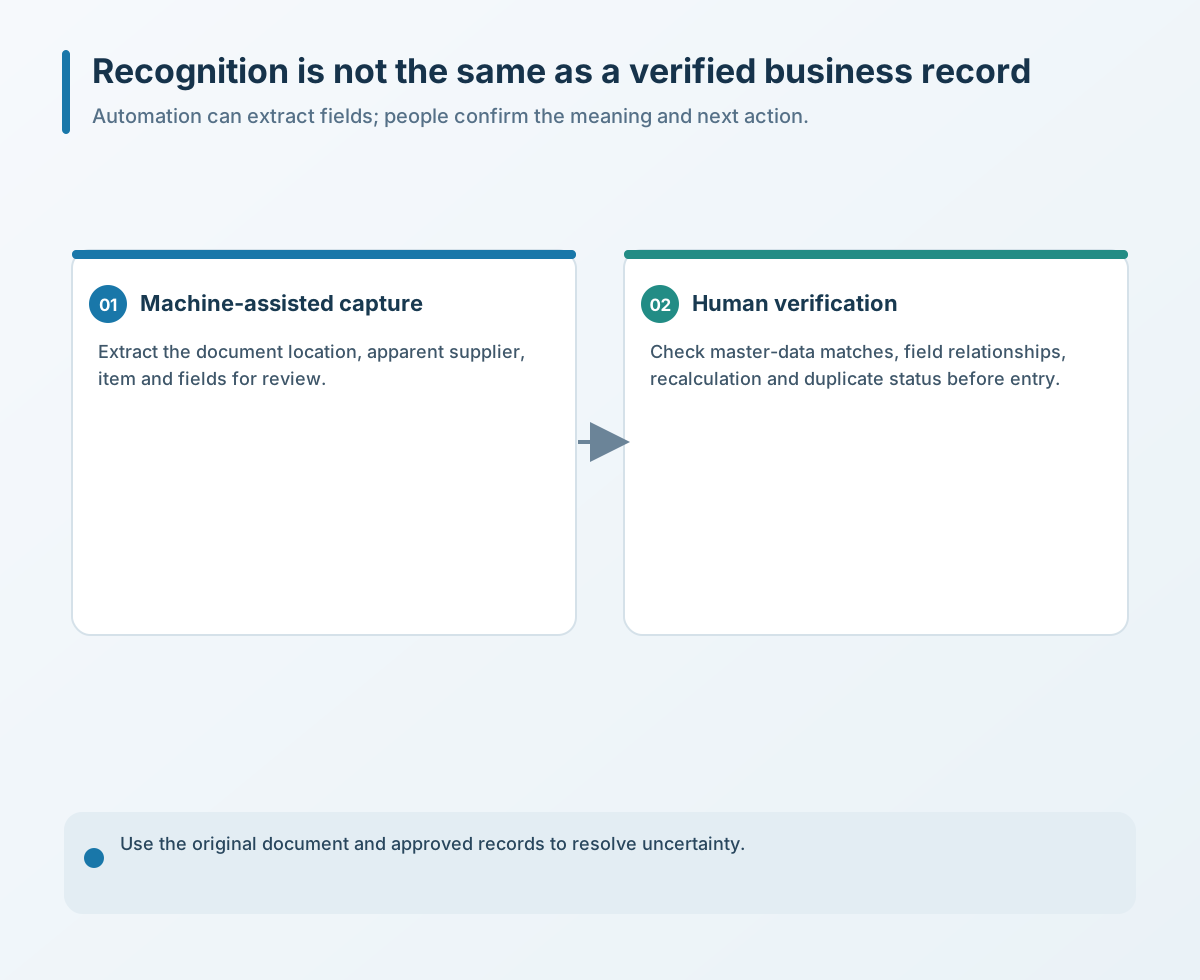
Cross-check extracted fields against the business's master data and workflow status. Match suppliers by a stable ID; check item code, specification and unit; and identify possible duplicates using a deliberate combination such as supplier, order number, date, amount and source—not the filename alone. If no unique match is available, stop and ask an owner instead of having AI guess the closest result.
Distinguish a missing field from an empty field. The document may truly leave it blank, or the model may have failed to recognize it; those cases need different handling. Preserve the original value, normalized value and edit history so a correction does not erase its source.
Recalculate amounts and business rules with deterministic logic
Amounts are among the fields least suited to recognition-only checks. Recalculate whether unit price times quantity equals the line subtotal, whether the lines add up to the total, whether currencies agree, whether tax-inclusive and tax-exclusive treatment matches, and how discounts and freight are applied.
AI can locate and extract candidate values; a traceable formula or program should perform the formal calculation. When the numbers differ, show the source amount, recalculated amount and reason for the difference instead of silently overwriting it. Review thresholds for critical fields should be based on the business's samples, impact and tolerance—not copied from a vendor example.
For unclear paper, tables spanning pages, handwritten changes, ambiguous units or inconsistent totals, send the order for human review rather than forcing a fully automated pass. Automation should reduce repetitive transfer, not remove business accountability.
Approval status and an audit trail cannot be skipped
A recognized purchase order is not necessarily authorized. Some files are quotes or drafts, some await an owner, and others have been canceled or superseded. If automation reads the document but not its workflow state, it can accurately enter an order that should not be processed.
NIST AI RMF calls for testing AI systems close to deployment conditions, documenting methods and results, and monitoring them in use. The NIST Playbook also recommends human review for unusual inputs and unreliable outputs, with clear oversight responsibilities.
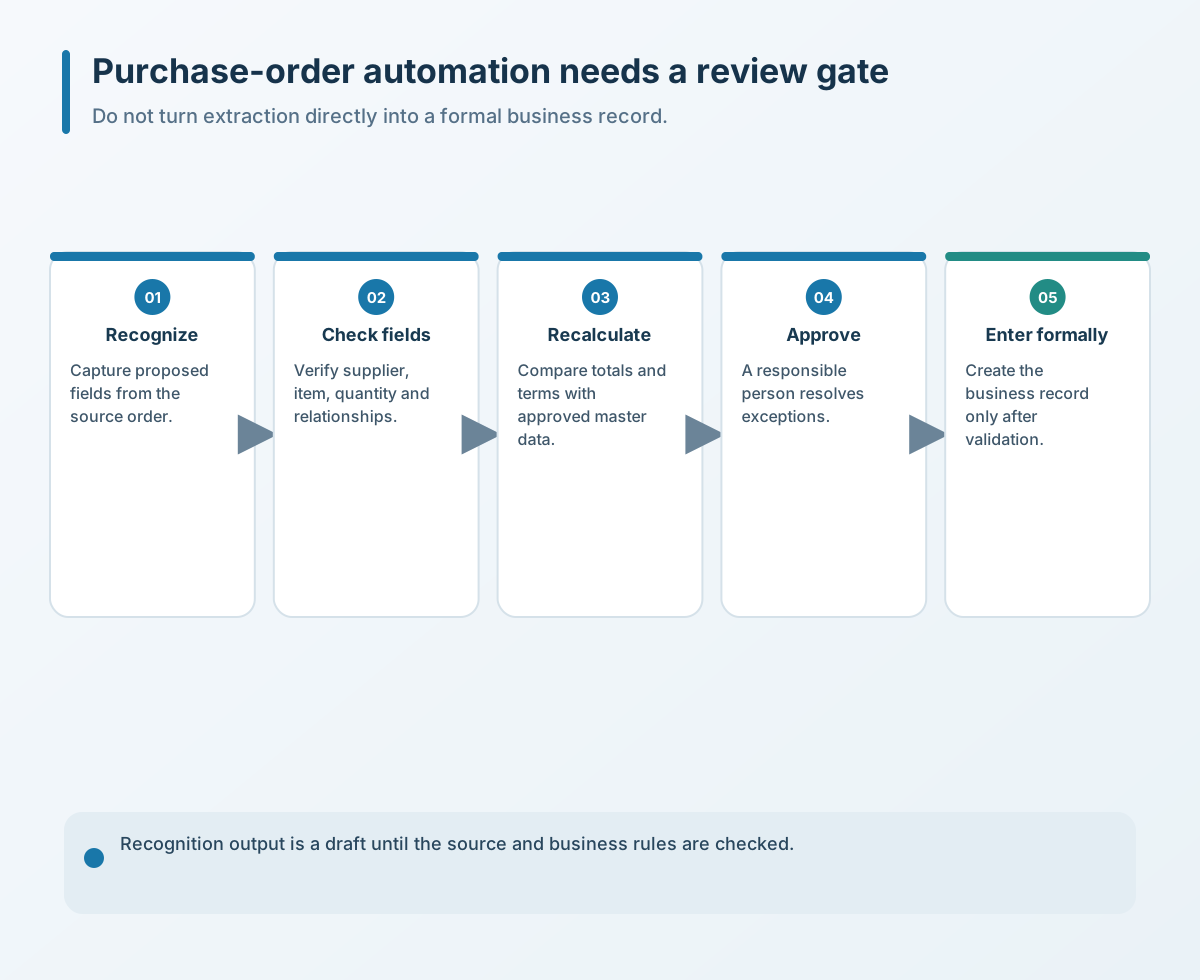
An approval screen should show the source document and field locations, key fields, exceptions, duplicate checks, recalculated amounts, current approval state and edit history. After entry, retain the source link, validation results, corrections, reviewer, posting result and downstream record ID so the business can trace who confirmed the order, what changed and which original it links to.
Four preparations to complete first
- Classify fields by importance. List supplier, order number, item, quantity, unit, currency, amount and approval status; set pass-through, warning and human-review rules based on impact.
- Keep source locations. Link every extracted field to its page and region, and preserve original values, normalized values and edit history.
- Add business checks. Match suppliers and items to master data, recalculate amounts deterministically, and check duplicates, versions and workflow status.
- Validate in a small dual-track process. Use redacted historical examples across layouts, photo quality, multipage tables and exceptions. Generate pending records first and compare them with human results before expanding.
The most useful parts to automate are finding fields, transferring data and standardizing formats. Whether a transaction is valid, whether its amount is correct and who approved execution should remain in clear rules and an accountable chain. Fast recognition cannot skip validation.
If you need to review purchase-order, order or receiving-document extraction, validation and approval, contact Yuqi Intelligent to assess current document types, master data and ownership boundaries.