
Many automation projects look successful at first glance. A browser clicks the button, a green banner appears, and no exception is shown. At the end of the month, the record is missing—or it was written twice. The hard part is not making a computer click. It is proving that the business effect really happened.
When an old back office has no API, an enterprise does not have to rewrite it immediately. It also should not hand a real customer account to a “web-clicking Agent” and call that a production plan. A safer order is to select one low-risk task, record it once, compile a readable workflow bundle, replay it, and read the independent system of record before deciding whether to expand.
This guide is based on the OpenAdapt repository and README, the official pyproject.toml, the MIT LICENSE, and the v1.16.0 release. We did not install OpenAdapt, download Chromium, run quickstart, or record a real workflow on this machine. Commands and receipts below are official examples, not local verification.
What OpenAdapt verifies first
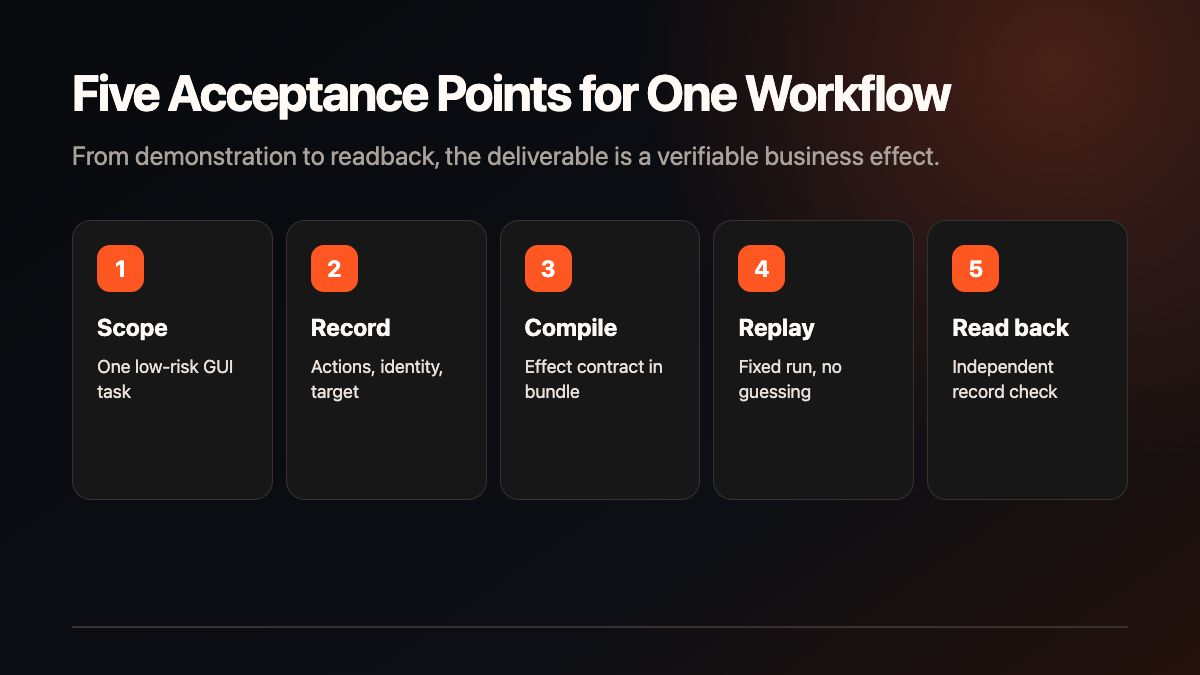
The project is not presented as a model freely operating every application. The official README describes a GUI demonstration compiled into a deterministic, locally executable program. Healthy runs keep the model out of the execution loop, and the runtime checks the declared business effect against an independent system of record before reporting success.
That distinction matters in legacy systems. A “saved” banner only proves that the interface painted a state. It does not prove that a database, order table, or back-office record changed. A handoff-ready workflow should answer four questions: which record changed, under whose identity, where can it be read back, and who can pause the run if the readback is missing.
Official minimum installation and quickstart
The official pyproject.toml requires Python >=3.10,<3.13, meaning Python 3.10, 3.11, or 3.12. The shortest installation path is:
python -m pip install --upgrade openadapt
openadapt quickstart
The README says the base quickstart needs no account, API key, or extra package. Chromium is downloaded when the first browser action runs. The official MockMed synthetic fixture records, compiles, certifies, executes, and then checks a saved record through a read-only API. Its example receipt includes:
VERIFIED in 4.1s; 0 model calls
VERIFIED: openadapt-quickstart/run/REPORT.md
effects 2/2 confirmed at evidence tier 1 (independent system of record)
The timing, model-call count, and record count belong to the README example environment. They are not a local performance claim or a promise for an enterprise workflow. Native desktop, RDP, Windows UI Automation, macOS Accessibility, Linux AT-SPI, and privacy scrubbing are optional capabilities with their own environment requirements.
Record, compile, replay: the official workflow path
The README shows this path for a Web workflow:
openadapt flow record --backend web --url https://your-app.example --out rec
openadapt flow compile rec --out bundle --name my-workflow
openadapt flow replay bundle --url https://your-app.example --run-dir run
These commands do not mean that every back office will run reliably. Before recording, define the application boundary, identity, action risk, unique target, and business-effect field. After compiling, inspect whether the bundle contains those contracts. After replaying, read the independent record instead of trusting a color or success banner. openadapt flow visualize helps review the graph, and openadapt flow lint checks the compiled content and uncovered conditions.
A small enterprise pilot sequence
Use a synthetic or public Web form first. Do not connect a customer account or write real business data in the first sample:
- Choose one task. A test-environment record, report entry, or internal sample archive is enough.
- Define the effect. State which record change proves success and how a duplicate write is detected.
- Fix identity and permissions. Name the runner, approver, pauser, and minimum target-system permissions.
- Record and compile. Keep the original recording, bundle version, target environment, and rollback point.
- Replay and read back. Use an independent read-only endpoint or controlled manual check to confirm the record.
- Create a failure branch. Make the page show success while the record is not written, then verify that the run stops.
- Decide. Continue, narrow the boundary, or stop based on error types, maintenance cost, and business-owner feedback.
Do not merge the failure states
The README names different outcomes separately:
VERIFIED: every declared effect and collateral-effect check passed at the required evidence tier; this is the only production-level success.HALTED_BEFORE_EFFECT: the run stopped before a consequential effect, with evidence that no business effect occurred.RECONCILIATION_REQUIRED: delivery or persistence is uncertain or conflicting; reread the live state and never blind-retry.FAILED_PLATFORM,CANCELED,REJECTED_POLICY,COMPLETED_UNVERIFIED, andROLLED_BACK: platform failure, cancellation, policy refusal, a demo without production-grade evidence, or a compensated and re-verified duplicate/collateral effect.
RECONCILIATION_REQUIRED is the state that prevents the most expensive mistake. If the page says success but the independent record is missing, preserve the evidence, pause the workflow, and have the owner reconcile the target and permission. Turning uncertainty into success makes duplicate writes and responsibility tracking harder.
A seven-day validation plan
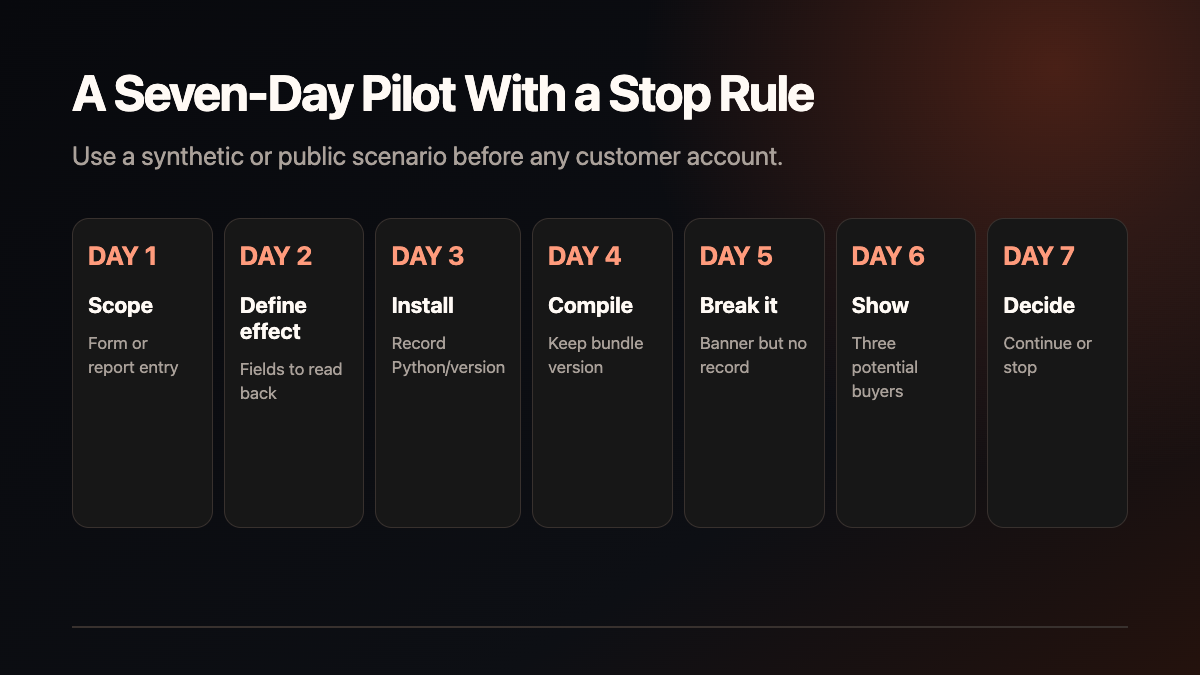
| Day | Action | Evidence to keep | | ---: | --- | --- | | 1 | Select a synthetic or public Web task | Unique target and explicit exclusions | | 2 | List actions, identity, permissions, and effect fields | Business-owner confirmation | | 3 | Install using the official path | Python, version, Chromium state | | 4 | Record, compile, and replay once | Bundle, run directory, receipt | | 5 | Simulate a banner without a saved record | Stop state and manual reconciliation | | 6 | Show the sample to three potential buyers | Willingness to provide a redacted workflow | | 7 | Stop, narrow, or continue | Maintenance cost and next action |
Seven days is a validation cadence, not a production delivery promise. Page changes, CAPTCHA, network conditions, permission changes, effect APIs, and data rights must be accepted again in the target environment.
Eight checks before enterprise handoff
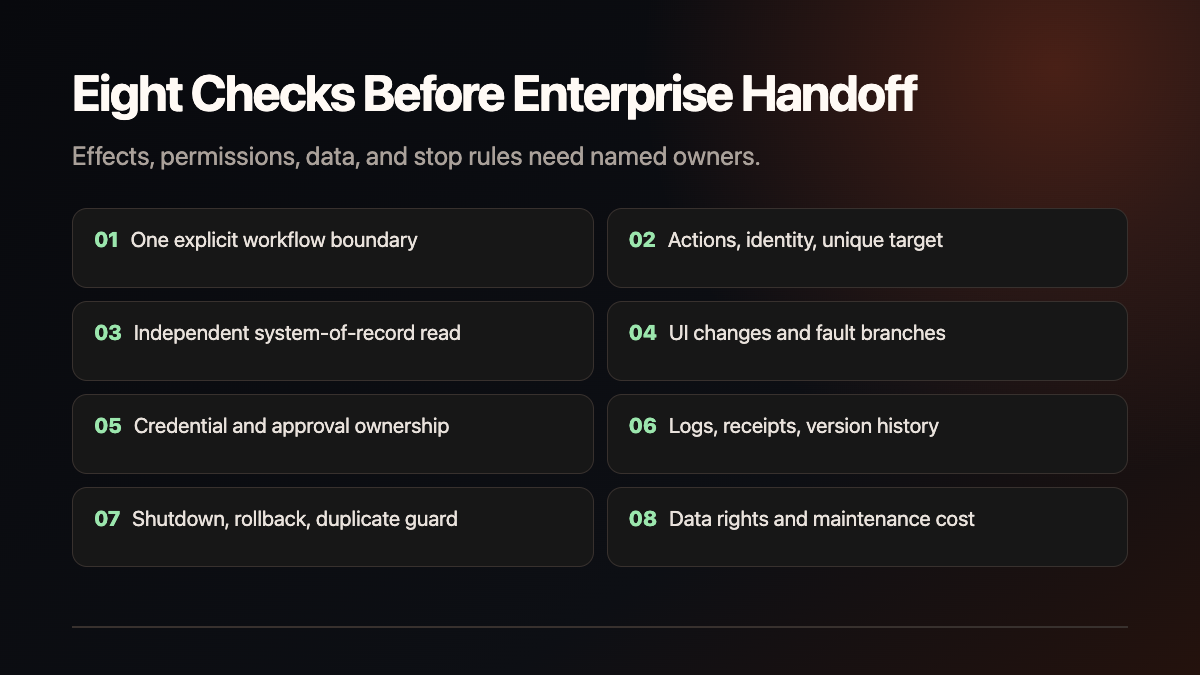
- One explicit workflow boundary and a list of excluded actions;
- action, identity, permission, and unique-target rules;
- an independent system-of-record read and evidence tier;
- page-change, network-error, and failure-branch handling;
- ownership of credentials, approvals, logs, and runtime access;
- retention location for receipts, versions, recordings, and bundles;
- shutdown, rollback, duplicate-write protection, and human takeover;
- customer-data rights, model/third-party terms, and maintenance cost.
Local, customer-controlled, and managed boundaries
The official README distinguishes Local / self-hosted, Customer-controlled, and Managed execution. Raw recordings and live observations stay local by default; an artifact crosses a boundary only through explicit sanitization and exact-byte approval. “Local” does not automatically mean that a target system, remote desktop, model, or log stayed inside the company’s control.
For desktop applications, RDP, Citrix, or private networks, review the relevant adapter, screen/window scope, credential isolation, and readback evidence. The browser quickstart is not a qualification for those environments.
Fit, service boundary, and next action
OpenAdapt fits a fixed, low-risk workflow with a readable effect and a named owner. It is not a safe first step for high-sensitivity data, missing human handoff, undefined business effects, or a requirement that one launch be permanently correct. Workflow discovery, recording/compilation, environment adaptation, acceptance, receipt review, and version maintenance can be service items. This article contains no price, customer, order, time-savings, or revenue claim.
Shanghai Yuqi Intelligent Technology Co., Ltd. can help businesses in Shanghai and nearby areas define workflow boundaries, build a low-risk sample, configure independent effect checks, and prepare a handoff file. The target system, identity, data permissions, third-party terms, and service scope remain subject to company approval, official documentation, and target-environment testing.