

It is sensible for a business to keep spare routers, switches or firewalls in case a device fails. But having replacement hardware in storage does not mean the original network can be restored when an outage happens.
What is often missing is the live configuration: which port carries the Internet circuit, how subnets communicate, how office and guest Wi-Fi are separated, and who approves VPN and access-control rules. If that information exists only on the original device or in one person's memory, a spare solves the hardware question—not whether the business can recover.
A device that boots does not mean the enterprise network is back
Powering on a network device and connecting cables only show that the hardware runs. Business network services still depend on current settings for circuits, internal and external networks, wireless access, access controls, VPNs and ports.
NIST configuration-management guidance calls for controlling a current baseline and updating it after system components are installed or changed. Vendor backup and restore guides also use configuration files to migrate devices, recover from failures or return to a known state. Together, these sources point to what a business actually needs to recover: not just hardware, but a configuration state that has been reviewed.
Restore procedures can differ by vendor, model, software version and license. An export from an older device may not be ready to import unchanged into a replacement. Keep the configuration file together with compatibility conditions and recovery instructions.
Four types of information support network-device recovery
Device inventory and replacement conditions
Record each device's purpose, make and model, location, software version, upstream and downstream connections, owner, and the interface and licensing requirements for a replacement.
Do not put management passwords, real IP addresses or keys in an ordinary equipment register. Store sensitive material in a controlled credentials or configuration repository and limit access.
The latest valid configuration
Label each configuration backup with the device, date and validity status. Keep a rollback copy before a major change; after implementation and verification, save the new current version and tie it to the approved change record. Older versions can be archived, but should not be mixed with the active copy in an unexplained folder.
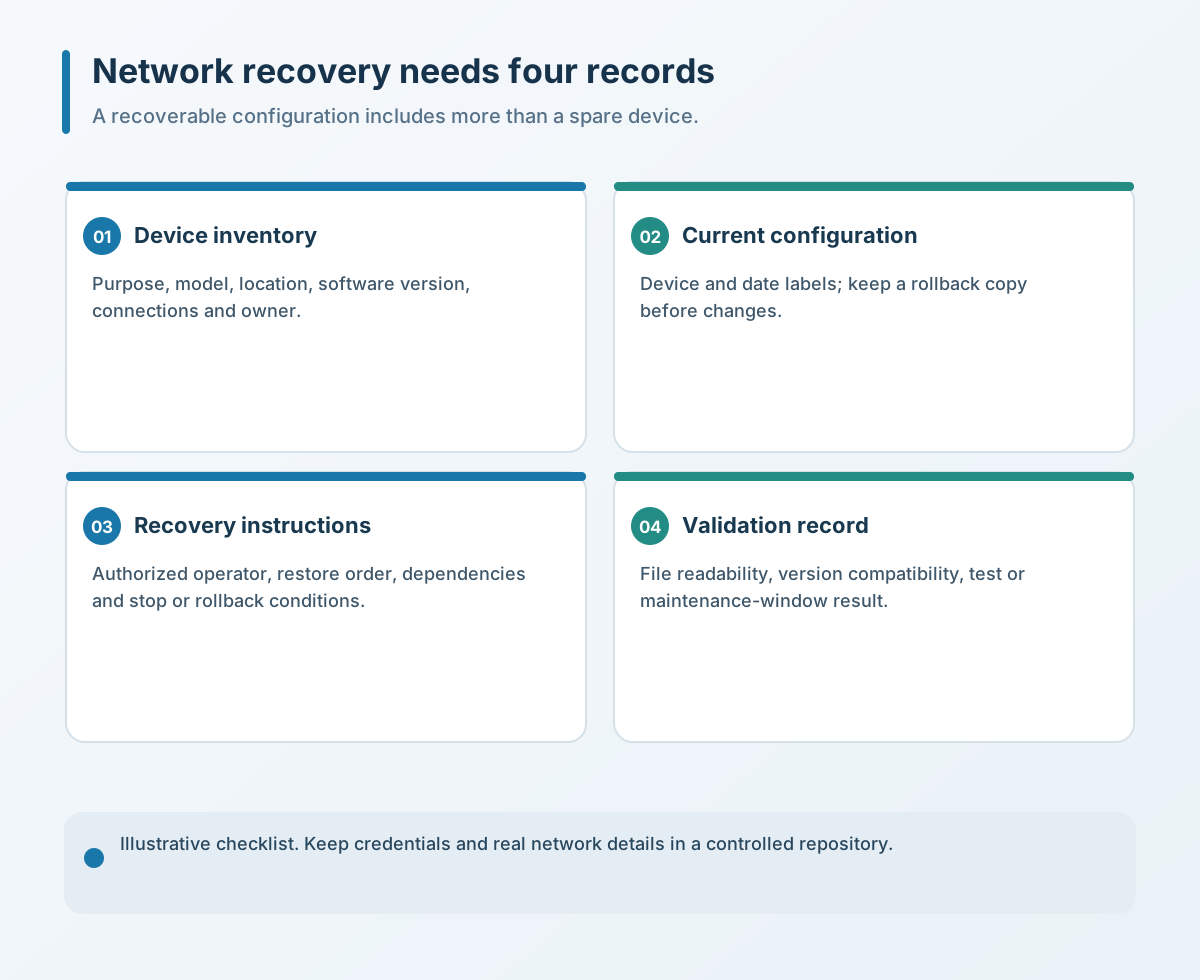
Recovery order and external dependencies
An enterprise network may include an edge router, firewall, core switch and wireless equipment. A configuration file alone may not tell the person taking over which layer to restore first, or remind them about circuit credentials, certificates, licenses and external services.
Recovery instructions do not need to be a long manual. They should say who may perform the work, what to do first, what it depends on, what success looks like, and how to stop or roll back if something fails.
The latest validation record
A successful export proves that a file was created; it does not prove that the file can restore the device. Depending on risk, checks may include confirming that the file is readable, checking device and version compatibility, rehearsing on test equipment, or having a technician validate it during a maintenance window.
If a restore test is not currently possible, record that the configuration was exported but has not been restore-tested. Do not treat “backed up” and “recoverable” as the same claim. Set the test frequency against change rate and business impact, and recheck after major software, topology, certificate or critical-equipment changes. Validation should cover user access, site connectivity, monitoring and security policy—not only whether the file imports.
Keep configuration files separate from the original device
If a configuration is stored only on the original device, it may be unavailable after damage, a reset or loss of the management account. Keep at least one controlled copy outside the device, with a named custodian and a clear emergency access process.
Configuration files can expose device details, network structure or credentials. Do not casually send them in work-group chats, personal email or public cloud links. When a vendor or maintenance provider changes, review access to the files and credentials as part of the handover.
External maintenance can be part of the operating model, but the business should retain ownership of essential recovery records and know how to obtain them. Recovery should not depend on one vendor or one employee.
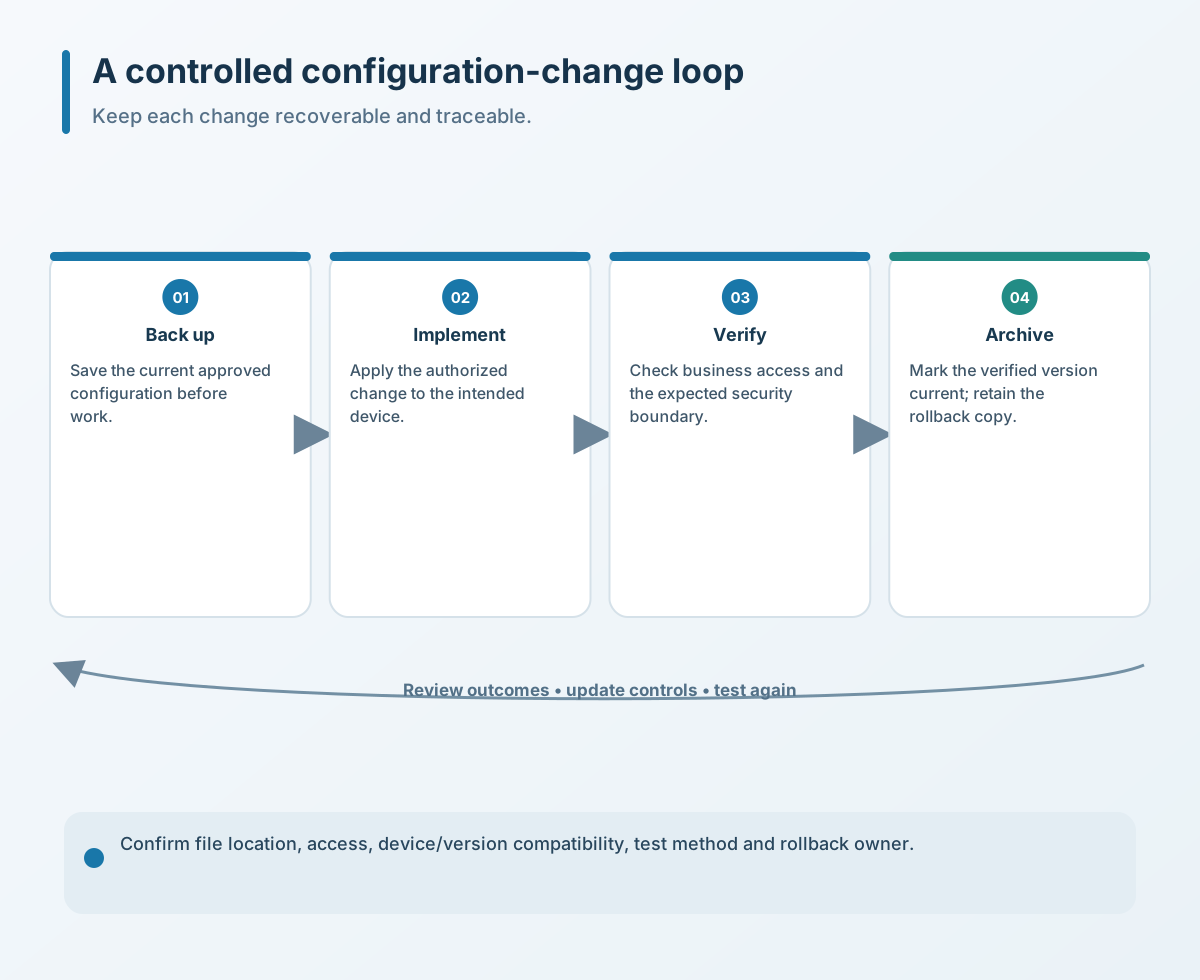
Four checks a business can make now
- Inventory critical devices. List the edge router, firewall, core switch and wireless controls that can affect the wider network. Record model, location, version, owner and replacement conditions.
- Back up before and after changes. Keep a rollback copy before a major change, then save the current version after verification using a consistent file-naming scheme.
- Store copies in a controlled external location. Keep them separate from the original device, restrict access, and keep passwords, keys, real addresses and customer data out of the general inventory.
- Run a low-risk recovery check. Prefer test equipment or a maintenance window. If a test is not yet possible, at least check file integrity, device compatibility, recovery order, circuit information and licensing dependencies.
Spare equipment still matters, but it is only one link in a recovery chain. Preparing the device, configuration, people and validation together can reduce the time spent rediscovering how the network works during a failure.
If you need to review your routers, switches, firewalls, configuration backups or recovery records, contact Yuqi Intelligent to identify priorities based on your equipment and business scope.