
Many businesses already have an “IT asset register.” Open it, however, and it may list only employees' computers, their brands, models and purchase dates. Routers, switches, wireless equipment, NAS devices, cloud email, business software, administrator accounts and outsourced services may still be scattered across invoices, chats and someone's memory.
The spreadsheet can answer “how many computers did we buy?” but not what management needs to know: which system would affect collections or shipping if it stopped, who follows up on a warranty, where the records are when a supplier changes, or which services still need to be reclaimed when an employee leaves. An asset register is not a purchasing list; it is a map for understanding what the business has, where it is, who owns it and what to address first when something goes wrong.
This article does not argue for a complex asset-management platform. It helps small and midsize businesses identify gaps in an existing register and connect the most important relationships in a maintainable spreadsheet.
Why can assets still be unmanaged when only device counts are recorded?
Computers are easy to count because they are visible and can be labeled. What is often missed includes network equipment in a rack, enterprise apps on employee phones, annual cloud services and administrator consoles known only to a supplier. They may not appear in the fixed-asset ledger but can directly support office work, stores, production, payments or customer service.
NIST Cybersecurity Framework 2.0 describes asset management across hardware, software, systems, external services, network data flows and designated data, to be identified and managed according to business importance. CISA's ransomware guide also asks organizations to understand and inventory logical and physical assets. Together, these official references show that IT assets are broader than “devices that can take a label.”
There is an important boundary: NIST and CISA are risk-management references, not statutory forms that every Chinese business must copy. Choose fields to fit the organization's size, industry and systems, but the engineering problem remains: what cannot be seen cannot be managed.
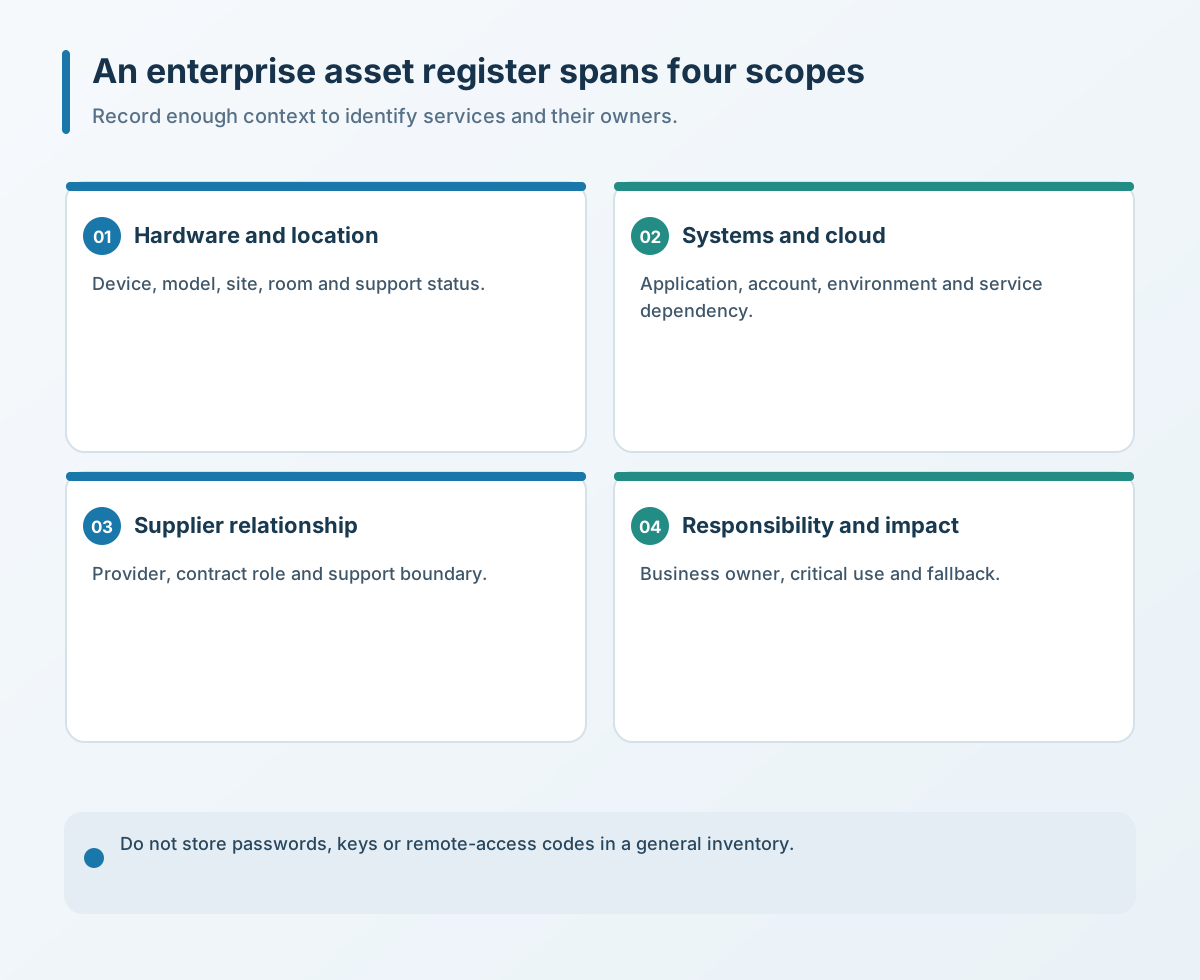
A useful register covers at least four layers
1. Hardware and location
Include routers, firewalls, core switches, wireless controllers, NAS devices, servers, printers and dedicated endpoints that affect operations—not only computers. Give each important asset a stable ID and record purpose, model, location, current state, commissioning date, warranty status and owner. If serial numbers are needed, restrict access rather than putting full sensitive details in a spreadsheet everyone can open.
2. Software, systems and cloud services
Business email, file storage, finance software, inventory systems, websites, domains, cloud servers and remote-support tools may have no physical form, but they carry renewal, permission and decommissioning risks. Record business purpose, administrator role, expiry date, data ownership and what must be exported before a service is shut down.
3. Suppliers and service relationships
Outsourced maintenance, broadband circuits, software services and equipment warranties are also resources the business needs to find when restoring operations. Record the contract owner, service scope, support channel and location of handover documents—not only a salesperson's or technician's private contact details. If a supplier changes, the business should still be able to obtain its own configurations, accounts and documentation.
4. Owners and business impact
The business impact of two devices can be very different. A spare front-desk computer and a firewall that serves the whole company should not be ranked only by purchase price. Record the business owner, technical owner, available substitute and work affected by an outage. This helps managers set priorities during failures, renewals and upgrades.
Record relationships; do not store passwords in the register
For convenience, some teams put administrator accounts, passwords, internal addresses, remote-access codes and keys into one Excel file. That makes search easy but turns the inventory into a high-risk credential store. Record who safeguards credentials, where they are held under access control and when they are reviewed; the credentials themselves do not belong in the register.
An account is more than a username. The register should show which system it belongs to, what role it has, who approved it and who is responsible for revoking it. When an employee changes roles or leaves, or a supplier exits, staff can identify systems to check and then use a controlled credential tool or platform console. Keeping ordinary inventory separate from sensitive credentials supports collaboration and reduces the impact of a spreadsheet leak.
Track when the register was updated and why. If an asset moves, an administrator changes, a service renews or a contract ends, stale records can look complete while being wrong. Ownership and review dates matter more than a polished spreadsheet.
Update on change; do not wait for the annual inventory
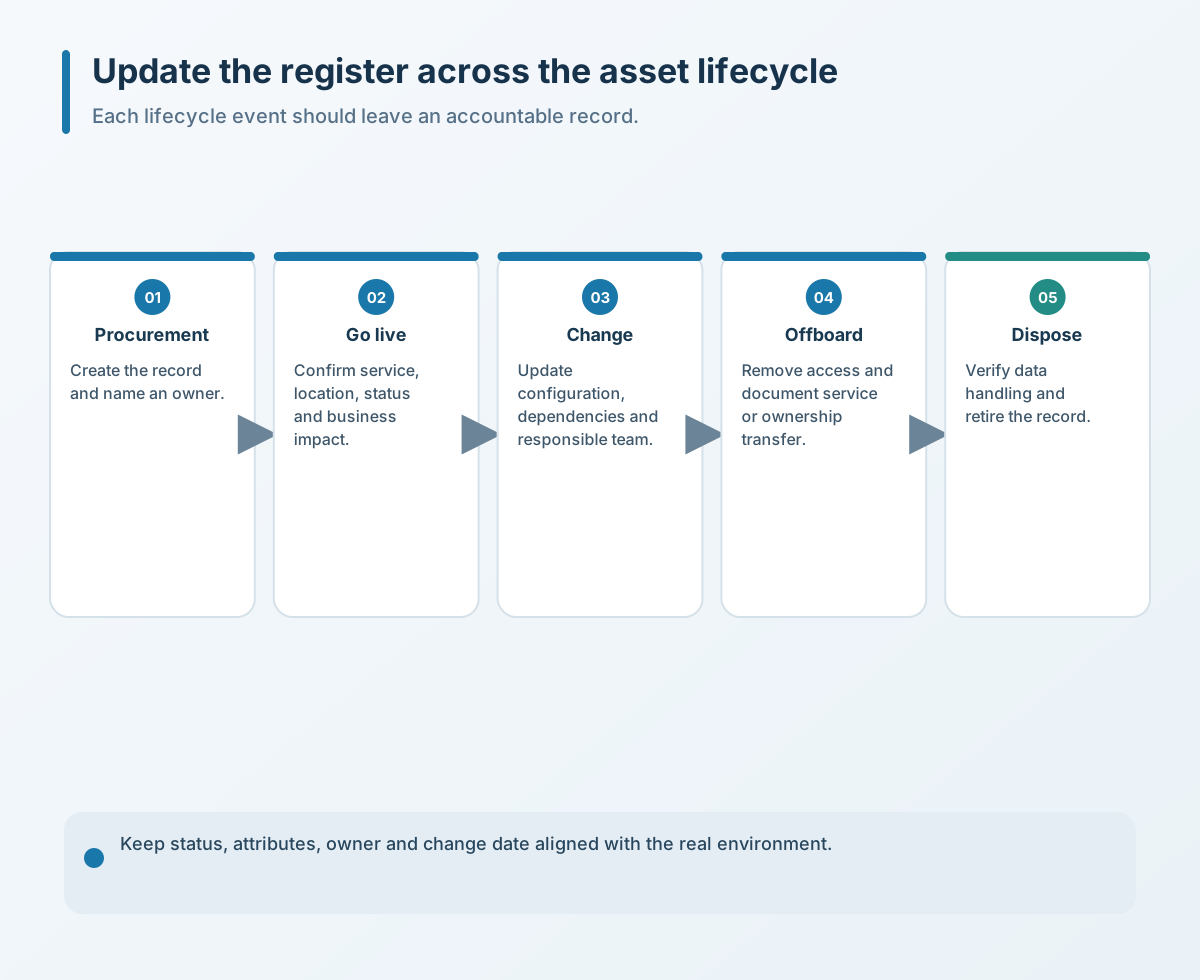
An asset register should not be filled out once a year. Connect updates to onboarding, purchasing, launch, change, repair, transfer, renewal, offboarding and disposal. Whoever initiates a change supplies the information; whoever owns the system reviews it and records the evidence used to verify the update.
NIST implementation examples recommend updating inventories when systems, hardware, software or services move or transfer, and managing assets through their lifecycle. A small business may not need automated discovery, but it can add “was the register updated?” to purchasing acceptance, offboarding and supplier-handover checklists. Fixed triggers and periodic confirmation prevent the work from piling up at year-end.
Four actions to take now
- Expand one inventory pass. Start with devices, systems and cloud services that affect company-wide networks, data and operations. Do not try to fill in every low-value item in one day.
- Add four ownership fields. Name a business owner, technical owner, supplier and emergency contact for critical assets so knowledge does not rest with one employee.
- Move passwords out of the general register. Record the controlled storage location and review status, not passwords, keys, remote-access codes or full sensitive addresses.
- Set change triggers. Update the register when a purchase is accepted, a system launches, a service renews, an asset moves, someone leaves or an item is retired; sample-check critical assets quarterly.
An asset register's value is not the number of rows. It is whether the business can quickly find the affected system, its owner and the next step during a failure, renewal, departure or handover. Connect critical devices, systems, services and people first, then decide whether a more complex platform is needed.
If you need to review devices, systems, cloud services and maintenance ownership, contact Yuqi Intelligent to prioritize an inventory based on business impact and current processes.