
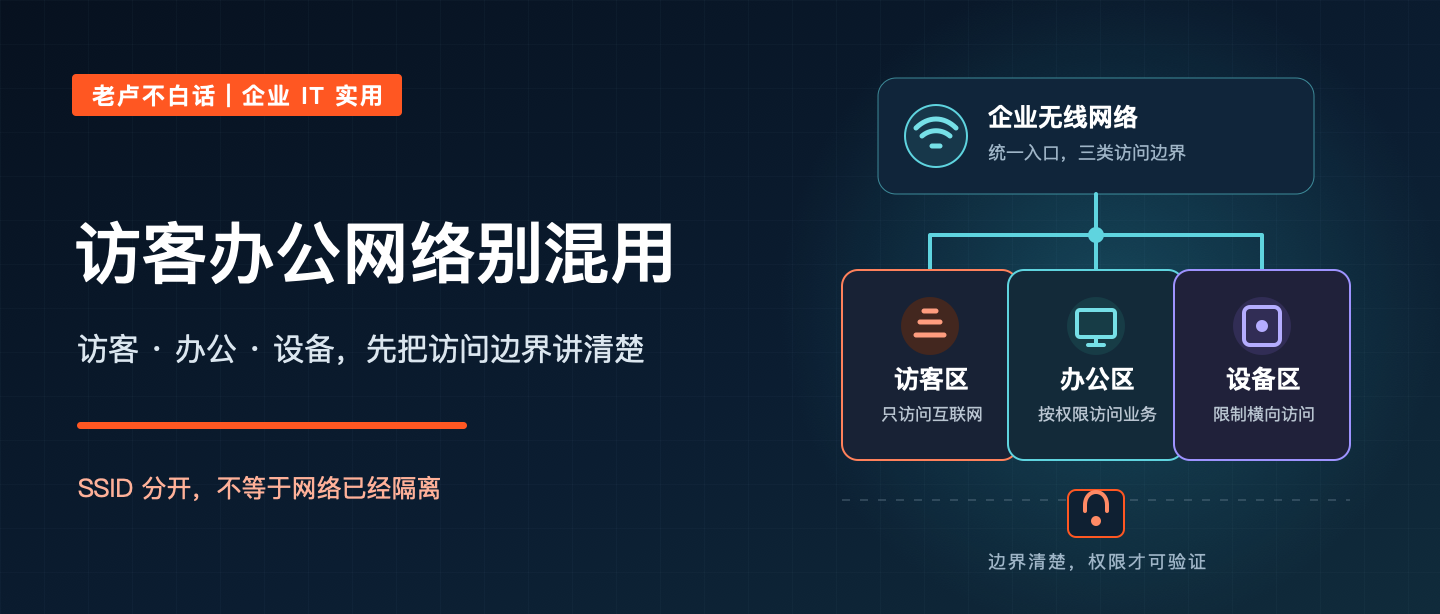
Many businesses check Wi-Fi by seeing whether a phone connects, a web page opens and a meeting room has stable signal. In day-to-day use, however, guest phones, employee computers, printers, cameras, access-control devices and meeting-room screens may end up on the same network with few access boundaries.
A common mistake is to assume that different Wi-Fi names mean the networks are isolated. What matters is whether guests, office endpoints and devices have clear, testable access boundaries.
Separate Wi-Fi names do not prove network separation
An SSID is the wireless network name a device sees. Whether separate SSIDs lead to different VLANs, gateways and firewall rules—and whether guests can reach one another—depends on the actual configuration.
The Canadian Centre for Cyber Security recommends using SSIDs and VLANs to create separate security zones, and notes that default settings may still allow traffic between zones. NIST SP 800-153 likewise calls for separating WLANs with different security properties and says a guest WLAN should not provide wireless access to an organization's other networks and devices.
A shared network creates unnecessary paths into the business
Guest devices are not managed by the business. If a guest network can directly reach office computers, file services, printers or management pages, it creates an internal path with no clear business need.
Employee-owned devices, printers, cameras, meeting-room screens and other smart equipment also need separate consideration. Their patching, support lifecycles and authentication options may differ from company computers. When a flat network has a problem, the impact and troubleshooting owner are harder to identify.
Network segmentation does not eliminate risk, but it can reduce unnecessary connections and help contain and locate an issue. CISA's ransomware guidance lists segmentation as one measure to limit intrusion impact and lateral movement, while warning that misconfiguration or bypassing boundaries can weaken its effect.
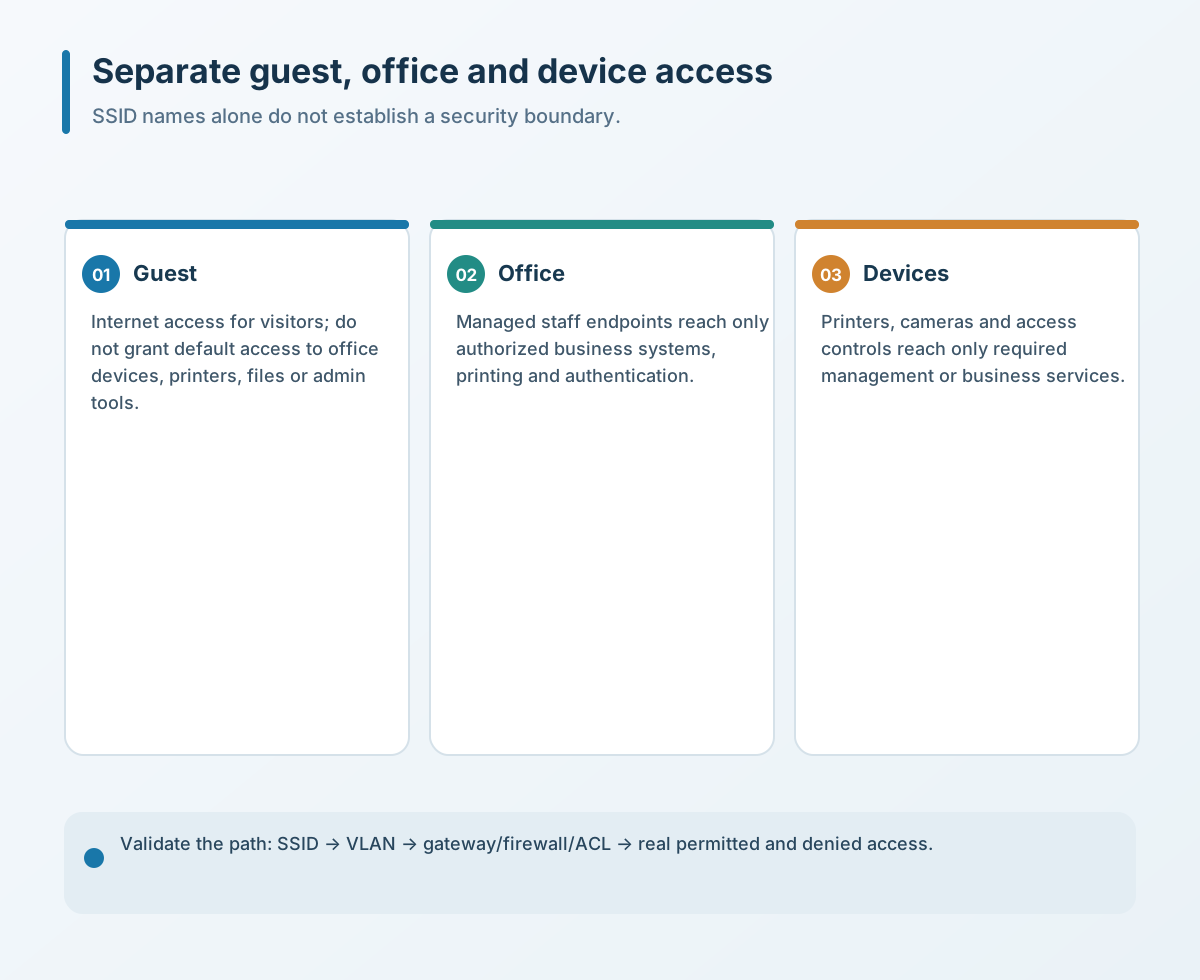
Start with guest, office and device zones
- Guest network. Provide Internet access without default access to office endpoints, printers, file shares or device-management pages.
- Office network. Let managed employee devices reach the necessary print, file, business and authentication services; do not assume that this means they can reach every server and management interface.
- Device network. Set boundaries around the required communication of printers, cameras, meeting displays, access control and similar devices. Record ownership and review dates for shared device credentials; avoid a blanket rule that could interrupt business operations.
Decide whether to subdivide finance systems, production equipment, servers and management networks based on data sensitivity, continuity requirements and device capabilities.
Verify both the rules and their real effect
Create an access matrix showing how each group is identified, where it connects, which destinations it needs, what it must not reach and who maintains the rule. Verify VLAN and gateway mapping, firewall policy, DNS, DHCP, client isolation and monitoring—not only the SSID. After a configuration change, test Internet access, printing, business systems, device management and prohibited paths in a low-risk window. Record temporary exceptions, results that differ from expectations and the owner for each follow-up.
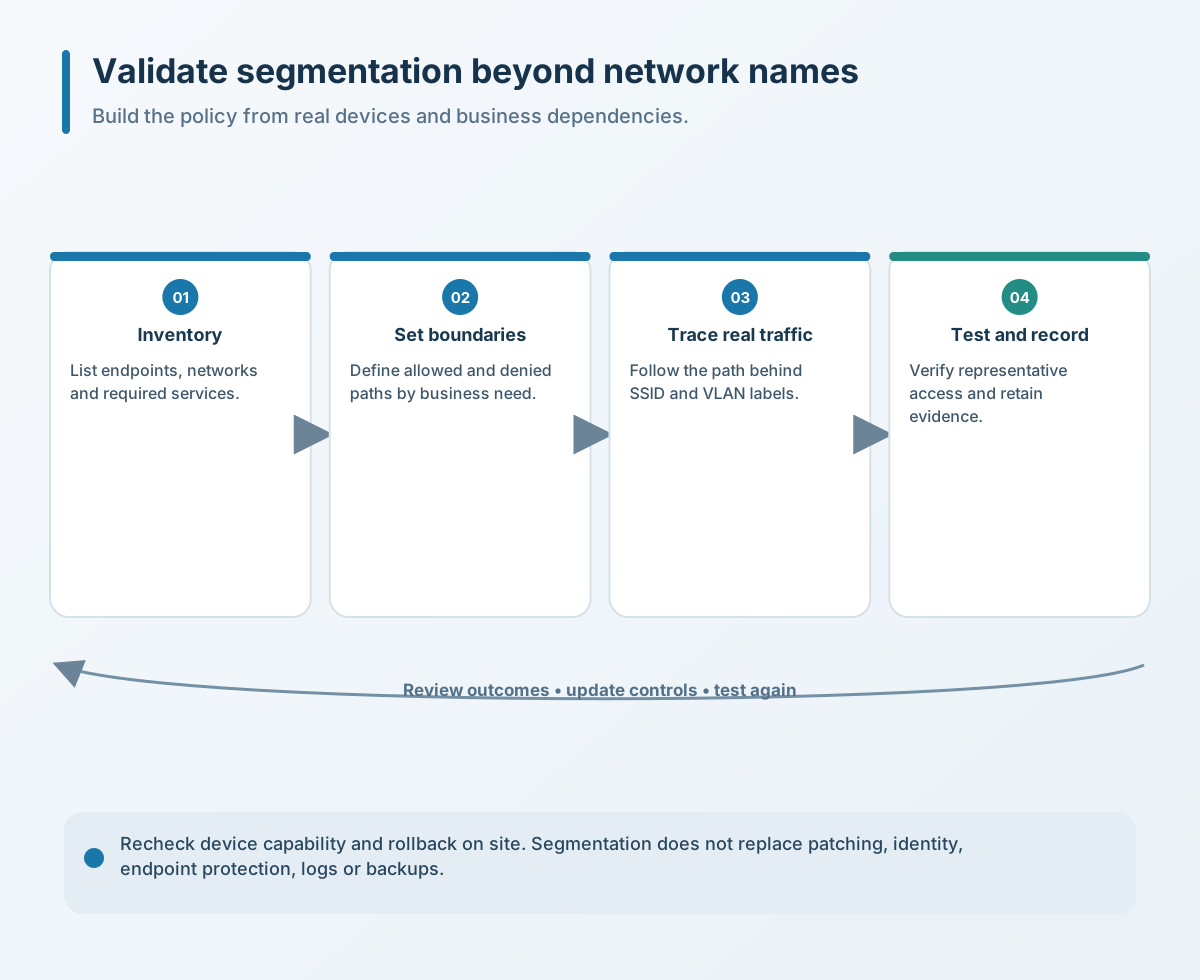
Segmentation does not replace patching, account permissions, endpoint protection, logging or backups. It controls network paths; it does not by itself resolve device vulnerabilities, weak passwords or cloud-account risks.
Four checks a business can make first
- Inventory employee computers, personal devices, guest devices, printers, cameras, meeting displays, access-control devices and other smart equipment. Record current SSIDs and purpose.
- Write down what guest, office and device zones may and may not reach. Establish the boundary matrix before changing production settings.
- Check how SSIDs map to VLANs, gateways, firewalls or ACLs. Confirm that the change is more than a different display name.
- In a low-risk window, test Internet and required internal services, client isolation, prohibited paths and failure cases. Keep the network diagram, rule changes, temporary access expiry, owner and rollback method.
Business Wi-Fi does not need to be as complex as possible, but each access path should have a business reason. If you need to review wireless access, guest connectivity, office endpoints and smart-device boundaries in Shanghai or nearby, contact Yuqi Intelligent to set priorities against your current network and business needs.