
Auto-renewal is on—why could a company domain and email still go offline?
Many businesses do manage their domains—or think they do. Auto-renewal is enabled, the registrar sends text alerts, and finance has a payment account on file. Then the website stops loading or company email stops receiving messages, and the business discovers that renewal never completed. The common mistake is to equate “auto-renewal is enabled” with “the domain has been renewed.” Confirm that someone owns the account, someone reads the notices, payment can succeed and the completed renewal is reviewed.
A domain is more than a small bill next to the website
A business domain may connect its website, company email, customer entry points, remote services and other external systems. Its fee may be modest, while the impact of losing it can be broad.
ICANN's Expired Registration Recovery Policy says registrars for generic top-level domains must send renewal reminders before and after expiry to the email address in the registration contact information. It also notes that DNS services may be interrupted after expiry, preventing associated websites and email services from working.
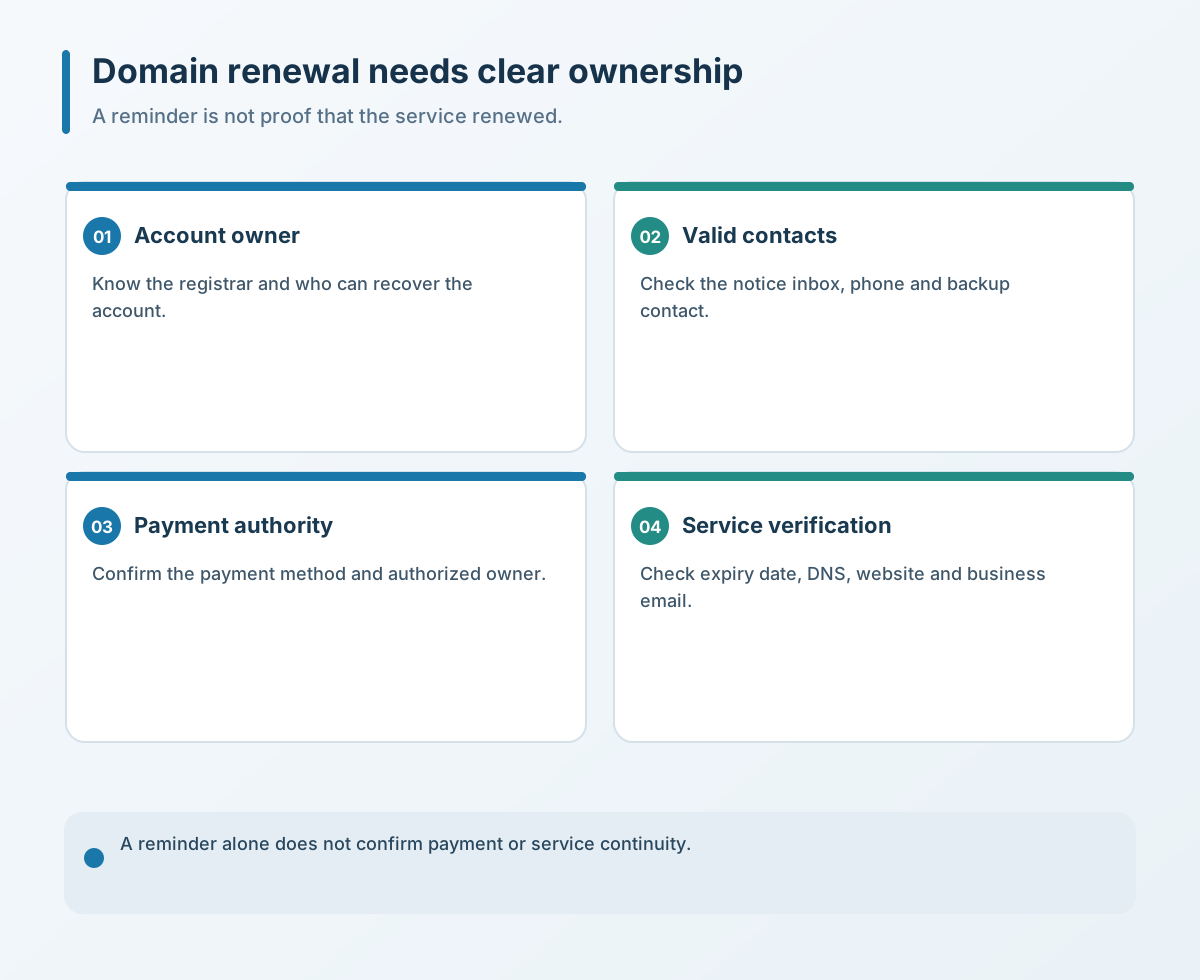
Registrar reminders are a safeguard, not the business's own control loop. If the registered email is obsolete or the contact has left, a timely notice may reach nobody. Some businesses also do not know which account holds a domain, who registered it or which legal entity pays until renewal time arrives.
Keep the registrar account under the company's control, with a named custodian, multi-factor authentication and a tested recovery contact. A supplier may receive delegated access to do its work, but that should not replace company ownership or leave renewal dependent on one former employee's personal account.
Auto-renewal can still fail to charge
Auto-renewal means the system attempts renewal on schedule; it does not mean the payment will succeed under every condition. Alibaba Cloud's official renewal guidance presents auto-renewal as a way to avoid forgetting, while also telling customers to keep sufficient account balance or credit. If the balance is insufficient, manual action is still needed before expiry.
Other issues may include an invalid payment method, account status, real-name verification, an unpaid order or insufficient permissions. If the business checks only that auto-renewal is toggled on, and not the payment conditions and final expiry date, the process is incomplete.
Think of auto-renewal as an execution tool, not the accountable owner. The tool makes an attempt; someone at the business still needs to confirm whether it succeeded.
A registrar sent a notice; that does not prove the business received it
ICANN notes that renewal reminders go to the email address in the domain's official contact information. Alibaba Cloud also uses email, SMS and in-product messages, but each channel depends on current account and contact details.
Common gaps are simple: the domain remains under an old supplier's or employee's account; a phone number now belongs to someone else; the email is logged in only on a personal computer; a verification code cannot be found; or finance sees a charge but cannot identify the business service it covers. One broken handoff can leave a notice with the wrong person.
At review time, confirm the account is in good standing, the registered entity and contact details are current, and there is no unpaid renewal order or verification hold. Do not treat a reminder or a payment attempt as proof that the registrar has completed the transaction.
Keep the domain, registrar, account owner, registered entity, expiry date, contacts, payment method and supported services in a maintainable register. Do not put passwords in an ordinary spreadsheet; instead, name the custodian, account-recovery owner and renewal approver.
After payment, verify DNS and business services too
Payment is not the final check. Alibaba Cloud's guidance recommends confirming the new expiry date in the domain list or lookup information. If a domain has already expired, DNS recovery may also be affected by caching and other conditions. Suffixes, registrars and account states differ, so one provider's timing window should not be treated as a universal rule.
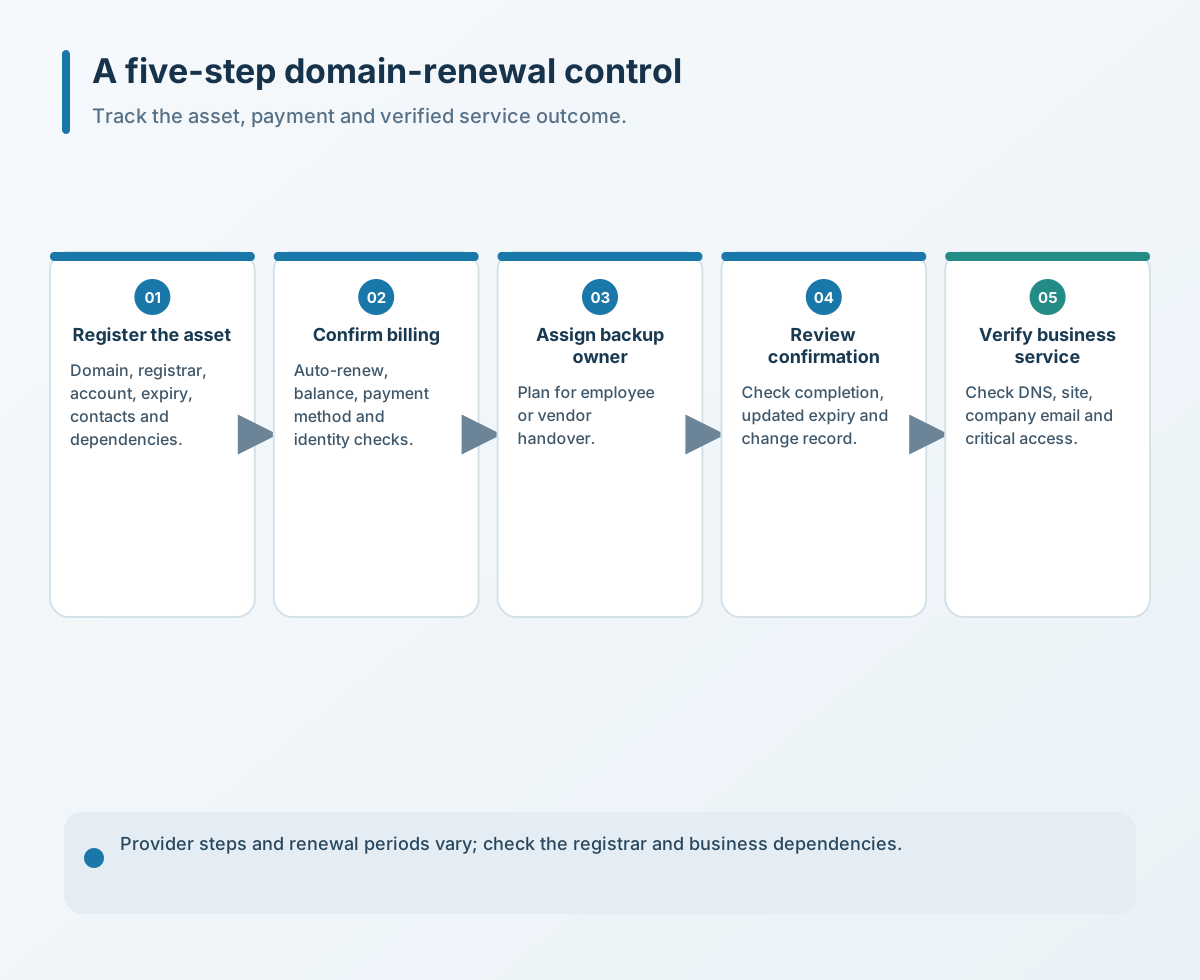
A safer process completes renewal before expiry and checks four separate items: payment succeeded, the expiry date updated, DNS resolves as expected, and the website and email work. If the domain supports a critical service, also check whether SSL certificates, DNS providers and email services have separate owners and renewal dates; renewing the domain alone does not renew its dependencies.
Five actions to complete first
- Build a domain-to-service register. Record the domain, registrar, registered entity, account ownership, expiry, contacts and supported website, email or system.
- Check auto-renewal and payment separately. Confirm that the setting is enabled and that balance, credit, payment method, identity verification and account status support an actual charge.
- Name primary and backup owners. The primary handles renewal; a backup can receive notices and take over. Transfer the account and contact details when an employee leaves or supplier changes.
- Review renewal early. Do not wait until the final day. After payment, verify that the expiry date changed and retain the order or renewal record.
- Check availability against the business. Verify DNS, the website, company email and critical entry points. Check certificates and other cloud services separately, with their own expiry dates and owners.
Domain renewal is neither just a finance reminder nor a promise that the registrar will protect the business. It is a low-cost digital-asset task with important dependencies. Connecting account ownership, payment, responsibility and result checks is more reliable than collecting more text messages.
If you need to review expiry ownership and continuity risks across domains, DNS, websites and company email, contact Yuqi Intelligent to start with account ownership, payment conditions and business dependencies.