
Short answer
Do not reinstall the VPN client first. Test one known internal FQDN three ways: resolve the name, inspect the route to its resolved address, and test the service TCP port. Then match those results with VPN-gateway and firewall logs from the same time window. A Connected indicator can confirm a tunnel or session, but it does not prove that corporate DNS split resolution, an internal route, or resource authorization is working.
This article answers one question only: what to check when a VPN is connected but an internal web app, file service, or business port cannot be reached. All addresses, names, identities, and log lines below are illustrative, not customer data or a local production test.
Fix one reproducible target
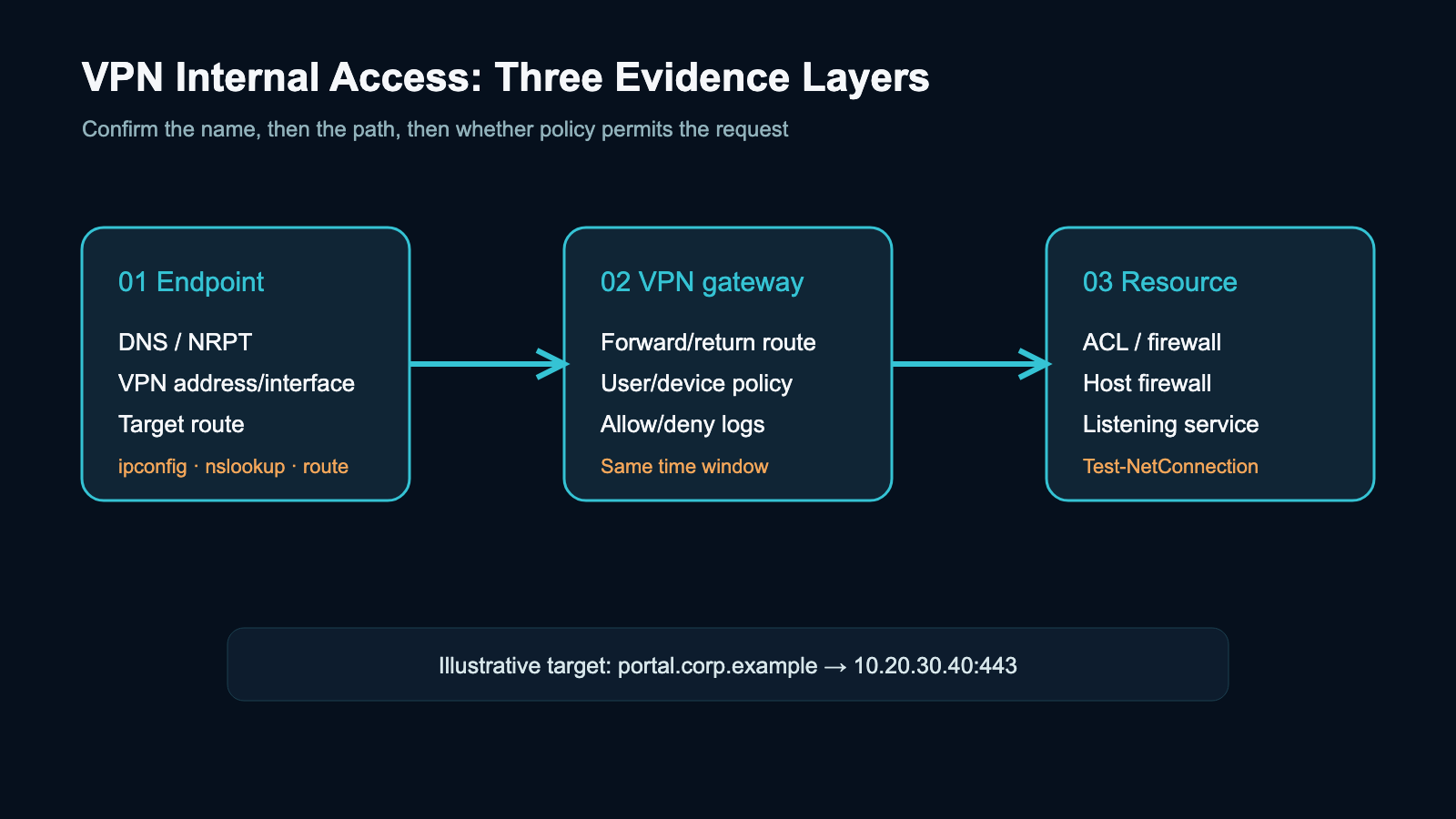
Use one internal FQDN and one known service port. Do not use “the website does not open” as the only evidence. The illustrative target is portal.corp.example, resolving to 10.20.30.40, with HTTPS on 443; the domain and address are placeholders created for this article.
| Question | Evidence | Interpretation |
|---|---|---|
| Does the name resolve to an internal address? | nslookup portal.corp.example | No answer, timeout, or public address: check DNS/NRPT/suffix first |
| Which path is selected for the target? | ipconfig /all, route print 10.* | No VPN interface or matching route: check pool/split-routing policy |
| Can the target TCP port be reached? | Test-NetConnection portal.corp.example -Port 443 -InformationLevel Detailed | TcpTestSucceeded=False means TCP did not establish; continue with policy/service evidence |
| Did the gateway see the request? | VPN/RAS/firewall logs in the same time window | A deny narrows the policy issue; no record requires path, device, or log-scope checks |
Microsoft documents nslookup as a DNS diagnostic tool, ipconfig /all as a way to display adapter TCP/IP configuration, route print as a view of the local routing table, and Test-NetConnection -Port as a TCP connectivity test. The source record is maintained with this content package.
Step 1: Check DNS before calling it a network failure
Run these commands while the VPN is connected. Replace the illustrative FQDN and DNS address with approved values from the actual environment:
ipconfig /all
nslookup portal.corp.example
nslookup portal.corp.example 10.20.10.53
The first command shows whether the VPN adapter received the expected address, DNS servers, and suffix. The second uses the system's default resolver. The third explicitly asks the illustrative corporate DNS server. Do not treat 10.20.10.53 as a recommended universal setting, and do not change DNS merely to make the test appear successful.
Windows VPN name resolution checks the Name Resolution Policy Table (NRPT) first; without a matching rule, it continues with interface metrics and DNS suffix behavior. Microsoft also documents DNS suffixes and NRPT rules for corporate namespaces in Always On VPN. Therefore, a short internal name failing while the VPN is connected can be a DNS-routing or suffix problem, not necessarily a firewall problem. See Microsoft VPN name resolution.
Use this decision order:
- The FQDN does not resolve, but the confirmed target IP accepts TCP: prioritize NRPT, corporate DNS, suffixes, and DNS-server reachability.
- The FQDN resolves to a public or wrong network: preserve the output and check internal records, split-DNS rules, and cache; do not hide the issue with a hosts-file edit.
- The FQDN resolves to the expected internal address: move to routing evidence.
Step 2: Check the VPN route to the target IP
route print 10.*
Test-NetConnection 10.20.30.40 -Port 443 -InformationLevel Detailed
The route table should contain a network or host route covering 10.20.30.40, associated with the VPN interface. The exact interface, next hop, and metric depend on the organization's design. Microsoft's Always On VPN documentation distinguishes split tunneling, force tunneling, application-specific routing, and exclusion routes; a successful session therefore does not imply that every internal subnet is automatically sent through the tunnel. See Always On VPN networking features.
If there is no matching route, collect the route table, VPN-assigned address, and profile/configuration version. The VPN or routing owner can then check the address pool, split-tunnel prefixes, summary routes, and return path. Do not run route add or delete an existing route without an approved change, rollback plan, and confirmed topology.
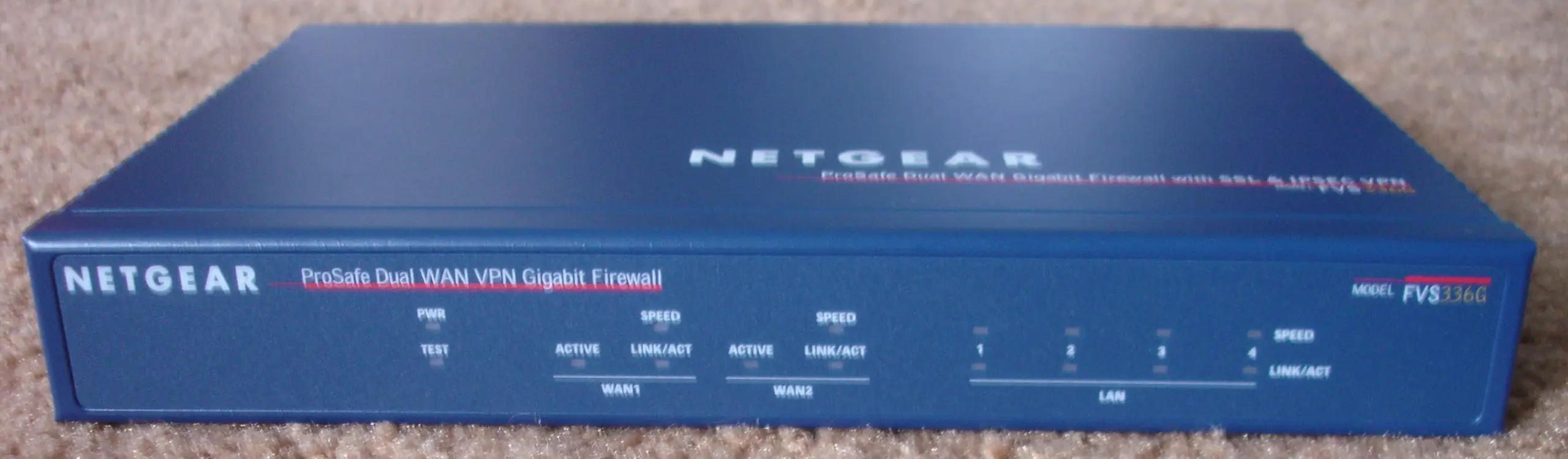
This is a real VPN firewall appliance photo, not the network in this example or a Yuqi customer site. Its appearance cannot establish DNS, route, or ACL status. Photo: Zuzu / Wikimedia Commons, CC BY-SA 3.0; converted to WebP without cropping.

Step 3: When TCP fails, correlate policy, host firewall, and service state
Test-NetConnection portal.corp.example -Port 443 -InformationLevel Detailed
Test-NetConnection 10.20.30.40 -Port 443 -InformationLevel Detailed
These tests separate name-based and IP-based paths; they do not prove that the application is healthy. If both names resolve correctly and a matching route exists but TCP still fails, correlate:
- whether the VPN gateway permits this user/device to reach the internal prefix;
- whether the gateway has a forward and return route to the target network;
- whether a firewall or ACL allows the VPN pool source to the target and TCP port;
- whether the target host is listening and allows the VPN pool source.
Illustrative log line:
2026-09-27T10:14:22Z action=deny src=10.99.8.27 dst=10.20.30.40:443 rule=REMOTE_TO_APPThis is a formatting example, not a Yuqi customer log, a vendor-fixed schema, or a real timestamp. If no matching gateway event exists, first confirm the device, policy set, time zone, and log retention window before deciding that the request never reached the gateway.
A handoff checklist
Send the following evidence to the network or systems owner instead of writing only “VPN is connected but internal access fails”:
- incident time and time zone, plus a privacy-safe user/device identifier;
- VPN profile name, connection state, and assigned address-pool information;
- VPN adapter address, DNS servers, and suffix from
ipconfig /all; - FQDN result from
nslookup, including the DNS server used; - the route row covering the target from
route print; - target, port,
TcpTestSucceeded, andInterfaceAliasfromTest-NetConnection; - allow/deny events from VPN gateway, firewall, and target host in the same time window;
- whether FQDN failed while IP worked, or both FQDN and IP failed.
Do not upload credentials, cookies, private keys, unredacted business logs, or raw customer data. Command output can expose internal hostnames and network ranges; redact it according to the organization's rules before sharing.
Common misdiagnosis and scope boundary
“Connected” is not the same as “authorized to every internal resource.” NIST SP 800-207 frames access around authentication and authorization and emphasizes least privilege per resource/request. That is why this article separates the VPN session, route, and target-resource policy instead of treating network location as proof of trust. See NIST SP 800-207.
This is not a general VPN product-selection guide, zero-trust migration plan, vendor configuration template, or unverified route-change recipe. Real environments may include third-party clients, IPv6, proxies, application gateways, or multiple firewalls; adapt the evidence sequence to the actual topology.
FAQ
Why does an internal name fail even though the VPN says Connected?
Start with DNS. Resolve the FQDN and verify that it returns the expected internal address, then inspect the route to that address. A session can be established while NRPT, DNS suffixes, or internal DNS are misconfigured.
If the IP works but the name does not, is the VPN broken?
Not necessarily. That pattern points more strongly to name resolution, split DNS, or an application dependency on the hostname. Preserve the FQDN/IP comparison and have the DNS and application owners continue the investigation.
Why can the route exist while the port still fails?
The local route only shows the client’s path choice. It does not prove gateway forwarding, return routing, ACLs, host firewall rules, or service listening. Correlate Test-NetConnection with device and host logs.
Can I fix it immediately with route add?
Do not make that the first fix. A local static route changes client state and may hide a centralized profile, address-pool, or return-route defect. Collect evidence first and confirm the change window and rollback method.
Related solution
When the evidence crosses the VPN gateway, switching/routing, firewall, and internal service layers, first assemble the topology, policy, and timestamped log sequence. Then evaluate the network configuration instead of repeatedly reinstalling the client. See the network equipment and switching/routing service.
Further reading
For a broader operating model around access, devices, and handoff evidence, see the enterprise IT operations service.
Next step
If you have a redacted topology, policy, and timestamped sequence ready, you can contact Yuqi with the scope. No repair time or outcome is promised here.
Sources and note: Command behavior and VPN concepts are based on Microsoft Learn and NIST official material. Addresses, names, logs, and decision paths are illustrative, not field measurements.