
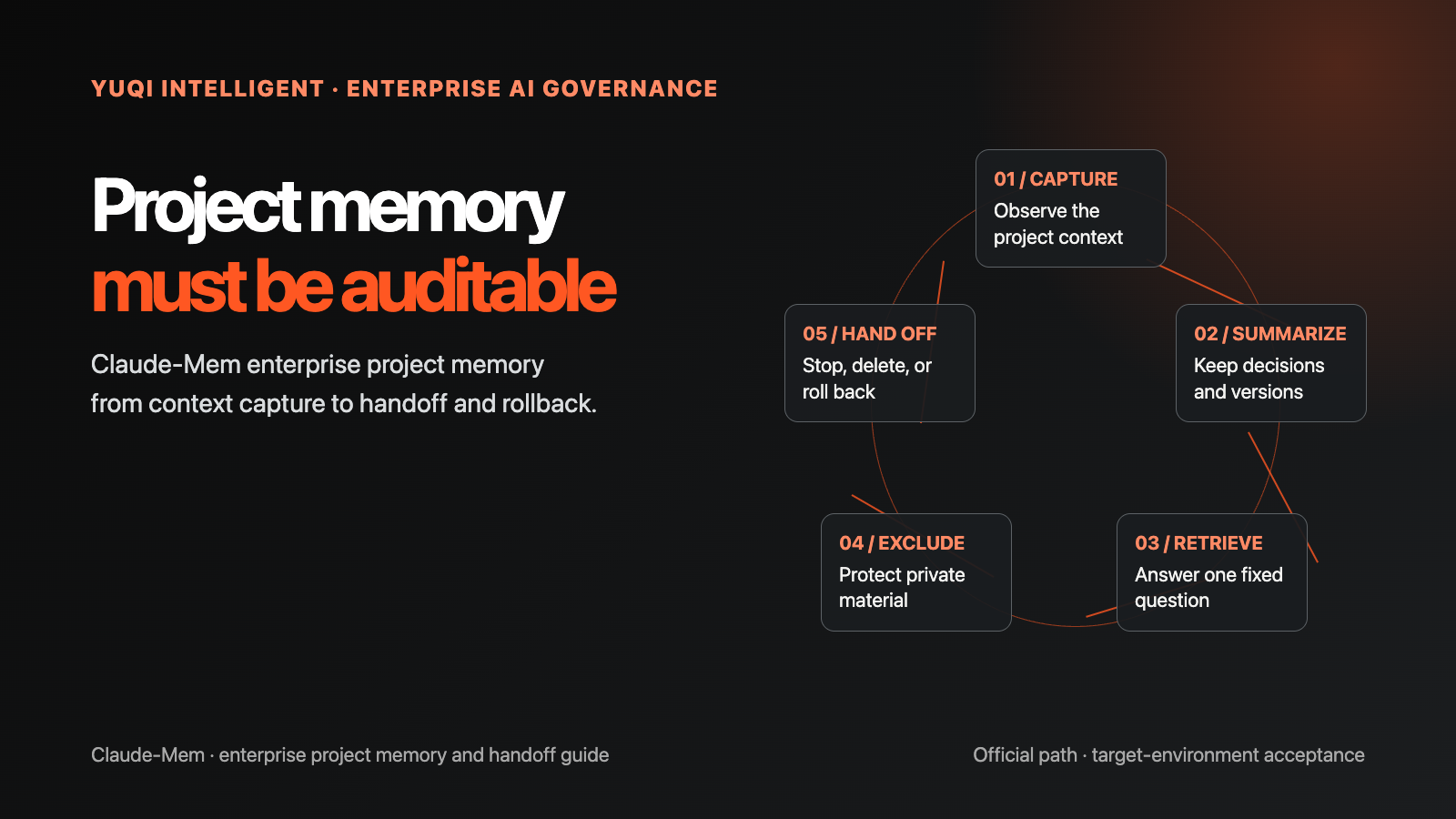
When an AI project has to repeat the same background in every new window, the first thing being consumed is usually not a prompt. It is the project context, decisions, and material boundaries that nobody can hand off cleanly. If an enterprise relies only on chat history, a change of owner, model, or device can leave critical decisions missing, sensitive material mixed in, and no clear way to stop or clean up wrong context.
A safer starting point is not a promise that “AI will remember everything forever.” Start with one auditable project-memory sample: defined fields, traceable sources, excluded sensitive content, and a named rollback path. This guide is based on the Claude-Mem official repository, the official README, the v13.21.2 release, the Apache-2.0 LICENSE, and the IP boundary notes.
Claude-Mem was not installed on this machine. No Worker was started and no real model was connected. Commands, capabilities, and version details below are an official-source snapshot; the target environment still needs compatibility, data-path, and cleanup acceptance tests.
01 Define the result the enterprise must accept
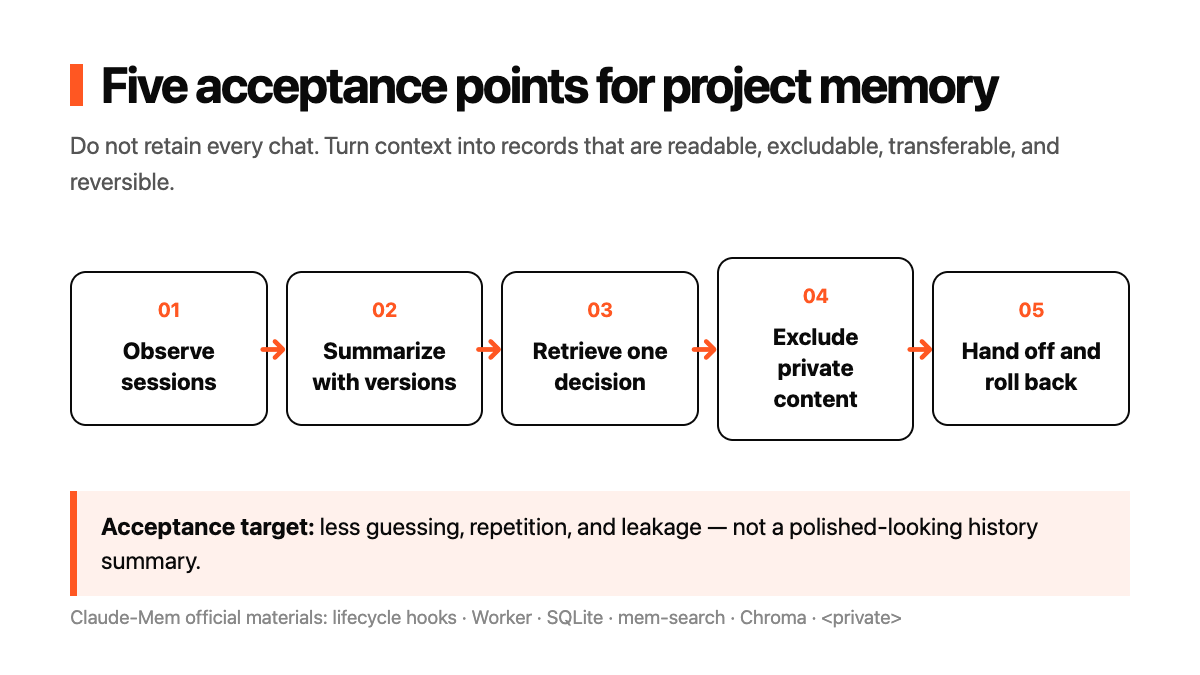
The acceptance target is not how much the system remembers. It is whether the project creates less guessing, repetition, and leakage. Fix four results for the first sample:
- goals, key decisions, open questions, and owners can be listed separately;
- the team can state what may be saved and what must be excluded or redacted;
- a new session can retrieve one specified piece of background through a fixed question;
- someone owns the stop, deletion, and rollback decision when material is stale, retrieval is wrong, or access changes.
If nobody owns these fields, a stronger memory system can spread wrong context faster. Define the readable result before choosing the integration.
02 What the Claude-Mem materials document
The official repository and README describe Claude-Mem as a persistent context system for Agents: it captures tool-use observations from sessions, produces semantic summaries, and makes relevant context available to later sessions. The README also documents lifecycle hooks, a Worker HTTP API and web viewer, SQLite storage, the mem-search skill, Chroma hybrid retrieval, and a <private> tag direction for excluding sensitive content.
Treat that as a chain of acceptance points:
- Observation: which session events and tool results are recorded?
- Summary: what is compressed, and who corrects it?
- Retrieval: can a fixed question locate a specified decision and source?
- Exclusion: is sensitive material kept out of storage, logs, and indexes?
- Handoff: after a client, device, or owner changes, can the team still explain version, access, and rollback?
This is not a reason to retain every chat. It is a way to make project context readable, deletable, and auditable.
03 Follow the official installation path
The main official README entry point is a Node.js 20+ environment running:
npx claude-mem installThe README also provides an OpenCode entry point:
npx claude-mem install --ide opencodeThe official materials document Bun, uv, and SQLite as runtime components. Settings are kept in ~/.claude-mem/settings.json, where the model, Worker port, data directory, logs, and context injection can be configured. The installer can guide a user through model providers; the README also describes an optional online observer and the option to specify a provider or opt out of online account interaction.
The repository description lists Claude Code, OpenClaw, Codex, Gemini, Hermes, Copilot, and OpenCode as compatibility directions. The main README examples focus on Claude Code and OpenCode, however. Do not infer that a particular Codex or other client has compatible hooks, directories, and versions; test it in the target environment.
The official installation page lists Node.js 20+, Bun 1.0+, uv, Claude Code or another supported IDE, and SQLite 3 bundled through bun:sqlite as the system requirements; it covers macOS, Windows, and Linux. It does not publish a fixed minimum CPU, RAM, or disk specification. Do not invent one: record actual resource use, provider choice, and data growth during an isolated target-environment pilot.
The official source installation path also lists Worker start and verification commands:
npm run worker:start
npm run worker:status
npm run worker:logs
npm run test:context
Acceptance should at least confirm that the plugin hooks are configured, identify the database, PID, port, log, and settings paths under ~/.claude-mem/, and request http://127.0.0.1:$PORT/health using the active port. These are official verification paths, not local test results from this machine. For a Worker that will not start, a port collision, or a Chroma/Python issue, the official troubleshooting guide points to worker:status, worker:logs, port and dependency checks, followed as needed by worker:restart or npx claude-mem doctor.
For upgrades, the official guide says marketplace updates are automatic; after an external update reports a version-marker mismatch, run npx claude-mem repair and review the CHANGELOG. The official CLI also lists npx claude-mem update. The uninstall entry point is npx claude-mem uninstall, which removes the plugin and related configuration; confirm retention, export, and deletion approval for databases, logs, and customer material first. An uninstall command is not proof of data compliance.
These are official instructions, not local test results. An enterprise acceptance record should keep the version, lockfile, configuration inventory, data directory, provider, log location, startup receipt, and one failure-handling record. Do not commit .env, access codes, customer source text, or internal material.
04 What the first project-memory sample should include
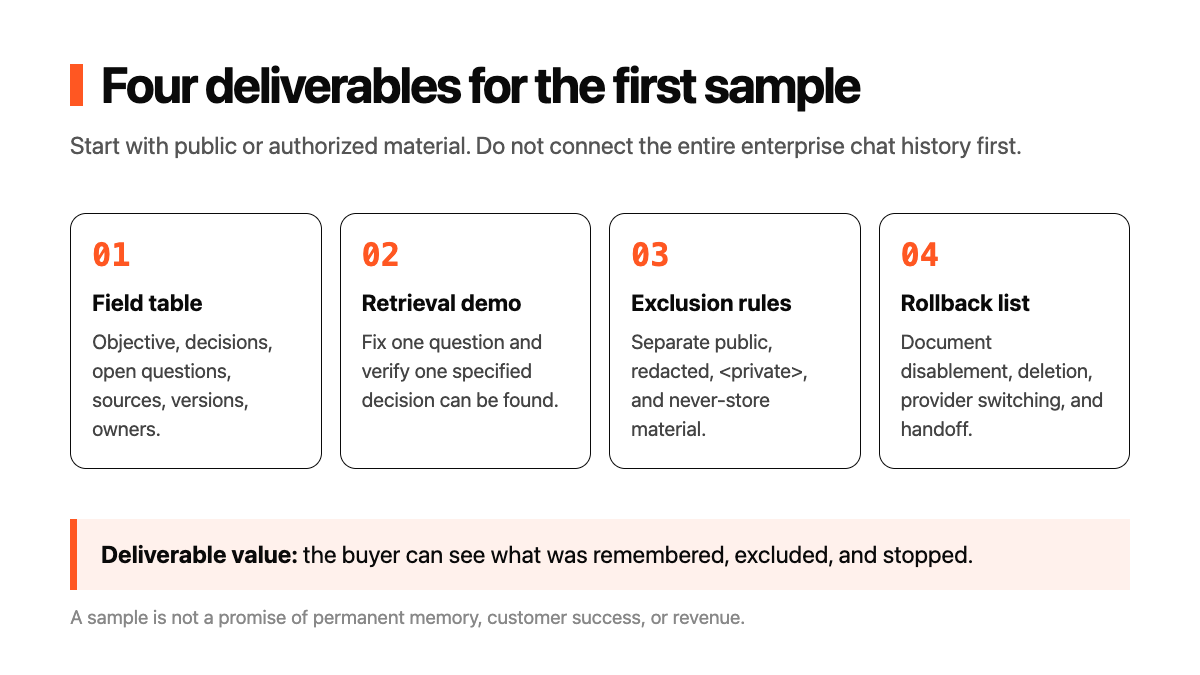
Do not connect the entire enterprise chat history first, and do not promise permanent memory. Start with four deliverables:
- Project memory field table: objective, key decisions, open questions, sources, versions, and owners;
- One new-session retrieval demo: verify only whether one specified decision can be found, including misses and false recalls;
- Sensitive-content exclusion rules: public or authorized material, redaction, and
<private>boundaries; - Handoff and rollback checklist: how to change clients, clear local data, disable injection, delete records, and switch providers.
Acceptance should not stop at a polished historical summary. Sample one decision, one source, one sensitive placeholder, and one rollback action, then confirm that the result is readable, deletable, and transferable on the target device.
05 Separate privacy, providers, and licensing
The README documents local Worker, SQLite, Chroma, and optional online observer/model-provider directions. A company cannot assume that the data path is compliant merely because a tool is called “memory” or “local.” Answer at least four questions:
- Which fields may be stored, and which materials are allowed only as redacted placeholders?
- Who can view the Worker, database, logs, and retrieval results?
- What can providers, online observers, and backups access?
- How are stale material or false recalls deleted, disabled, and rolled back?
The repository root is Apache-2.0, but read the license notes and IP boundary document before use or redistribution. Open-source licensing, provider terms, customer-material rights, and internal approval are separate questions.
06 Validate the next step in seven days
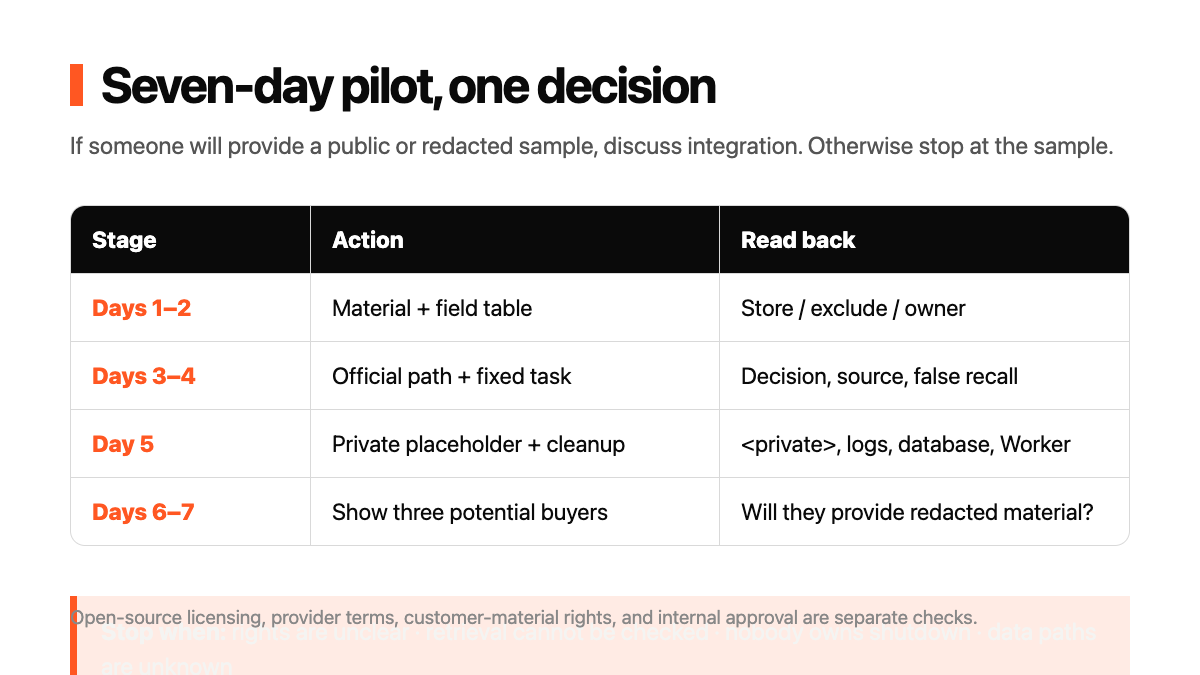
Seven days is a risk-limiting cadence, not a production launch promise:
- Day 1 | Select material: choose public or authorized material and write the “must remember” and “never store” fields.
- Days 2–3 | Prepare the environment: follow the official path in isolation and record Node, Bun, uv, client, provider, and settings.
- Day 4 | Run retrieval: fix one task, test whether one decision can be recovered, and retain misses, false recalls, and version records.
- Day 5 | Test exclusion: add sensitive placeholders and inspect
<private>, logs, databases, the Worker, and cleanup. - Day 6 | Test demand: show the sample to three potential buyers and ask only whether they would provide public or redacted material for a handoff evaluation.
- Day 7 | Decide: if someone will provide a sample, discuss installation and maintenance; otherwise stop at public material.
Possible service lines include project-memory field reviews, client integration acceptance, sensitive-content exclusion, handoff demonstrations, and rollback checks. These are hypotheses, not evidence of customers, orders, prices, revenue, or time savings.
07 Four checks for the project owner
- Fields and materials: Which content may be stored, and what must be excluded, redacted, or deleted on schedule?
- Environment and providers: Who approves Node, Bun, uv, models, Worker, database, and logs?
- Results and retrieval: Can the specified decision be found? How are false recalls, stale content, and wrong citations judged?
- Shutdown and handoff: Are client changes, data cleanup, injection disablement, and rollback written down?
If the team cannot explain what can be remembered, who can see it, or how an error is stopped, do not expand. One wrong project decision or leaked internal document can cost more than a few minutes of repeated explanation.
Service boundary
Shanghai Yuqi Intelligent Technology Co., Ltd. can help businesses in Shanghai and nearby areas review AI project memory fields, material permissions, handoff records, and rollback conditions, build a low-risk sample, and test it in the target environment. The system, identity, data permissions, providers, third-party terms, and delivery scope remain subject to enterprise approval, official documentation, and target-environment testing.
Company information
Shanghai Yuqi Intelligent Technology Co., Ltd. | Website: https://www.yuqi-sh.com/ | Scope: enterprise IT, AI automation, websites, and digital workflow implementation | Service area: Shanghai and nearby businesses.