
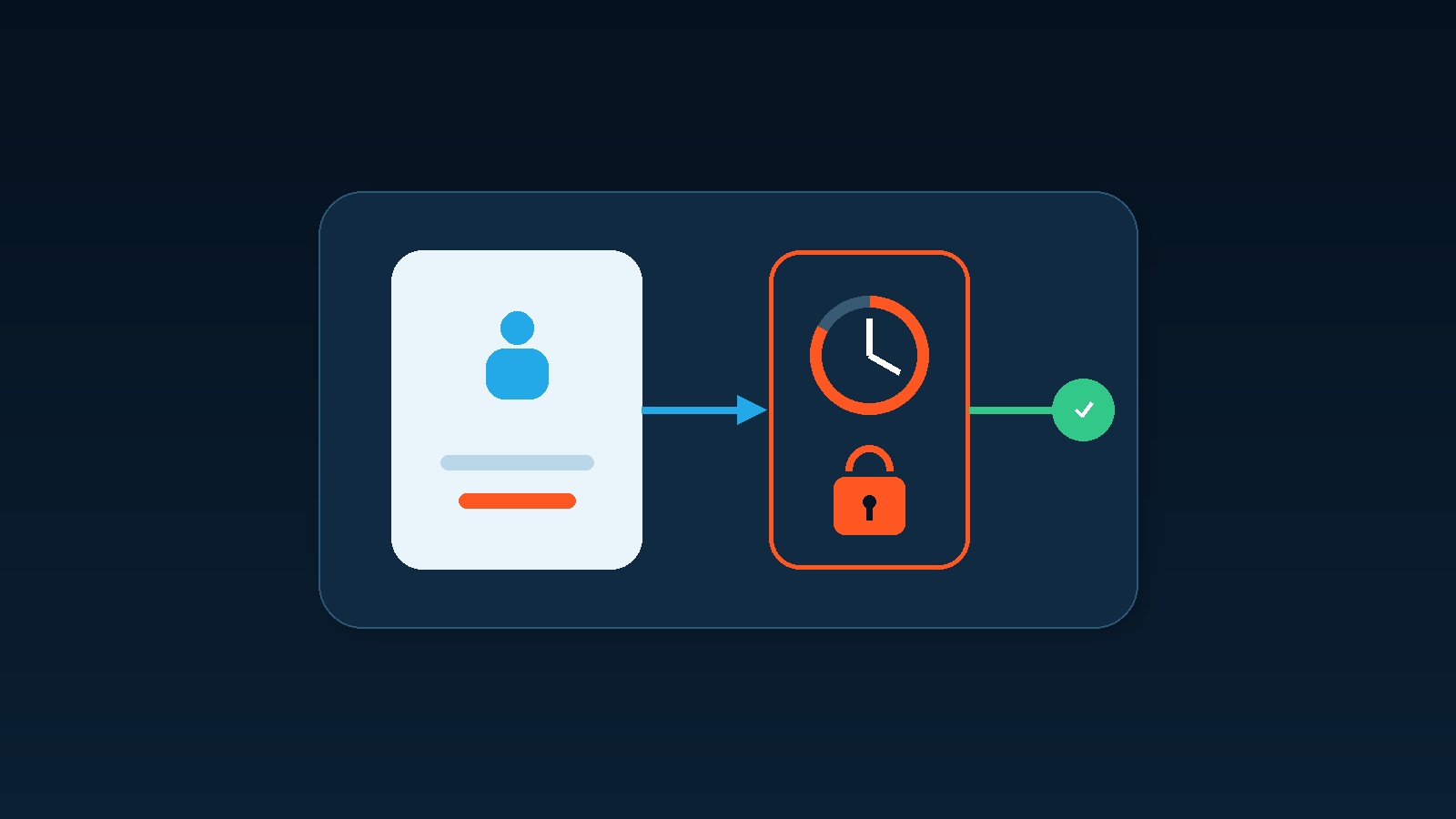
Many businesses give employees local administrator rights because it reduces support requests for software installation, printer drivers, and occasional troubleshooting. The convenience is real, but so is the scope of the permission. A routine account that remains an administrator can change system-level settings and affect more than the employee's own documents.
The governance question around employee local admin rights is not whether employees are trustworthy. It is whether daily work needs permanent administrative access, who approves an exception, how long it remains valid, and whether the business can review what happened. The practical goal is controlled elevation, not a disruptive removal of every privilege overnight.
Local administrator rights cover more than software installation
Microsoft explains that members of the local Administrators group have broad control over device resources and recommends limiting the number of users in that group. Administrative rights can affect local accounts, services, software, drivers, and settings that apply to the computer as a whole.
When a daily account carries those rights, email, web browsing, chat applications, downloaded installers, and browser extensions all operate in an environment where elevation is easier to obtain. An employee does not need malicious intent for the risk to increase. A mistaken approval or unsuitable installer can reach a much wider area of the workstation.
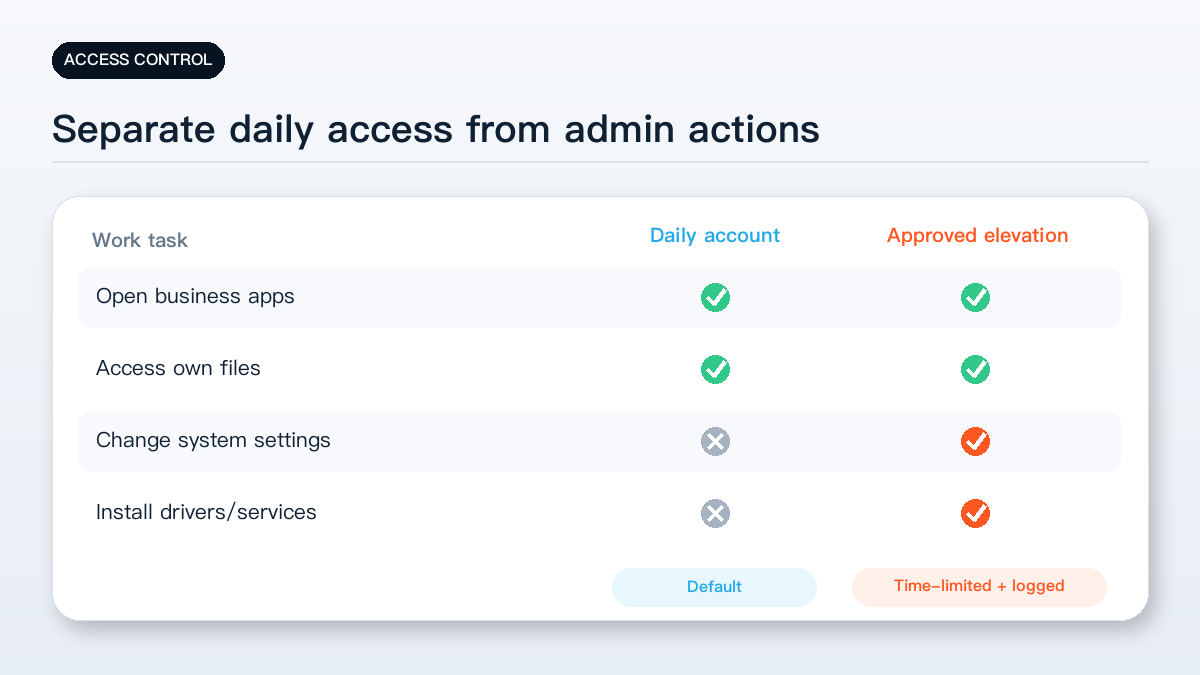
The common argument is that an employee needs to install one application. The problem is that the permission often remains for months after the installation. The original business reason, owner, and review date are rarely recorded.
A UAC prompt is not a complete approval process
User Account Control prompts appear when an application requests elevated privileges. Microsoft recommends using a standard user account as the primary account and supplying valid administrator credentials when an administrative task is required.
A prompt alone does not establish governance. If the employee is already an administrator, selecting “Yes” may be only a consent action. It does not record who authorized the work, why it was needed, when the exception should end, or who verifies the result.
Software installation and permanent administrator membership are different requirements. Common applications can be packaged or installed during a maintenance window. Occasional tools can receive per-task elevation. Only roles with repeatable technical requirements should enter a documented exception review.
The review should also consider the source and licence of the software, whether it installs a driver or background service, what data it accesses, and who will maintain it later. Privilege management works best when installation provenance and operational ownership are included.
Do not remove rights across the fleet without testing
Legacy business applications, device-maintenance utilities, drivers, and development environments may genuinely require elevation. Removing permissions from every computer without checking dependencies can interrupt printing, production-device access, software updates, or urgent support.
A safer approach is to inventory the actual dependencies first. Record the application, device, role, frequency, business reason, and owner. Then decide whether the requirement can be handled as a one-time installation, per-task elevation, or a time-limited exception.
Exceptions should not be permanent by default. Role changes, project completion, software replacement, and device reinstallation are natural review points.
Pilot standard accounts and controlled elevation
Start with a small group of ordinary office roles. During the pilot, record which tasks are blocked, which application requested elevation, who handled it, and how much support time was needed. Expand only after printing, meetings, updates, and line-of-business applications are verified.
Maintain a separate emergency administration path. It should not be used for email or routine web browsing. Assign a custodian, record each use, and avoid reusing the same credential on every computer.
Outsourced support also needs boundaries. Define the device, maintenance window, and permitted activity. Revoke temporary access after the task instead of leaving a remote-support tool or administrator identity permanently available.
Five practical checks
- Inventory members of the local Administrators group and separate personal, built-in, support, and legacy accounts.
- List the applications, drivers, and roles that currently require elevation, including the business owner and frequency.
- Pilot standard-user accounts on a small set of office computers and verify printing, conferencing, updates, and business applications.
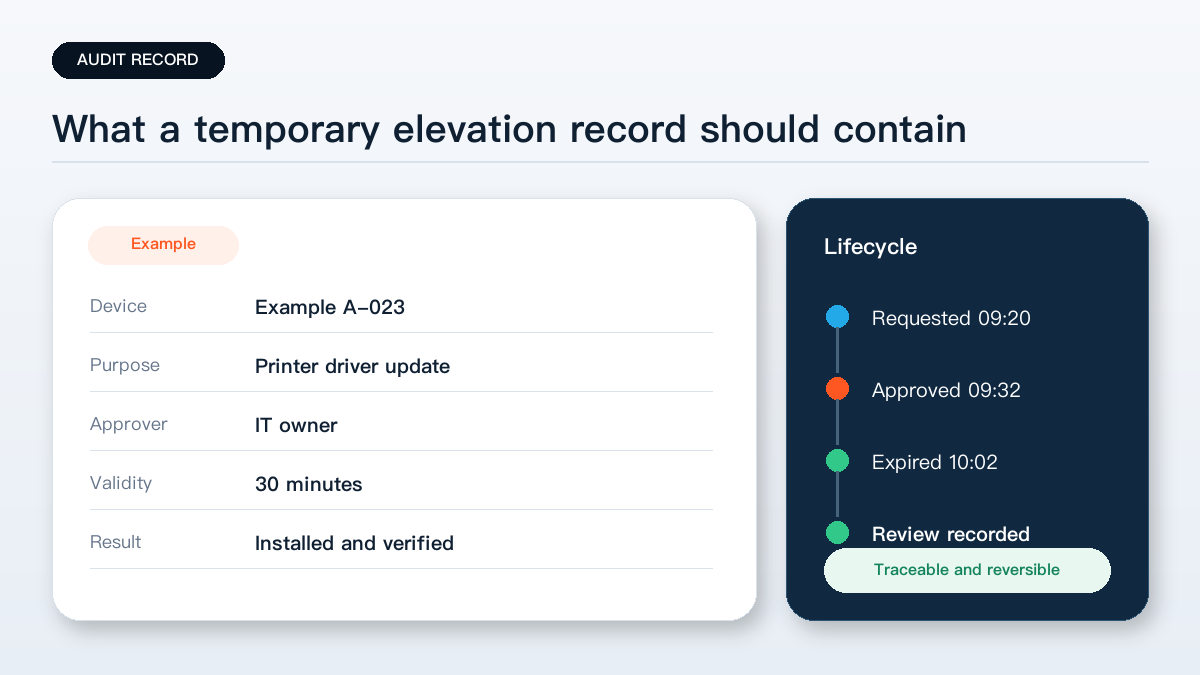
- Record temporary elevation by device, requester, reason, approver, start time, and expiry time.
- Keep a controlled emergency administrator path and review exceptions after role, project, software, or device changes.
The key point: making software installation convenient does not require permanent administrator membership. A business needs a path that is requestable, approvable, time-limited, and reviewable.
Yuqi Intelligence helps small and medium businesses review endpoint accounts, software dependencies, support workflows, and controlled administrative access before permissions are changed across the fleet.