
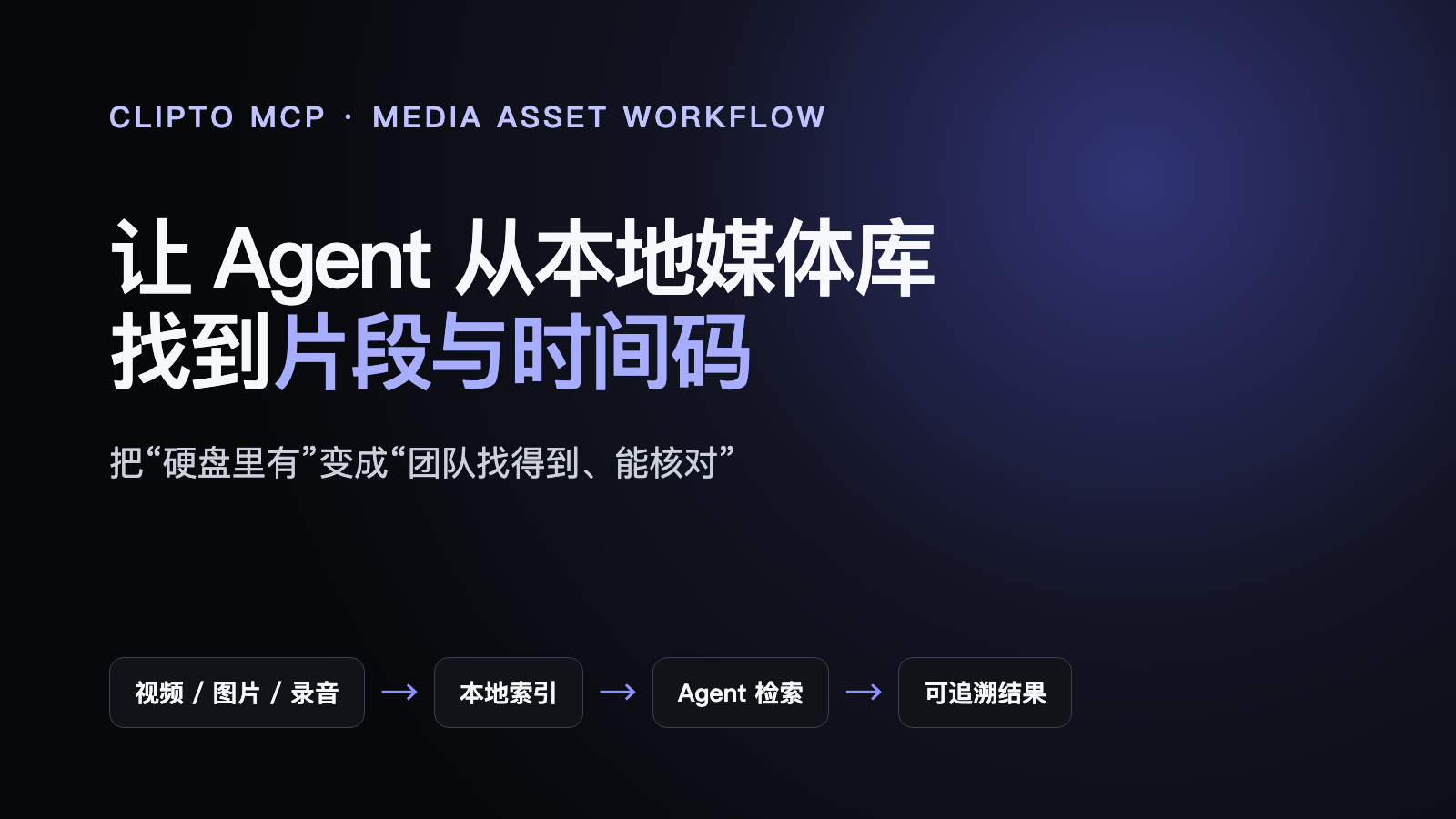
Many businesses already have more video than they can use. Construction footage, training sessions, meetings, interviews, product shoots, and customer cases accumulate across disks and NAS systems. When a specific shot is needed, the team still searches by date, filename, and memory.
Clipto MCP local video search suggests a practical alternative: index approved local videos, photos, and audio, then let a compatible AI agent retrieve relevant moments, timecodes, source files, and evidence. The opportunity is not necessarily to generate more media. It is to make existing media usable again.
What Clipto MCP accepts and returns
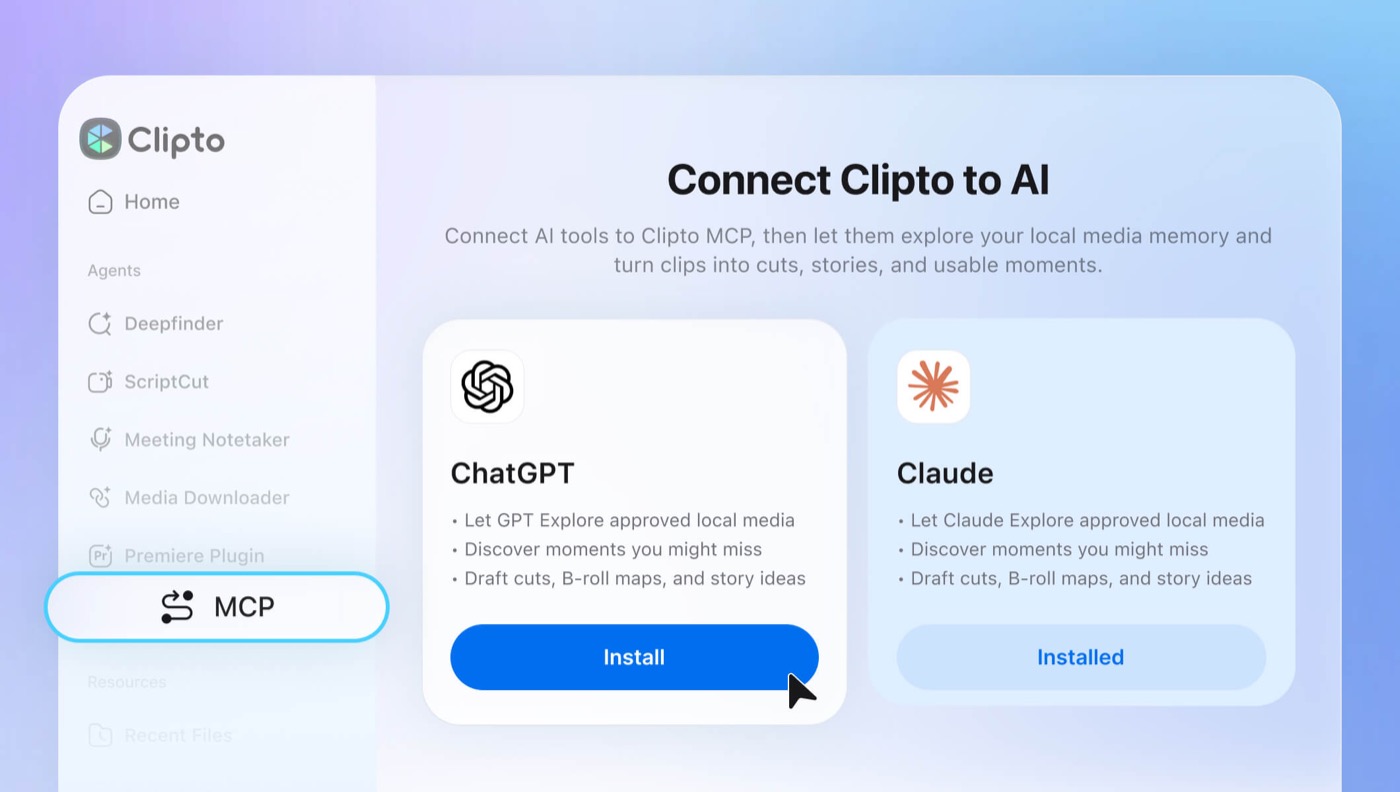
Clipto's official page says MCP is built into its Mac and Windows desktop application. A user installs the app, approves selected folders, waits for indexing, and connects a compatible agent from the MCP page.
The user can ask for all machine-room construction shots, a moment where an employee discusses a server migration, or B-roll candidates for each paragraph of a script. Results include candidate moments, timecodes, sources, and evidence that can be opened in Clipto.
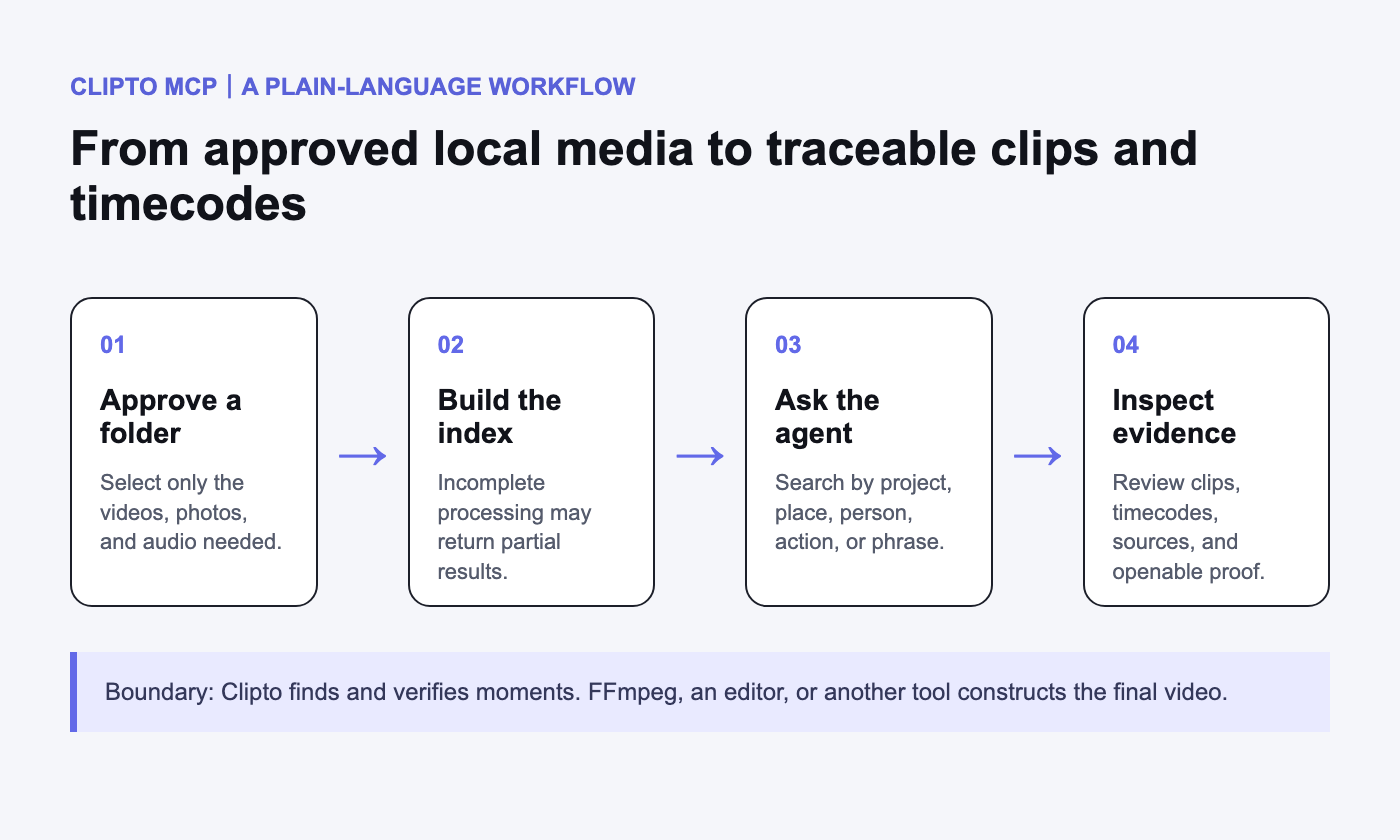
Clipto says source media is not uploaded by default. Local-first, however, does not remove the need for a business security review. Folder scope, index caches, logs, exports, agent-side processing, and user permissions should still be checked.
Another boundary matters: Clipto does not automatically perform the final edit. It finds, explains, and verifies moments. FFmpeg, an editing application, or another AI tool constructs the timeline, with human review where the output is sensitive or public.
A four-step evaluation that non-technical teams can follow
1. Install the desktop application. Use the current official Mac or Windows download rather than documenting a fixed package version that may quickly become outdated.
2. Approve the smallest useful folder. Do not expose an entire customer archive for convenience. Start with media that has a clear owner and a defined evaluation purpose.
3. Wait for indexing and record the process. Clipto notes that incomplete indexing can produce partial results. Record file counts, processing time, failed files, storage use, and index status.
4. Test real business questions. Use the project names, locations, people, equipment, actions, and spoken phrases that staff actually search for. Verify the source and timecode instead of accepting a summary alone.
This article is based on official product information and Product Hunt. We did not install Clipto or run a local indexing benchmark for this review.
Build a vertical media library before cloning a general product
Clipto exposes a broad problem: businesses possess data that they cannot find or reuse. A service provider can add value through industry vocabulary, media governance, rights tracking, and integration with the customer's workflow.
- Construction case libraries can search by project, location, equipment, and project phase.
- Property teams can search by development, room type, space, and shot type.
- Training and meeting archives can search by instructor, topic, speaker, and timecode.
- Agencies and studios can search by person, product, mood, scene, and rights status.
The general tool supplies search capability. A reliable delivery also handles naming, duplicates, folder permissions, rights, benchmark queries, human review, and the customer's existing editor.
A minimum sellable delivery
Start with 100 to 300 samples whose usage rights are understood. Create ten benchmark questions with the people who will use the archive. After indexing, record correct matches, false matches, missed moments, and response times.
Deliver a shot list with the source file, start and end timecodes, a description, and an openable reference. Then use one real script to produce B-roll candidates and a human-reviewable rough-cut plan.
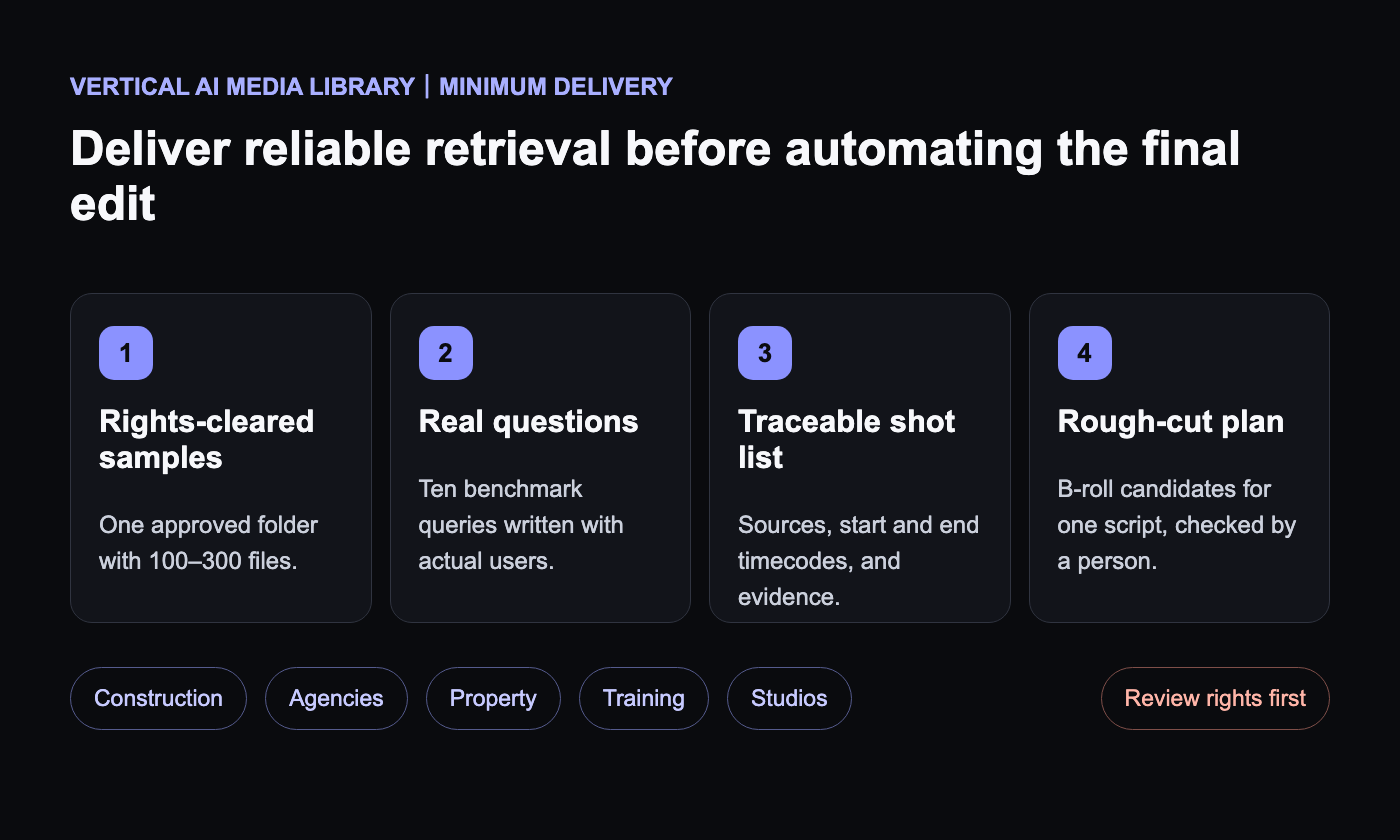
FFmpeg or the customer's editor can be added only when a final sequence is required. The commercial work can therefore be divided into media governance and rights inventory, local index deployment, vertical search workflows, and ongoing incremental maintenance without first building a full SaaS product.
Accuracy, rights, and review remain hard
Frame extraction, speech recognition, embeddings, scene understanding, vector retrieval, accurate timecodes, first-time indexing, and incremental updates all affect quality. Business deployments must also address likeness rights, music, confidential projects, employee recordings, and commercial reuse.
On Product Hunt, the maker described a demonstration that indexed about 1,000 interview clips, used Claude to retrieve moments, and assembled a video with FFmpeg. This is a maker-reported demonstration, not an independent reproduction or proof that the source footage can be reused commercially.
As of August 24, 2026, Product Hunt showed an August 19 launch, a number-two daily rank, and 548 points. These are time-sensitive page values. We did not verify a public source-code repository or open-source license for Clipto MCP, so this article does not describe it as open source.
A practical next step
Begin with one approved folder, 100 to 300 files, ten real questions, a traceable shot list, and one rough-cut plan. Success means that staff find the correct material faster, can inspect where every result came from, can confirm usage rights, and choose to keep using the workflow.
Yuqi Intelligence can help a business inventory media, permissions, and search needs, then design a local indexing pilot and connect its outputs to an existing editing workflow. Product capabilities and licensing should always be confirmed with Clipto's official information.