
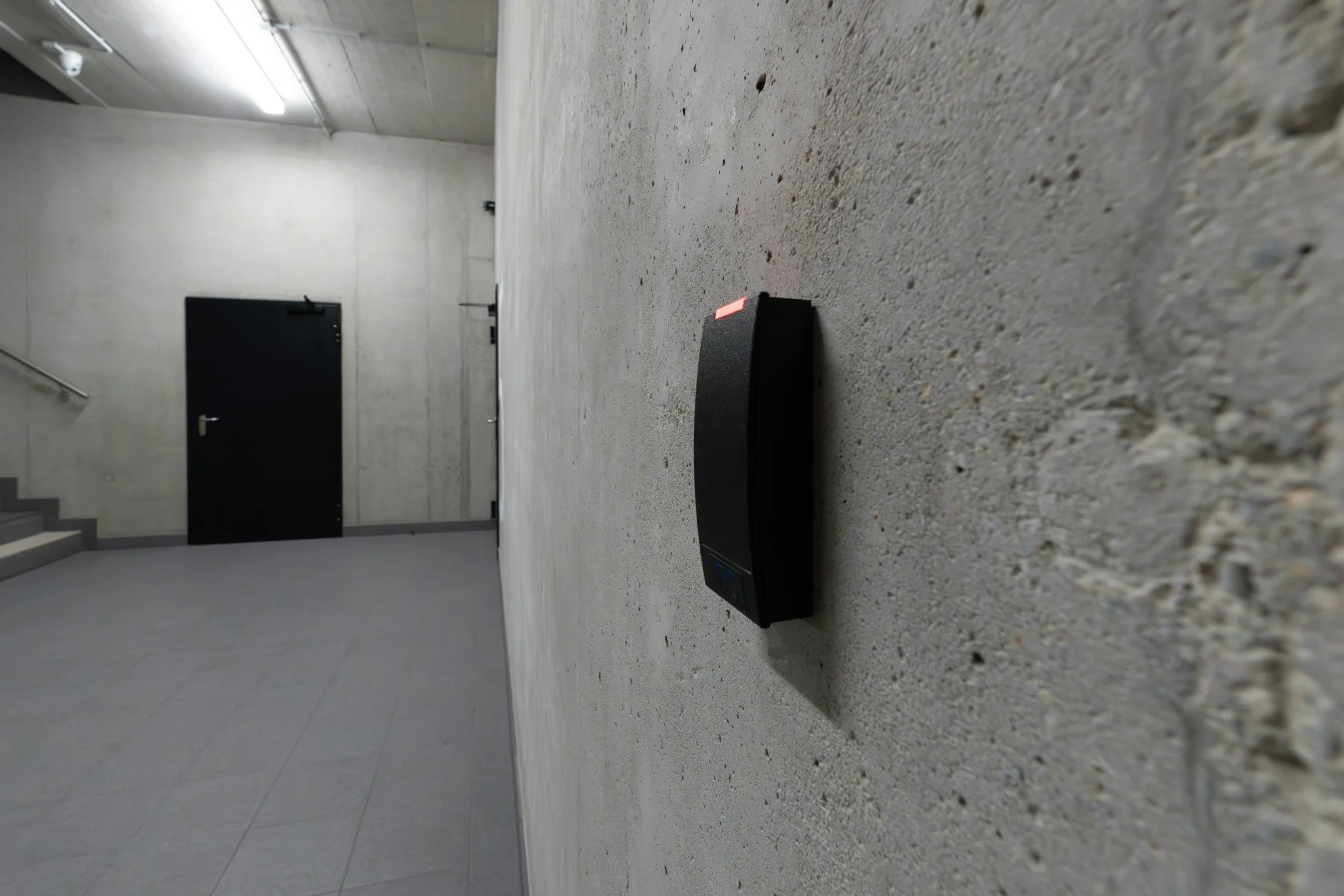
Credentials and identification
Select cards, facial recognition, QR codes or mobile credentials to meet site needs. Biometrics are not a default prerequisite.
Low-voltage and intelligent systems / Entrance security
Connect credentials, door controllers, permissions and event records for offices, campuses, equipment rooms and restricted areas. Yuqi Intelligent surveys, selects, installs, integrates and hands over systems around door locations, controllers, locks and existing networks.
From credential to entry, define responsibilities for authorization, unlocking, alerts and traceability.
Clarify operational needs first
Enterprise access control is more than a lock. Credentials, controllers, locks, door contacts, exit buttons, networking and event platforms must work together. Equipment alone leaves permissions, offline behavior and event ownership unresolved.
Yuqi Intelligent maps permissions by area, door and role, then tests credentials, controllers, locks, alerts and events separately. Interfaces and records remain traceable when coordinating Structured Cabling or subsequent Low-Voltage Maintenance services.
Select cards, facial recognition, QR codes or mobile credentials to meet site needs. Biometrics are not a default prerequisite.
Controllers evaluate people, zones, schedules and the permission matrix before driving locks or gates.
Door contacts, exit buttons, alerts, video integration and audit records are individually verifiable and documented.
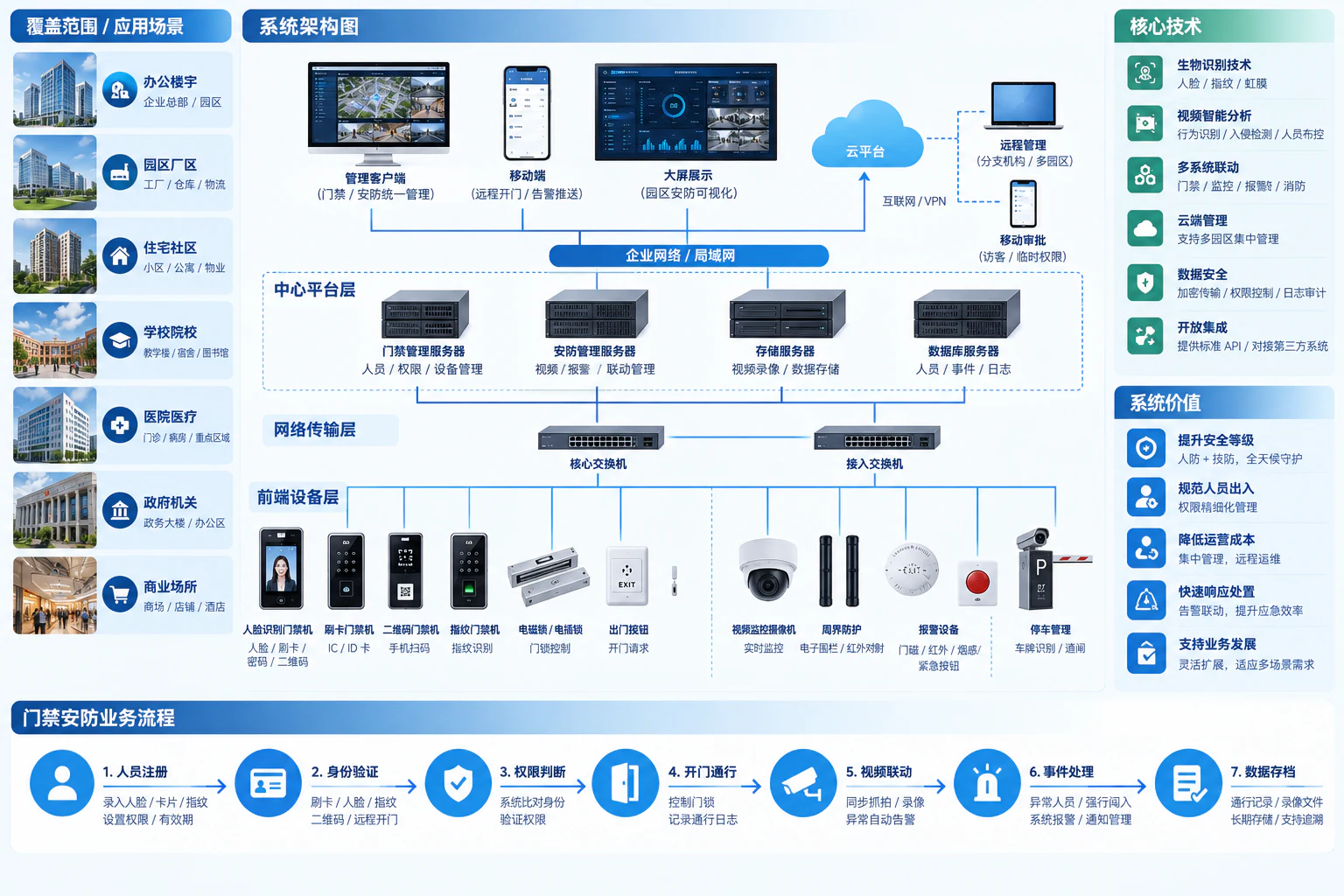
Credentials, controls and events
Credentials enter readers or identification terminals; controllers authorize entry, operate locks and record door states, alerts and events. Video and visitor booking are optional branches, without replacing local control or emergency egress.
Credentials enter terminals; controllers evaluate the permission matrix and drive locks. Door contacts, exit buttons, alerts and video integration produce parallel records; remote management is optional.
Credentials
State
Control
Permission model
Access control defines who can enter where and when. Personnel changes and permission revocation matter more to long-term usability than adding another identification method.
| Subject | Access scope | Timing and changes |
|---|---|---|
| Employees | Authorize by department and role, not all areas by default | Shift or working-hour schedules; update on role changes |
| Visitors | Limit to reception areas and necessary doors | Approve before arrival; expire automatically; reconfirm extensions |
| Operations personnel | Task-specific equipment-room access | Temporary access window; revoke and review records afterward |
Platforms distribute identities and permissions; controllers apply synchronized rules. Offline recognition, event-cache capacity and later synchronization depend on the actual equipment and configuration.
A successful card read does not prove a closed door. Record contacts, doors held open, forced entry and exit-button states separately; correlate video by time and door location where required.
Manage onboarding, role changes, lost-credential suspension and offboarding as one lifecycle. Confirm retention of cards, QR codes and biometric records separately for each project.
Responsibility boundaries
Implement access security for offices, campuses, equipment rooms, warehouses and restricted areas under site requirements and the agreed design.
Confirm video integration, visitor booking, mobile management and third-party connections separately against requirements, networking, permissions and contract.
Responsible specialists confirm fire egress, door alterations, electrical work and other regulated work. Yuqi Intelligent coordinates interfaces and testing; emergency egress does not depend on cloud access.
Biometrics, visitor booking, video and mobile functions depend on equipment, platforms, networks and contract. Diagrams are not unconditional feature commitments.
Frequently asked questions
Enterprise offices, campuses, equipment rooms, warehouses and restricted areas requiring tiered access. Assess door counts, roles, locks, networking and fire-egress boundaries for the actual system.
No. Credentials, controllers, locks, permissions, alerts and event traceability must form a maintainable system. Biometrics, visitor booking and video integration are optional.
No. Confirm scope against equipment, networking, privacy, permissions and site management. Emergency egress and local door operation do not depend on the cloud.
Typically door/device layouts, permission matrices, equipment inventories, installation/integration records, access and alert tests, administrator training and responsibility boundaries. The actual list follows design, site conditions and contract.
Yuqi Intelligent builds and upgrades access systems for offices, campuses, equipment rooms and warehouses, covering readers, terminals, controllers, locks, installation, personnel permissions, event integration and training.
Review doors, structures, users and access methods; match readers, identification terminals, controllers, locks and power supplies. Provide equipment lists and quotations while checking compatibility and retained systems.
Install agreed door systems, controller wiring, networking and platforms. Test card/identity access, contacts, exit buttons and alerts; specialist parties confirm fire-egress interfaces.
Configure employee/visitor access by department, area and schedule, including onboarding, offboarding, lost credentials and temporary access. Integrate video or visitor systems and verify event correlation where required.
Resolve access failures, offline equipment and permission issues, upgrade aging devices and provide agreed repair/inspection. Hand over door plans, matrices, configuration and tests, and train administrators.
Next step / ACCESS SECURITY REVIEW
Share door counts, zones, roles, existing locks and current issues to define surveys, detailed design, supply, installation, testing and handover.