
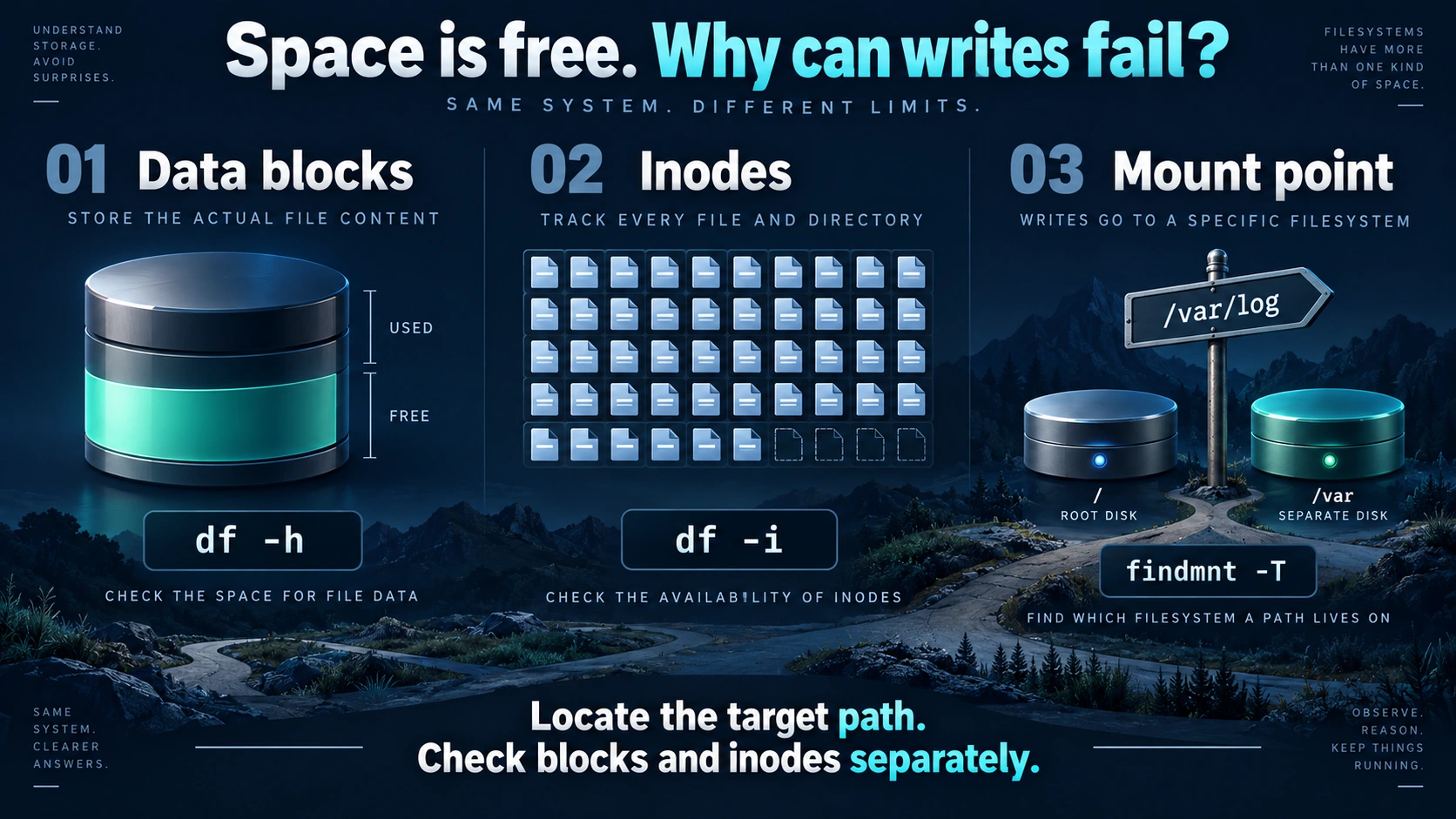
Check the filesystem containing the failed write path, then check both available blocks and available inodes. An exhausted inode supply can prevent file creation even when gigabytes remain. Deleted files may retain storage while processes keep them open. A missing data-volume mount may also redirect writes into the root filesystem. A healthy-looking percentage for a different disk does not establish that the application can write.
This guide uses read-only checks before selecting a repair. Commands are operating examples based on official documentation; they were not executed at a customer site for this article. Replace the paths, account and service names with verified values. No customer reproduction or measured recovery result is claimed here.
On this page
Scope and prerequisites1. Identify the filesystem behind the failed path2. If inodes are exhausted, look for object counts3. Investigate deleted files that remain open4. A missing mount can send writes into the root filesystem5. Verify business recovery, not just a disappearing errorFrequently asked questionsWhy can a new file fail when df shows free space?Will deleting the largest log fix the problem?Should I reboot the server immediately?Does this procedure fully cover Docker or NFS?Related solutionsFurther readingScope and prerequisites
| Item | Scope and requirement |
|---|---|
| Operating system | Conventional Ubuntu Server 22.04/24.04 LTS virtual machines; check installed tool help and package versions before applying this to 26.04 LTS |
| Filesystem | Local ext4 is the main example; overlay filesystems, NFS, ZFS, Btrfs and storage pools need their own additional checks |
| Tools | GNU coreutils df and du, util-linux findmnt; lsof is needed for deleted open files |
| Access | Capacity checks usually need no elevated access; directory traversal and other processes may require sudo; verify writes as the application account |
| Before changes | Confirm the data owner, retention rules, recoverable backup, maintenance window and intended mount source |
Preserve the original error, timestamp, operation and absolute path. Creating a file, appending to an existing file and creating a filesystem watcher are different operations. Linux distinguishes storage exhaustion from quota, permission and read-only errors, although an application may report them all as a generic write failure. Obtain the actual error before choosing a remedy. Ubuntu write manual
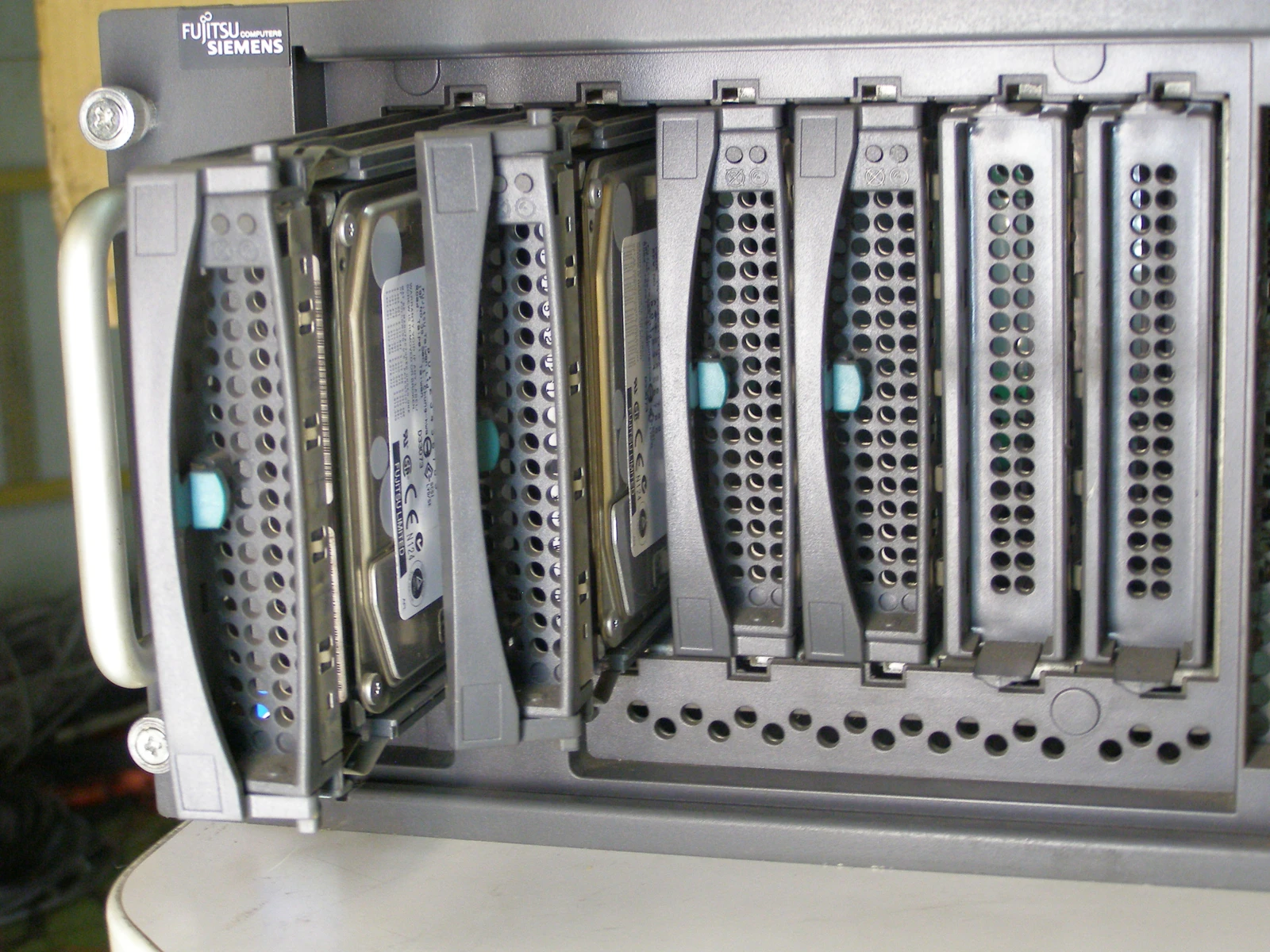


1. Identify the filesystem behind the failed path
This example assumes that the application writes into an existing directory. If the failed new file does not exist, check its nearest existing parent. Do not create directories merely to make a diagnostic command work.
write_path='/srv/app-data'
findmnt --target "$write_path" --output TARGET,SOURCE,FSTYPE,OPTIONS
df -hT -- "$write_path"
df -i -- "$write_path"
Compare the target, source, filesystem type and options against the deployment record. If the intended data volume has been replaced by the root filesystem, investigate the mount. If options show a read-only filesystem, establish why it became read-only. The target query resolves the filesystem serving that path, and df with a path reports the filesystem containing it. Ubuntu findmnt manual, GNU df manual
| Finding | Next action | Stop condition |
|---|---|---|
| IFree is zero while blocks remain | Locate directories with many objects | Ownership or retention requirements are unknown |
| Avail is nearly zero while inodes remain | Inspect storage use and deleted open files | Storage I/O errors or unreliable traversal |
| Path resolves to the wrong source | Confirm the intended volume and actual application path | Do not mount over a directory being actively written |
| Both resources remain and the mount is correct | Check quotas, container limits and the precise error | Do not continue speculative cleanup |
For a container or a service using a separate mount namespace, run checks in its actual environment. The same path string on the host may resolve to a different mount. Host results alone do not establish that a container can write.
2. If inodes are exhausted, look for object counts
Inodes hold metadata such as ownership, permissions and locations of file data. ext4 allocates inode tables when the filesystem is created, so many small files can exhaust this resource before block capacity. Do not extend this conclusion to every filesystem. Linux ext4 inode documentation, ext4 inode-table documentation
Start with the known application subtree rather than scanning the entire root filesystem during peak demand. This command counts objects without deleting anything. A one-level display still requires traversal of the subtree and may create substantial I/O.
sudo du --inodes -x --max-depth=1 -- "$write_path"
Choose a high-count child directory, replace the inspection path and repeat at that level. Counts are diagnostic evidence, not an approved deletion list. Directories also consume metadata resources, and hard-link accounting has its own rules. The inode mode locates object-heavy directories; the single-filesystem option limits cross-filesystem traversal. GNU du manual
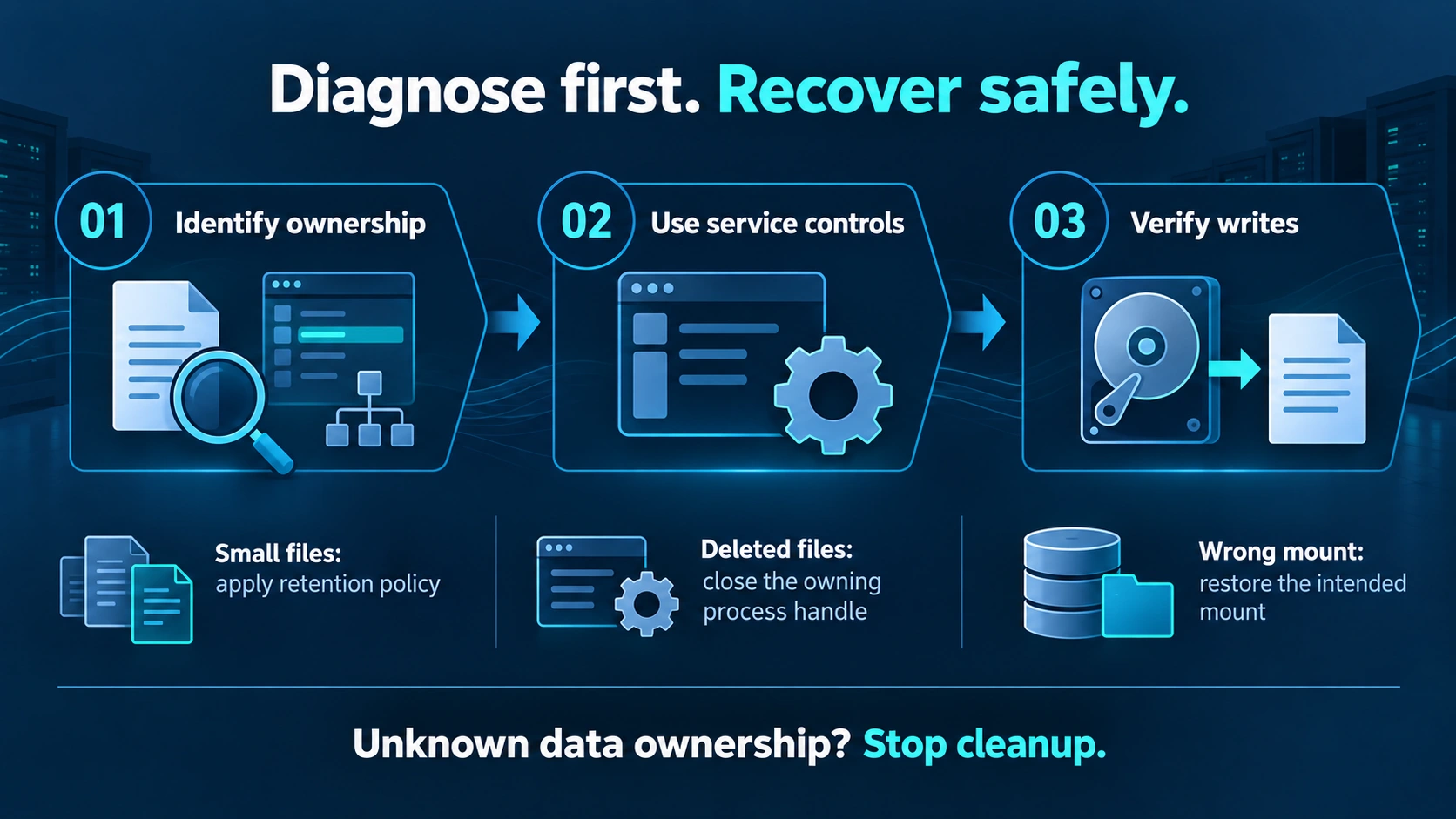
Prefer the application's documented cache expiry, queue archival or log retention mechanism. Before changing data, identify the owner, required retention, active use and backup location. Put required backups on another verified filesystem. Database files, unconsumed queue data and backup-repository objects are not disposable caches. Stop when ownership is uncertain, recovery is unavailable or the scan materially increases application latency.
Moving files within the same filesystem normally does not release inodes. Archiving objects elsewhere requires a readable-archive check, permission validation and review of application references before approved disposal of the originals. For recurring exhaustion, plan retention and a dedicated filesystem suited to the workload. Do not reformat the existing production volume.
3. Investigate deleted files that remain open
Compare directory use and filesystem use over the same scope. Account for traversal errors and permissions. A discrepancy is a clue, not proof: hidden mount contents and mismatched measurement scopes can also explain it.
sudo du -x -h --max-depth=1 -- "$write_path"
sudo lsof -nP +L1
The link-count filter lists open files with fewer than one link. Record the PID, type, device, inode, file descriptor and name, then associate them with the affected filesystem. Reported file size is not always allocated storage, and multiple descriptors may refer to the same inode; do not simply add all size fields. Ubuntu lsof manual
When the final directory name is removed while a process still has the file open, the file remains until the last relevant descriptor closes. Removing another path does not make that process close its old descriptor. Ubuntu unlink manual
Use the application's documented method to reopen a log or close the file safely. A service reload is not universally a log-reopen operation. Reloading a service and reloading systemd unit configuration are different actions. Inspect capabilities and configuration first; replace this example service name with the actual unit:
systemctl show example.service --property=CanReload,ExecReload,MainPID
systemctl cat example.service
These commands inspect information; they do not reload anything. Ubuntu systemctl manual
Only perform the documented release operation once application behavior, owner approval and recovery checks are established. Escalate deleted database files or unidentified files to the application owner. Do not truncate a process descriptor, forcibly kill a process or restart a database as a diagnostic experiment. Recheck lsof and df after the approved action, then check application health.
4. A missing mount can send writes into the root filesystem
If the mount source differs from the deployment record, pause new business writes and preserve the current directory contents. Confirm the device, UUID, mount configuration and recent changes. Files written before the data volume was mounted may be on the root filesystem. Mounting over that directory hides them and may suddenly expose a different dataset to the application.
Before recovery, establish which dataset is current, which volume the application should use and how migration or synchronization can be rolled back. Restore the intended mount and application path during a maintenance window, then verify ownership, permissions and content. Stop for a missing device, a read-only filesystem, I/O errors or conflicting datasets. Do not run offline filesystem repair on a volume still serving the application.
For a data migration, the directory restore and integrity verification guide can help define content checks. Restore validation does not replace mount-source identification.
5. Verify business recovery, not just a disappearing error
Repeat the capacity and inode checks. As the actual application account, create, write, synchronize and read a small file in an owner-approved test directory, then remove that specific file. This controlled probe is an example. Use it only where temporary files are allowed and the application will not ingest the test filename. Do not run it directly in a database data directory.
write_path='/srv/app-data'
probe=$(mktemp "$write_path/.yuqi-write-probe.XXXXXX") || exit 1
if printf '%s\n' 'write-probe' > "$probe" && sync -f "$probe" && cat -- "$probe"; then
  rm -- "$probe"
else
  printf 'Write probe failed; inspect the retained file: %s\n' "$probe" >&2
  exit 1
fi
The synchronization step requests pending I/O synchronization for the filesystem containing the probe, not just that small file. On a busy filesystem, use an approved window. GNU sync manual
The command removes only its randomly created probe file. On a failed write, synchronization or read, it retains the path for inspection. The expected readback is the probe text, with each operation succeeding. One successful probe establishes only a small-file operation for that account, path and moment. It does not prove large writes, database commits or sustained workload behavior. Run the application's own health check and a representative business write, then inspect new errors.
| Acceptance item | Required result |
|---|---|
| Path | Source and filesystem match the deployment design |
| Resources | Both blocks and inodes have headroom for expected growth until the next maintenance opportunity |
| Held files | Relevant deleted open files are released or have an explicit controlled retention reason |
| Application | The original account completes the probe; the business write succeeds; related errors are not continuing |
| Observation | At least one representative batch or rotation cycle is covered, with explainable resource growth |
Monitor inode use, available resources and growth rate as well as capacity percentage. Assign an alert owner and a stop-writing boundary based on response time and workload growth. See the server capacity alerting guide for the monitoring workflow.
Frequently asked questions
Why can a new file fail when df shows free space?
First verify that df measured the failed path. Then check inode availability. If both resources remain, inspect the application's namespace, quotas and original error. Permission denial and read-only failures need their own remedies.
Will deleting the largest log fix the problem?
File size does not indicate how many inodes can be released. If a process still holds the file, removing its name may not immediately reclaim storage. Identify the exhausted resource and references first.
Should I reboot the server immediately?
A whole-server reboot interrupts workloads and changes process evidence. Establish the cause and the application's recovery action first. If a maintenance reboot is necessary, prepare business recovery and rollback procedures.
Does this procedure fully cover Docker or NFS?
No. Some read-only checks are useful, but the actual namespace, storage driver or remote quota must also be inspected. This guide does not provide a complete repair procedure for those environments.
Related solutions
Server and storage solutions: include data-volume planning, recovery requirements and capacity monitoring in the implementation scope, with boundaries agreed for the actual environment.
Further reading
To review your enterprise server's data paths and recovery gates with Yuqi, prepare redacted error timestamps, mount information and resource statistics so the inspection scope can be defined.