

Many businesses start with a manageable firewall policy. Over time, new systems go live, vendors need remote maintenance, tests require temporary access, and servers move. Each change adds a few allow rules. The business recovers, the temporary need passes, but few people return to close the rules.
Years later, the firewall may still run normally while the rule set keeps growing. Who requested a rule, which system it serves, whether it is still needed and who can confirm its purpose may be buried in chats or someone's memory. A rule with no errors does not prove the access boundary is still clear. Manage more than technical configuration: record who can reach which business service, why access is allowed, for how long and when it must be reviewed.
Firewall rules are business permissions
A firewall policy controls traffic between networks or hosts. A rule may list a source, destination, service and action, but it represents a business relationship: a branch reaching a headquarters system, a vendor maintaining equipment remotely, employees using a cloud service, or an old system running alongside a new one.
NIST firewall guidance says policies should reflect organizational risk, business applications and the communications that need to be allowed, then be validated after deployment or change. A rule therefore needs to answer not only “what does it allow?” but also “why does the business need it?”
If a rule has no business purpose, owner, request reason or time limit, its syntax can be correct while its current value is impossible to judge. When a system is retired, a vendor changes or a network is redesigned, IT staff may keep an unknown rule rather than risk disrupting an undocumented service.
Temporary access is the easiest permission to make permanent
Rule accumulation is often the result of repeatedly restoring service, not deliberate neglect. A test service is opened before launch; a vendor gets a temporary remote source; old and new servers are allowed during migration; or access is widened during troubleshooting. Without an expiry date and owner for removal, the temporary rule stays.
Some rules are labeled only “test,” “temporary” or a person's name. Some requests say access is needed but not when it ends. Others were copied from an old device whose history can no longer be found. Over time, the link between rules and current business needs becomes weaker.
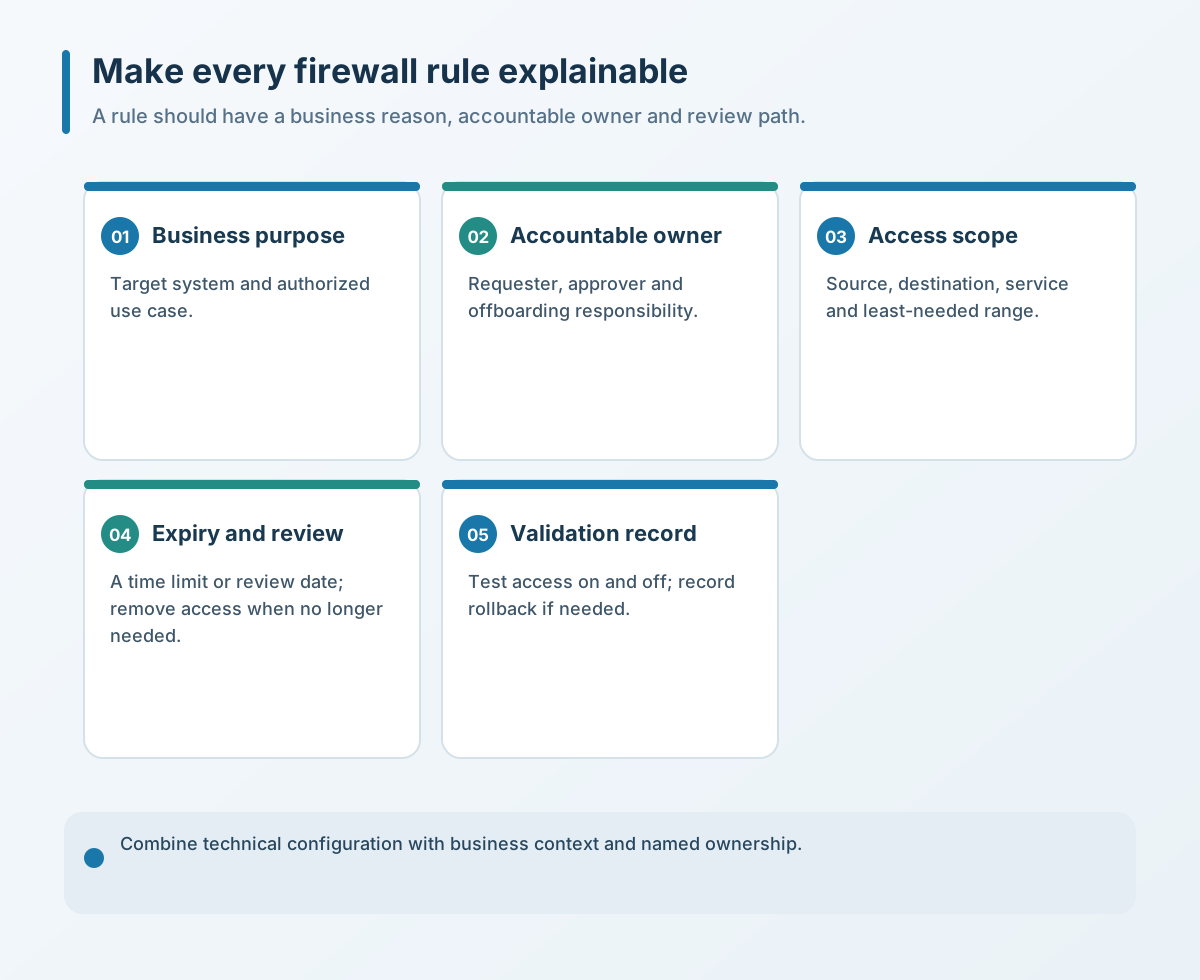
For every new or changed rule, record at least its business purpose, requester and accountable owner, source and destination scope, required service, request date, expiry or review date, and related change record. Emergency access should use an expedited but documented path with narrow scope, a named owner, an expiry and a post-incident review. Device comments can stay short, but an external register should translate the rule back into business language.
Too many old rules obscure the real boundary
When a rule loses its context, the risk is not only that access may be too broad. Maintenance becomes slower: staff hesitate to remove a rule during network changes, have difficulty identifying which rule is active during troubleshooting, and spend more time establishing which paths were allowed when an incident occurs.
CISA hardening guidance recommends controls such as routed access lists, firewalls and segmentation to separate systems with different purposes and establish a baseline of normal network behavior. For a small or midsize business, this does not necessarily mean buying a more complex firewall. Start by aligning access relationships with business zones: office endpoints, servers, guests, device networks and external maintenance should have understandable boundaries.
Rule count is not the only measure. A complex business may need many rules; a small one may have a problem in one overly broad rule. Ask whether each rule has a clear purpose, a sufficient but bounded scope, a change record and an owner responsible for retirement.
Rule cleanup should not be a one-time bulk deletion
With many old rules, the dangerous options are leaving everything untouched and making irreversible changes without understanding the business. A rule with no recent traffic may still serve a monthly, quarterly or disaster-recovery process.
NIST guidance recommends reviewing firewall policies periodically, checking changes since the last review and their authors and rationale, identifying rules that are no longer needed, and reviewing and testing the policy set. Break the work into small batches: record purpose and owner, consult logs, the system inventory and business owners, then disable or narrow confirmed candidates in a low-risk window. No recent traffic is only a candidate signal—not proof that a rule is unused; check logging coverage, seasonal or scheduled work, recovery paths and application-owner confirmation. Keep a configuration backup and rollback plan, and verify affected services afterward.
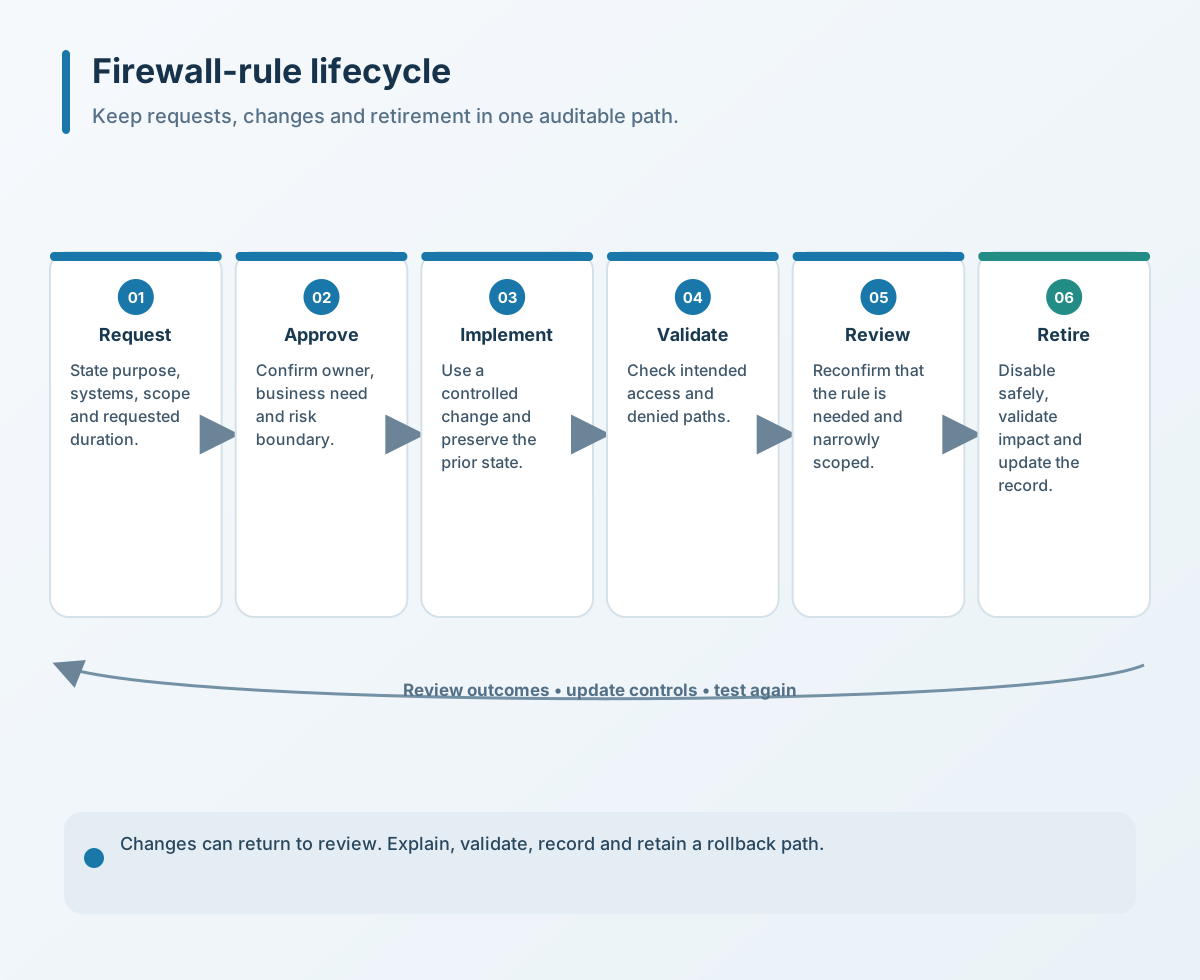
There is no review interval that fits every business. Systems with frequent changes or external maintenance need closer review. Even in a stable environment with few rules, trigger a review when a system is retired, a vendor changes, the network is redesigned or significant permissions change.
Four checks a business can make first
- Create a minimal rule register. Start with Internet-facing access, cross-network traffic, vendor remote access and administrator entry points. Record purpose, owner, scope, time limit and change ID.
- Flag temporary and unknown rules. Temporary rules need an expiry or review date. List rules with unclear history separately; do not delete them before the relevant owner confirms their use.
- Review by business group. Group rules by system, team or network zone and use logs with owner confirmation. Avoid processing too large an impact area at once.
- Retire through a controlled change. Back up the configuration, choose a low-risk window and define verification and rollback conditions. Check critical services after disabling a rule, then update the register and network diagram.
A firewall is not safer because it has more rules. Its value comes from boundaries that remain explainable, testable and removable. Restore business purpose and ownership first, then narrow historical access in stages rather than trying to empty the policy in one pass.
If you need to review firewall rules, network zones or external access, contact Yuqi Intelligent to prioritize the work by purpose, owner, scope, expiry and change history.