
Product manuals, service procedures, project records, and meeting notes often remain scattered across NAS devices, shared drives, wikis, and employee computers. Adding an AI assistant does not solve the problem when answers have no traceable source, permissions are unclear, and nobody can restore the service after a failure.
An OpenViking enterprise context database is a technical foundation worth evaluating. The official project describes OpenViking as a context database for AI agents that unifies long-term memory, knowledge RAG, and skills. A business evaluation should go beyond starting the server: retrieval, access, model cost, and recovery must be tested with real questions.
This guide is based on the official repository, Quick Start, and deployment documentation. We did not install or benchmark OpenViking locally. The commands and expected outputs below are official instructions, not an independent test result.
What OpenViking accepts and returns
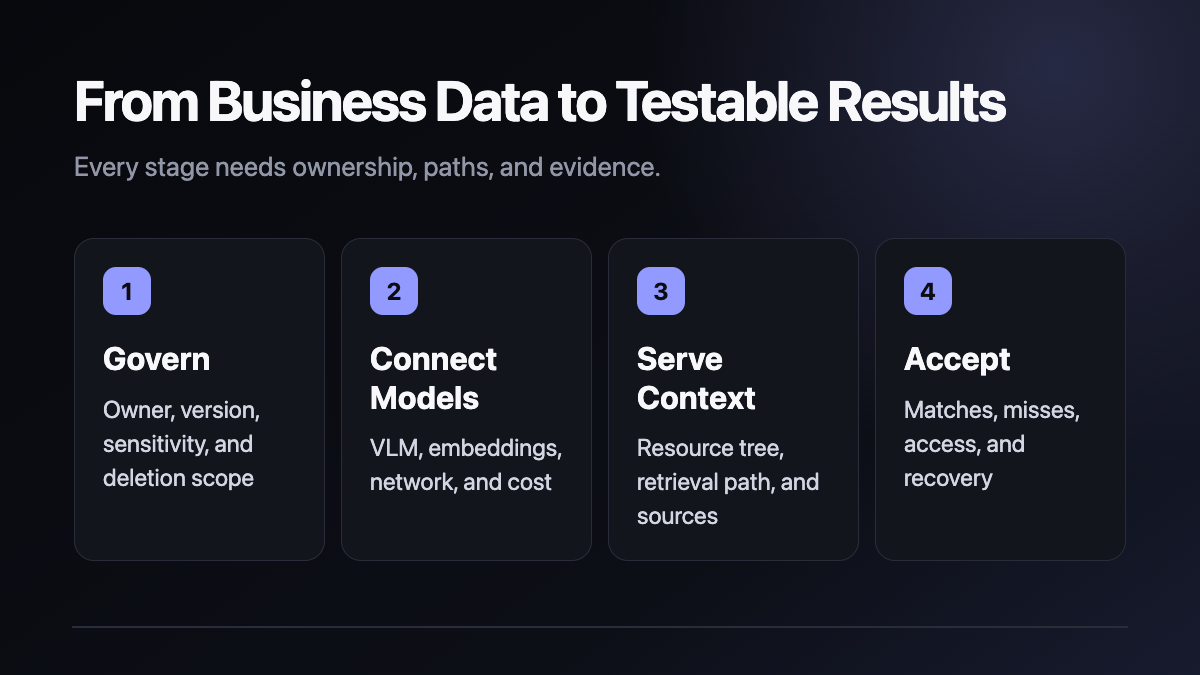
A pilot can begin with documents whose ownership and sensitivity are understood. OpenViking organizes context and exposes retrieval through a service. A VLM supports image and content understanding, while an embedding model supports vectorization and semantic retrieval. Business users should receive a resource tree, retrieval path, source evidence, and results they can verify.
Importing files does not guarantee accurate answers. Versions, duplicates, failed parsing, prompts, model capability, and permissions all affect the result.
Official Python setup path
The official Quick Start requires Python 3.10 or later and recommends:
uv tool install openviking --upgradeFor first-time configuration, run:
openviking-server init
openviking-server doctor
The interactive initializer helps select model services and writes a configuration template. The default configuration path is ~/.openviking/ov.conf. OpenViking requires VLM and embedding capabilities and supports several providers, including OpenAI-compatible services. API keys should remain in the business's secret-management system and must not be committed to code or printed in logs.
Start and verify the service:
openviking-server
curl http://localhost:1933/health
The official expected health result is {"status":"ok"}. Web Studio is available at http://localhost:1933/studio. The deployment guide also documents /ready for dependency-level readiness checks.
Docker Compose pilot
The official Docker path keeps configuration and workspace state under ~/.openviking and mounts that directory into the container. After preparing ov.conf and the Compose file, use:
docker compose up -d
docker compose logs -f
curl http://localhost:1933/health
Stop the container with docker compose down. Do not delete the mounted directory or a Docker volume until a backup has been verified.
On macOS, a container may not reach a model service on the host through localhost. The official guide provides a socat forwarding approach. It is a documented workaround that still requires testing in the actual business network.
The container binds to 0.0.0.0 internally for port mapping. The official guide requires a root_api_key in ov.conf. A production environment should also restrict firewall exposure, proxy sources, CORS, administrative access, and log retention. Do not expose the default service directly to the public internet.
A seven-day pilot
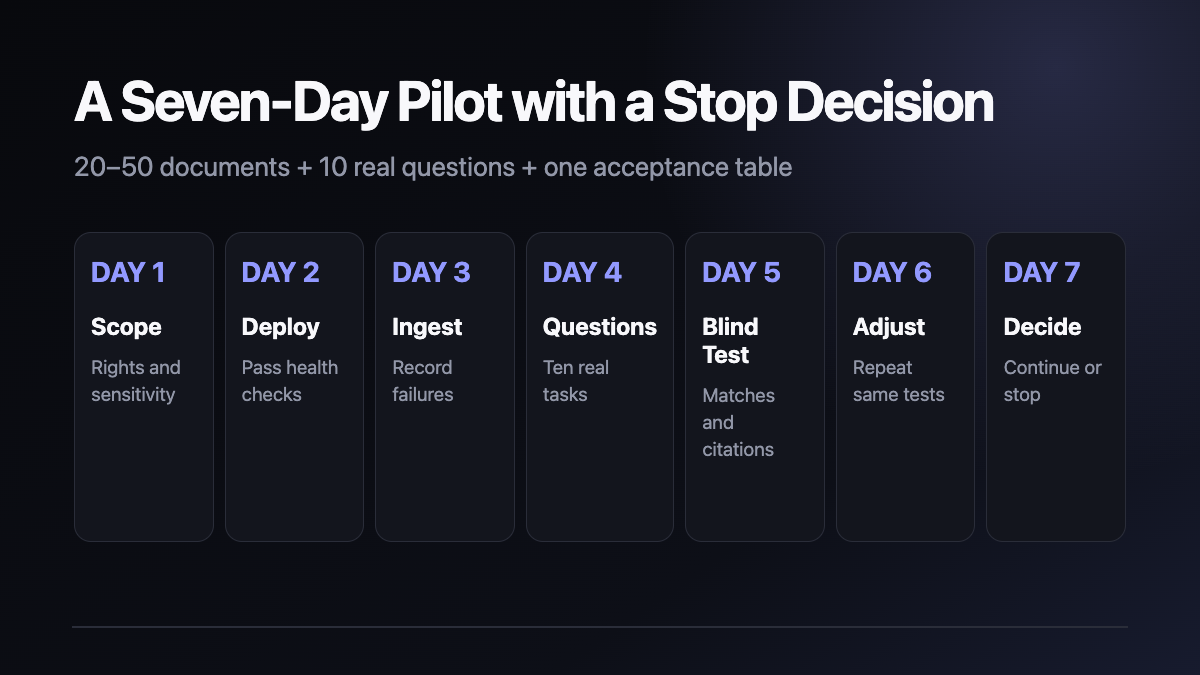
Day 1 — scope and rights. Select 20 to 50 documents and record the owner, valid version, sensitivity, and deletion scope.
Day 2 — deployment and health. Choose Python or Docker, configure model services, pass the health check, and record versions and owners.
Days 3 and 4 — ingestion and failures. Import the sample and record parsing failures, duplicates, model calls, response time, and resource use.
Day 5 — blind business test. Ask actual users to provide ten questions. Record correct matches, missed documents, incorrect citations, and whether the source can be opened.
Day 6 — change explainable variables only. Adjust folders, versions, permissions, and prompts, then repeat the same questions.
Day 7 — continue or stop. Deliver the retrieval table, cost record, access matrix, backup-and-restore result, and a recommendation for the next scope.
Eight checks before production
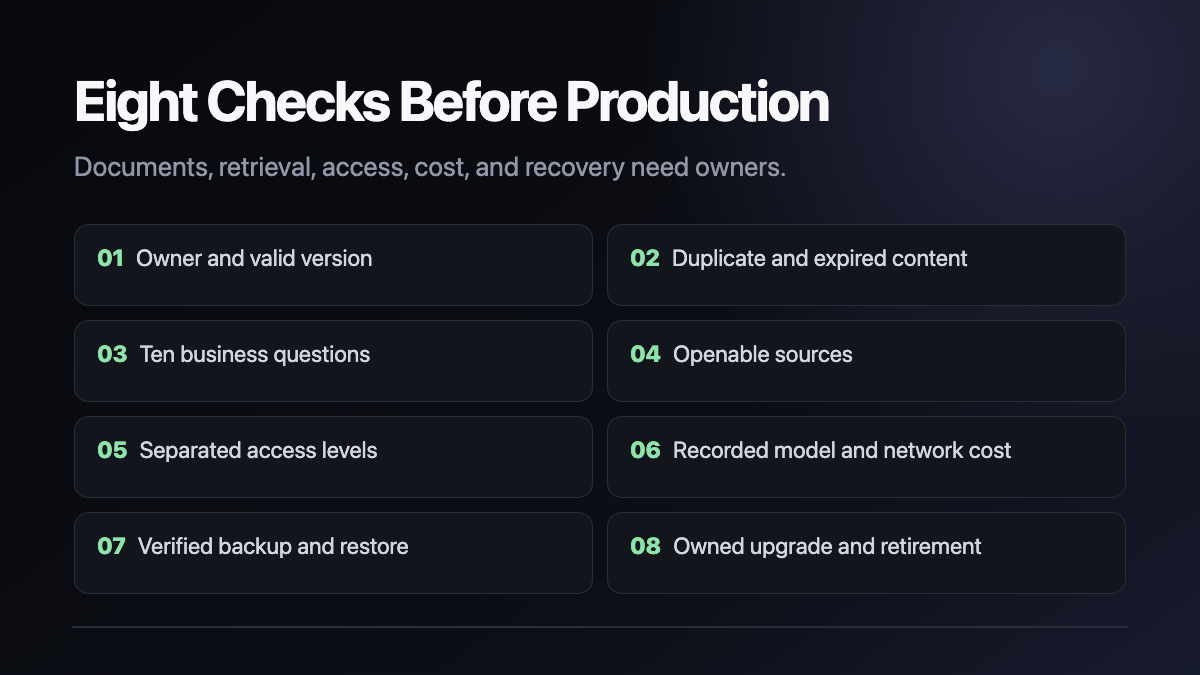
- Every document has an owner and valid version.
- Duplicate, expired, and invalid content is marked.
- Ten real questions come from business users.
- Every answer can open its source and path.
- Employee, administrator, and external access is separated.
- Model API, network, and per-query costs are recorded.
- Configuration, workspace, and indexes pass a restore test.
- Upgrade, rollback, retirement, and deletion have named owners.
If source evidence, access, or recovery cannot be explained, the pilot should not expand.
Upgrade, rollback, and removal
For an uv installation, the official upgrade command remains uv tool install openviking --upgrade. A Docker deployment should record the current image, configuration, and workspace backup, test the new image with the same health, readiness, and ten-question checks, and only then switch production. The latest tag is not a sufficient rollback record.
Before removal, export the configuration and required business data, test the recovery path, and confirm the deletion scope. An uv tool can be removed with uv tool uninstall openviking; a pip installation with pip uninstall openviking; a Compose deployment can be stopped with docker compose down. Removing the program does not automatically remove mounted data or backups.
Licensing boundary
As checked on August 25, 2026, the repository root LICENSE and pyproject.toml both identify AGPL-3.0, while the documentation footer displays Apache-2.0. This conflict should remain visible. Before modification, network service, redistribution, or closed-source integration, review the exact directories, components, versions, and dependencies in use and obtain qualified legal advice when needed.
At the same snapshot, the repository had about 32,988 stars and 2,513 forks, and the latest release was v0.4.16. Those are changing indicators of attention and activity, not proof of production reliability, customer count, or revenue.
A practical next step
Start with one week, 20 to 50 documents, and ten questions. Success means users consistently find the correct material, can inspect its source, understand access, record costs, and restore the system after failure.
Shanghai Yuqi Intelligence Technology Co., Ltd. can help businesses in Shanghai and nearby areas scope documents, deploy a pilot, design retrieval tests, and establish access and backup acceptance criteria. Product capability, model pricing, and licensing must still be confirmed against official OpenViking information, provider terms, and the business's compliance requirements.